We’ve improved the Explore tab experience for guest users and introduced the foundational version of ticket change history—enhancing clarity, consistency, and lifecycle visibility across Instant Ticketing.
Share our latest updates with our BuildPowerPoint Presentation
Overview
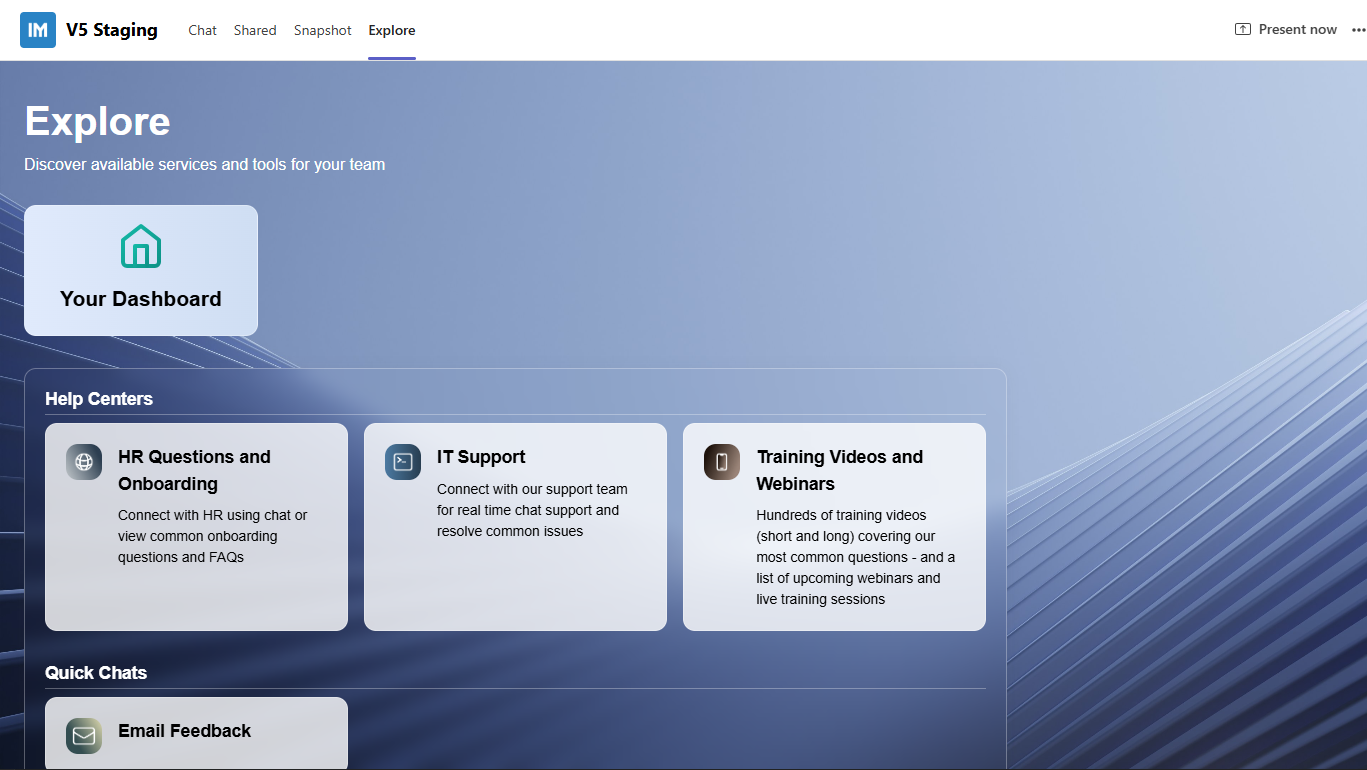
Explore Tab – Guest Dashboard Visibility– Guest users who are not included in ManagerDashboard > Manage People will now always see the “Your Dashboard” card, ensuring a predictable and consistent experience across the Explore tab.
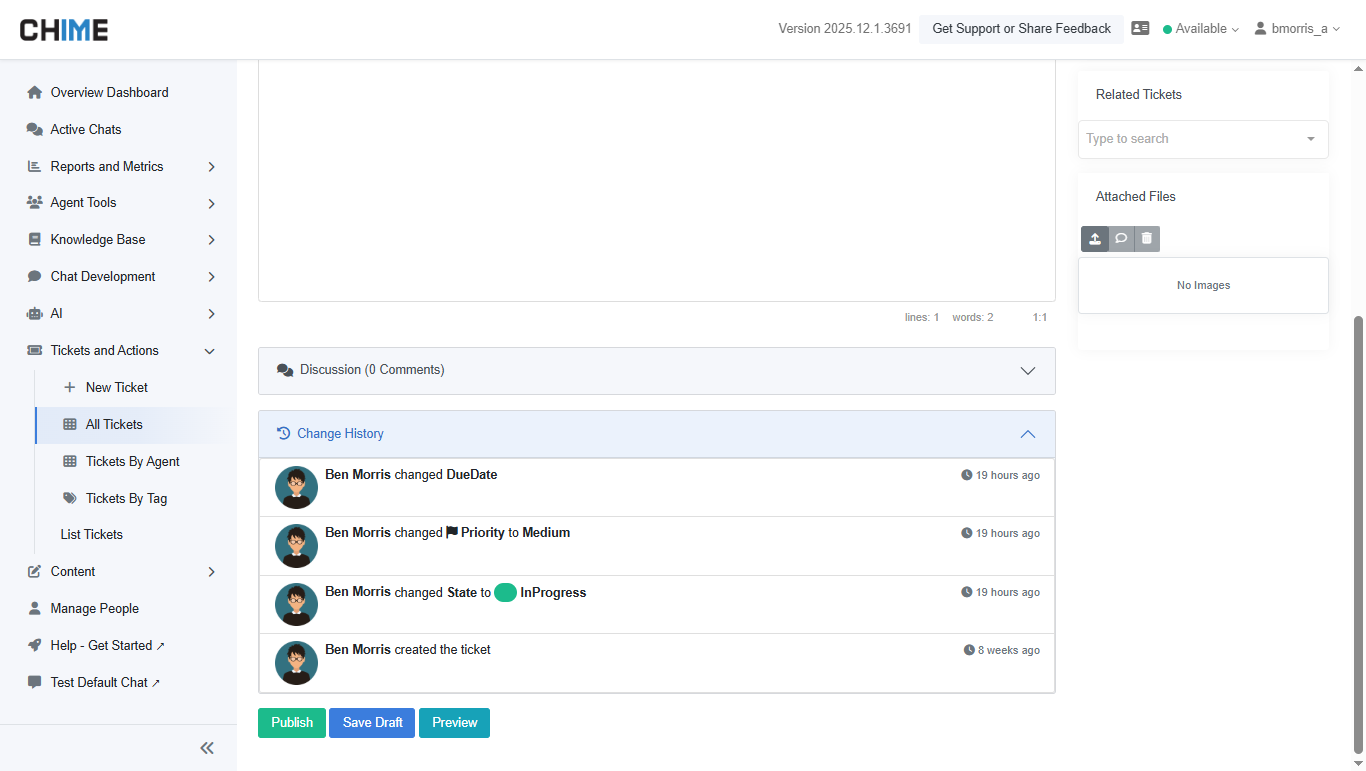
Instant Ticketing – Change History– Core tracking functionality has been added to begin capturing ticket change events. This includes the underlying data model, modular display components, and automatic reload of history on expand.
Explore Tab – Guest Dashboard Visibility
Guest users accessing the Explore tab will now always see the “Your Dashboard” card—even if they are not part of the ManagerDashboard > Manage People list. This ensures that every user, regardless of role or permissions, receives a baseline dashboard experience and clearer entry point into their personal workflows.
Why it’s useful:Consistent navigation helps improve user orientation across the Teams app and prevents gaps in visibility for non-managed or guest user types.
Instant Ticketing – Change History
A foundational version of ticket change history is now available, enabling the system to begin capturing structured updates as tickets evolve. This initial release focuses on building the underlying event model and preparing the interface for deeper lifecycle insights.
Key improvements include modular history display, automatic refresh on expand, and default-collapsed history for cleaner ticket views.
Why it’s useful:Establishing structured change tracking sets the stage for full audit history visibility in future releases—helping agents and managers understand how tickets develop over time and ensuring clarity across the support process.