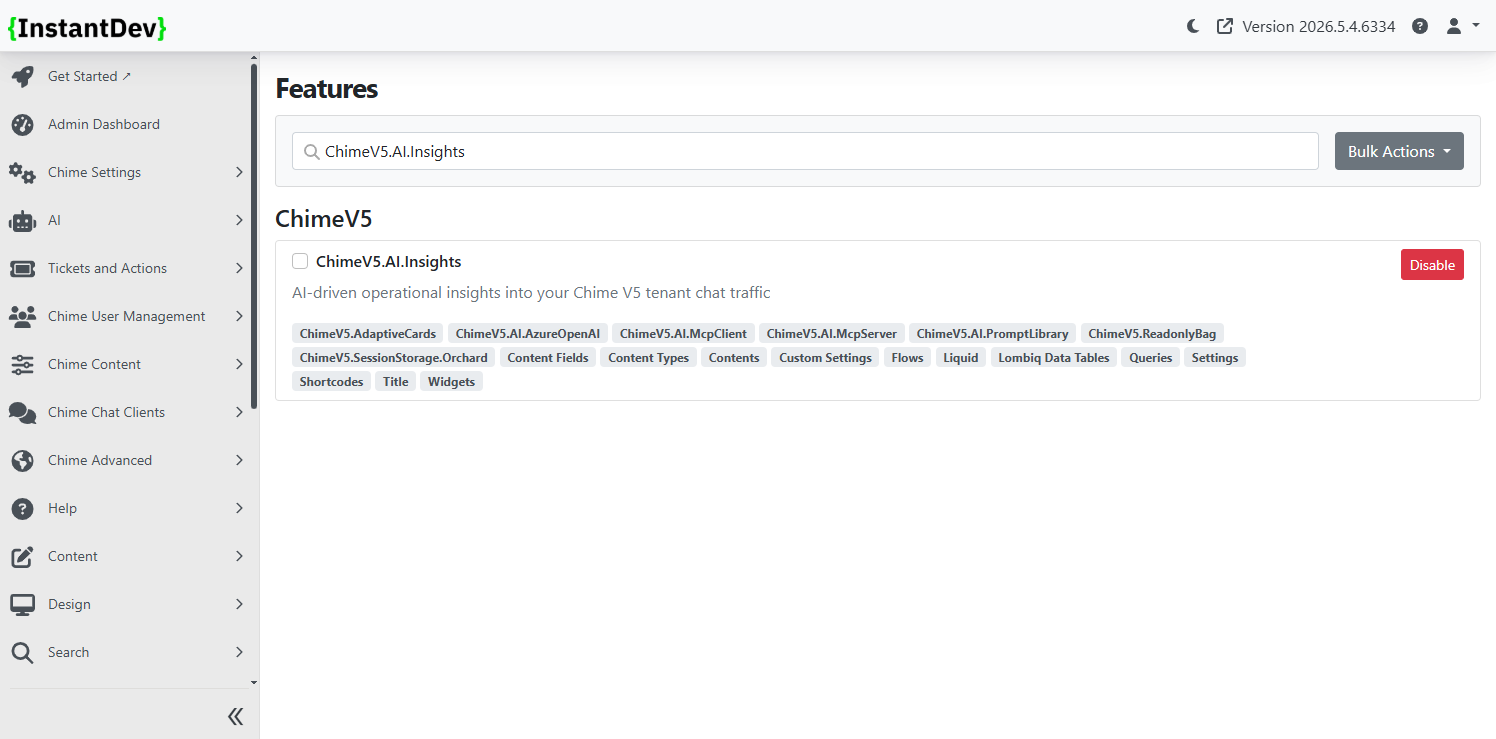
Introduced AI-powered chat tools for admins and managers that can analyze and cross reference Chime data, including MCP-powered access to internal platform insights and API knowledge
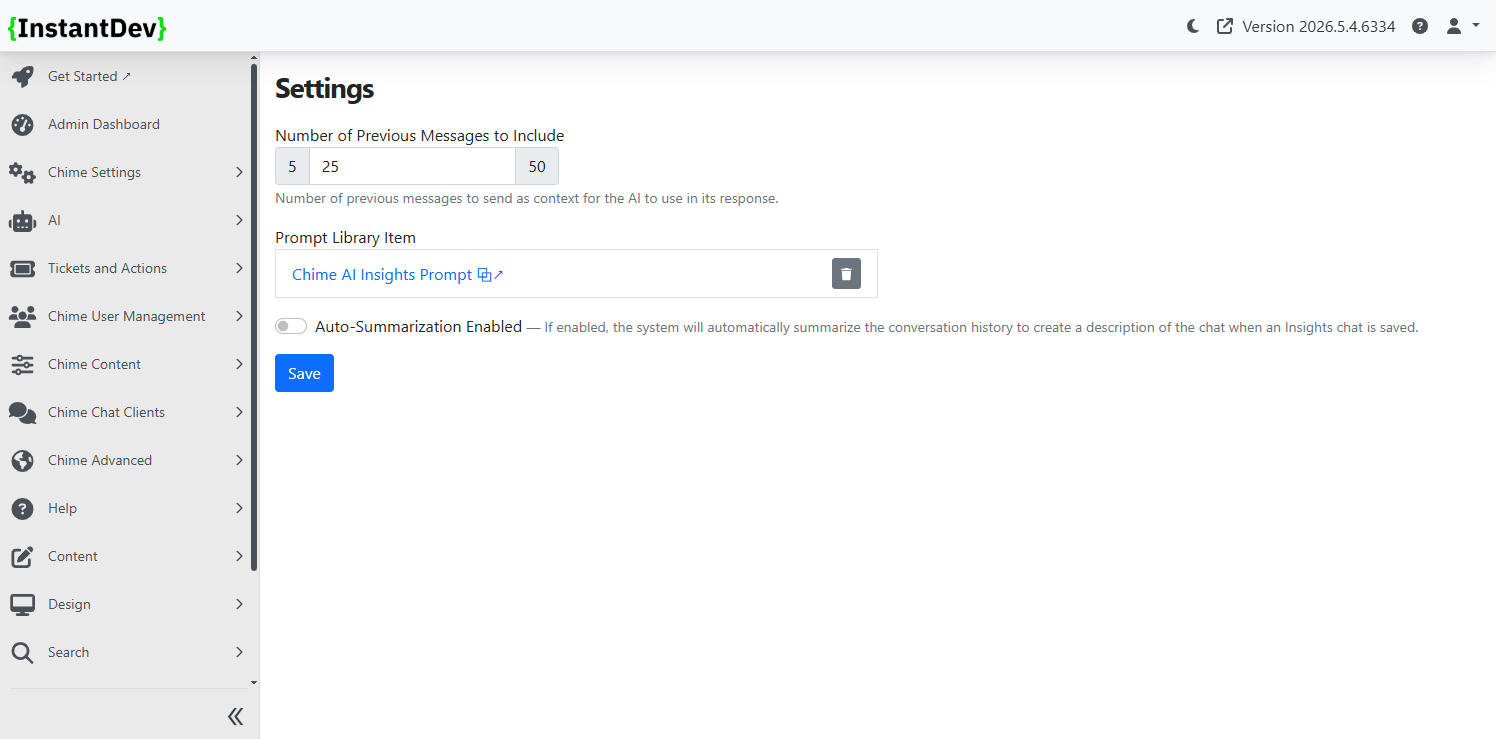
Configure AI Insights within the Admin UI with configuration options for the number of previous messages to use for AI context, a new Chime AI Insights Prompt, and toggle for auto-summarization of chats
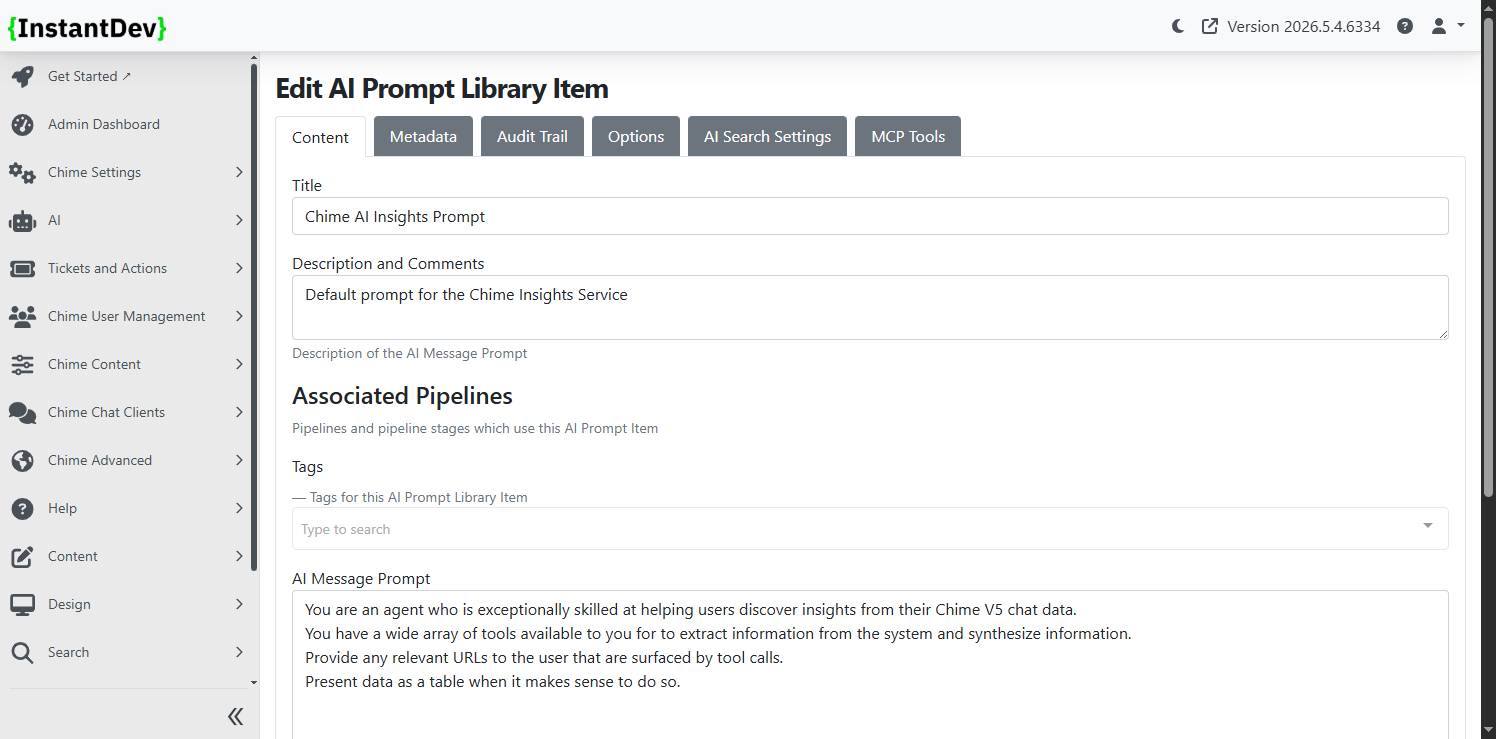
A new AI prompt has been added and is configured by default for AI Insights
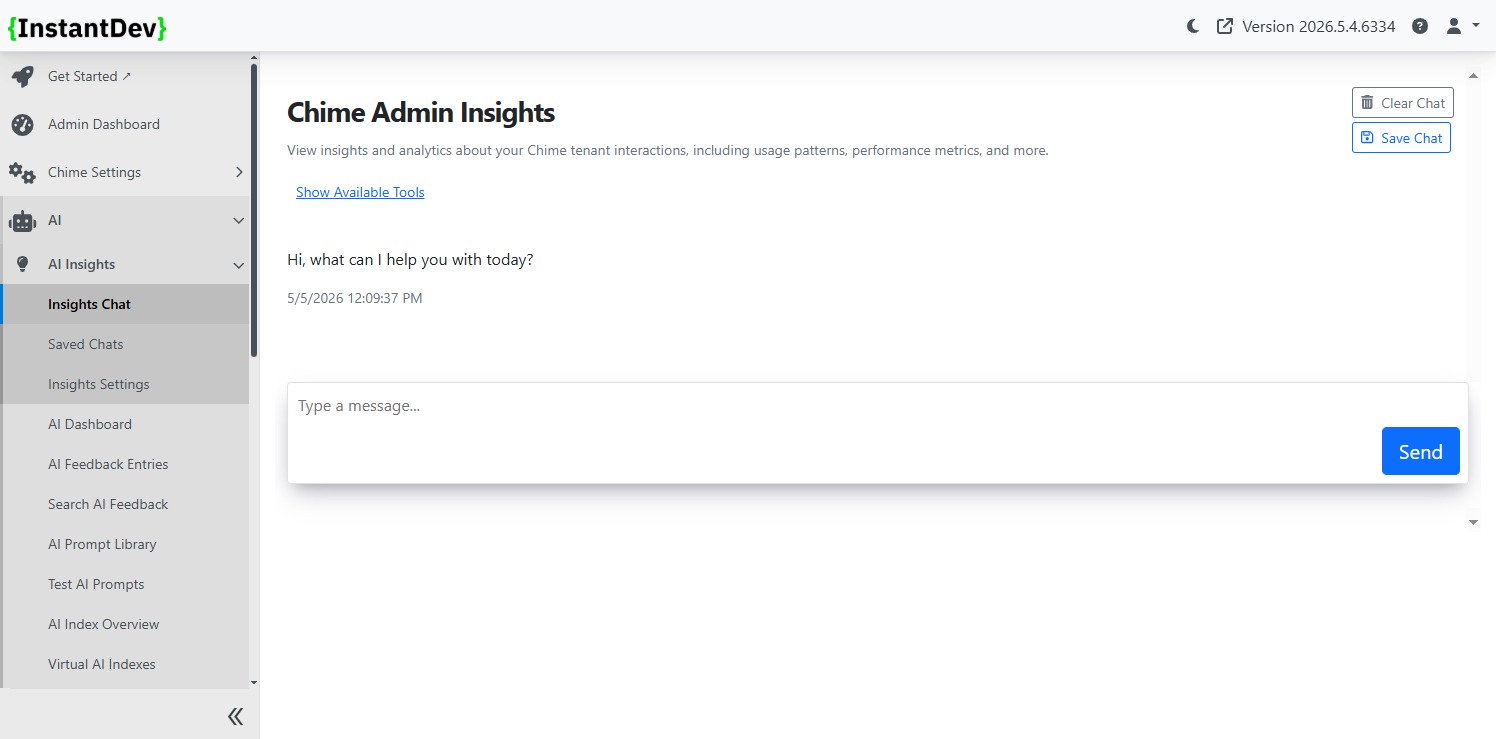
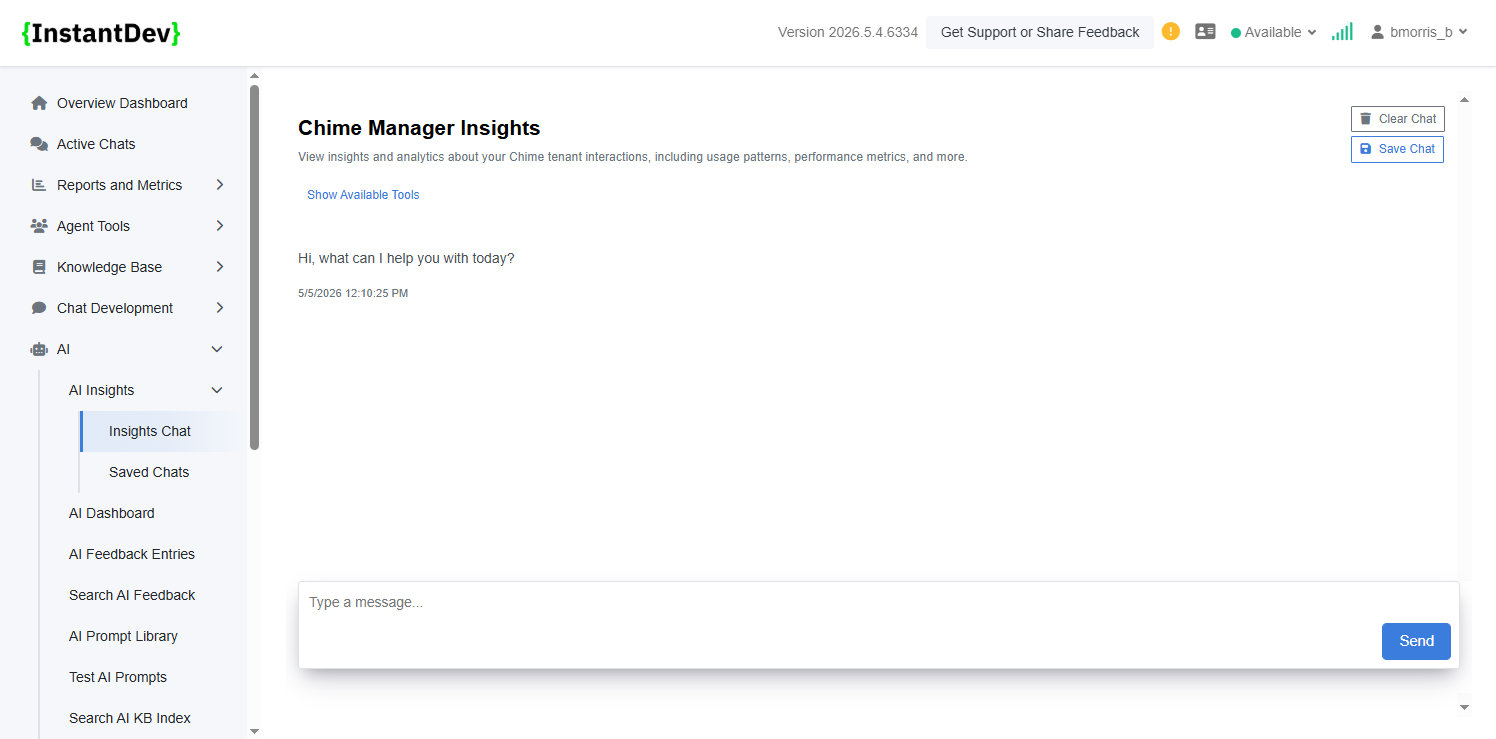
Easy to access chat UI for Admins where users can view insights and analytics about the Chime tenant, usage patters, performance metrics, and more
Easy to access chat UI for Managers where users can view insights and analytics about the Chime tenant, usage patters, performance metrics, and more
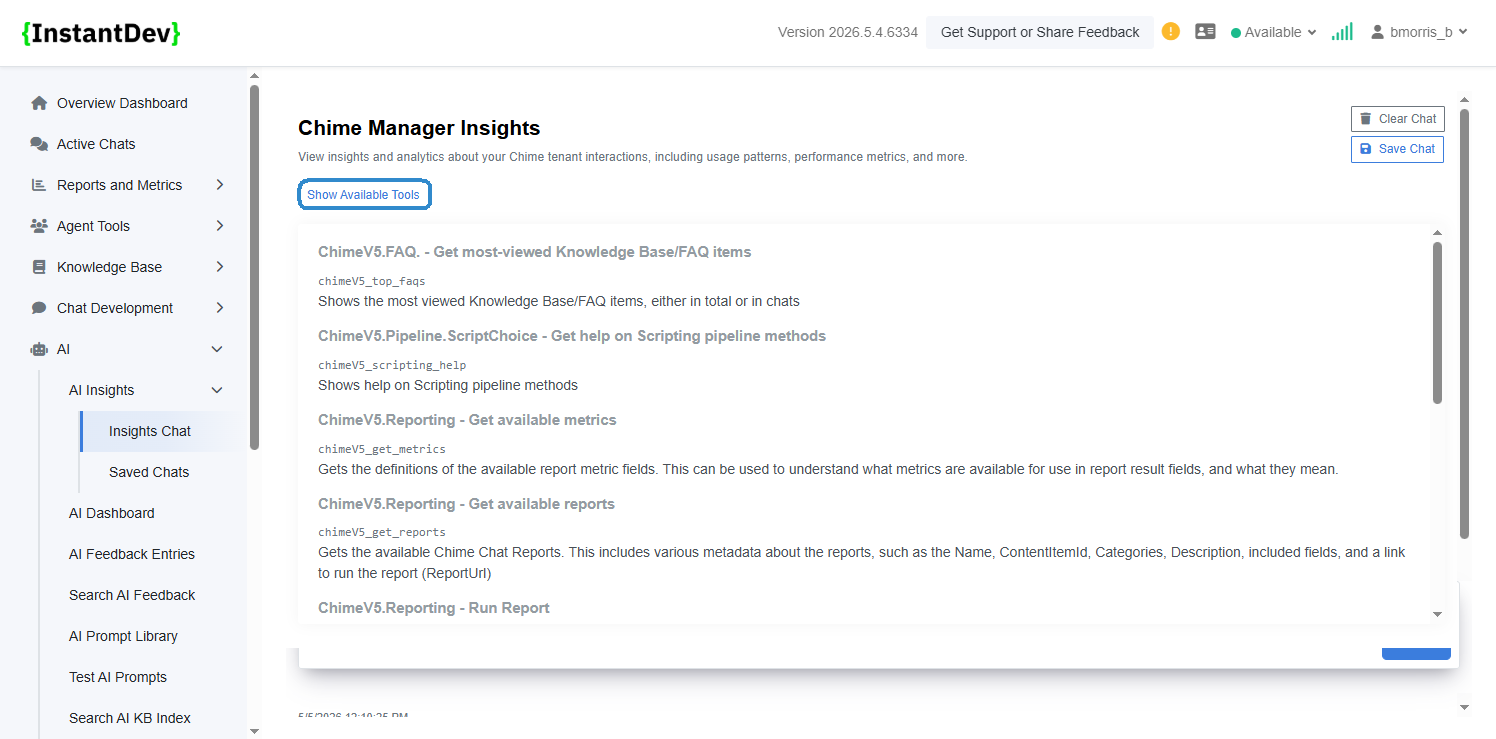
Users in both Admin and Manager UI can view available tools that AI Insights chat will pull content and data from allowing users to know what kinds of content can be searched for
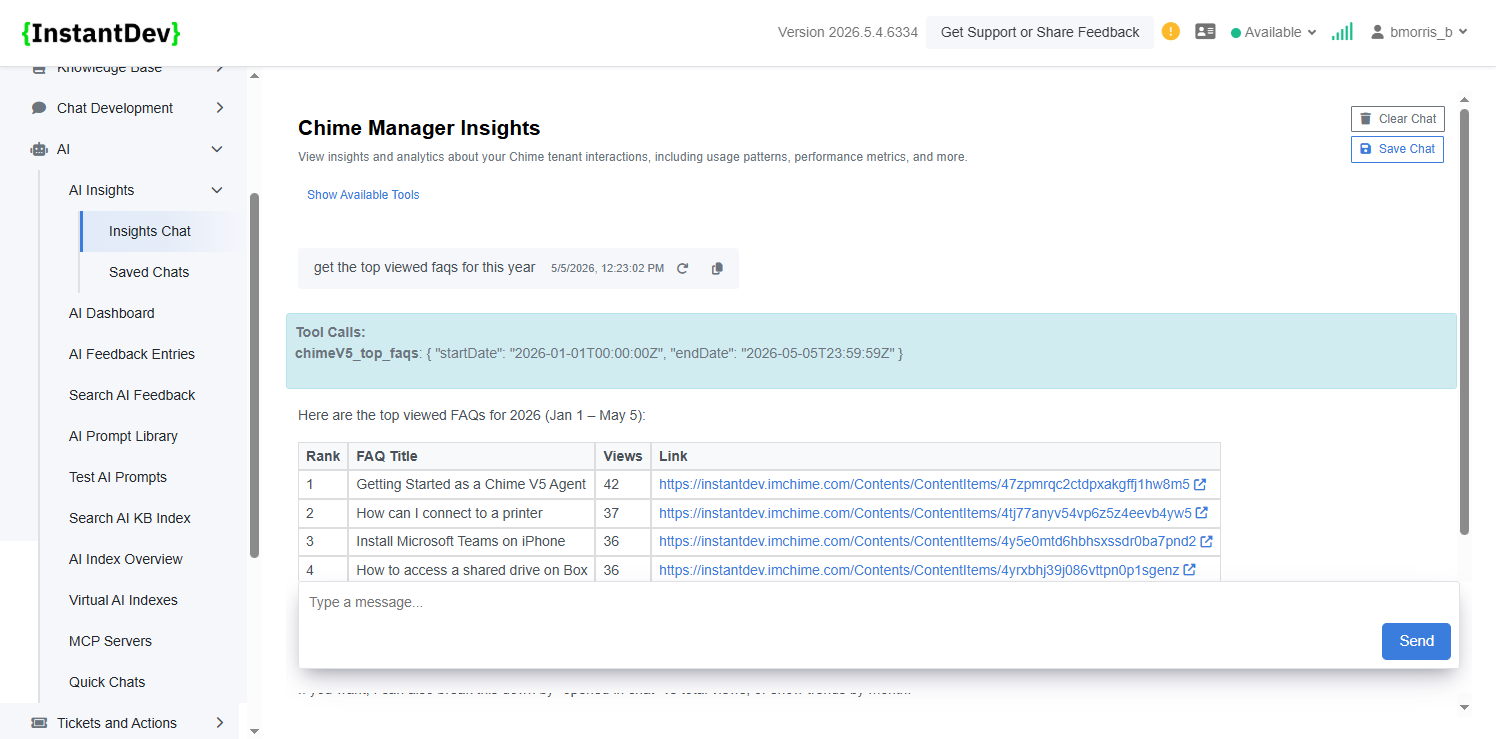
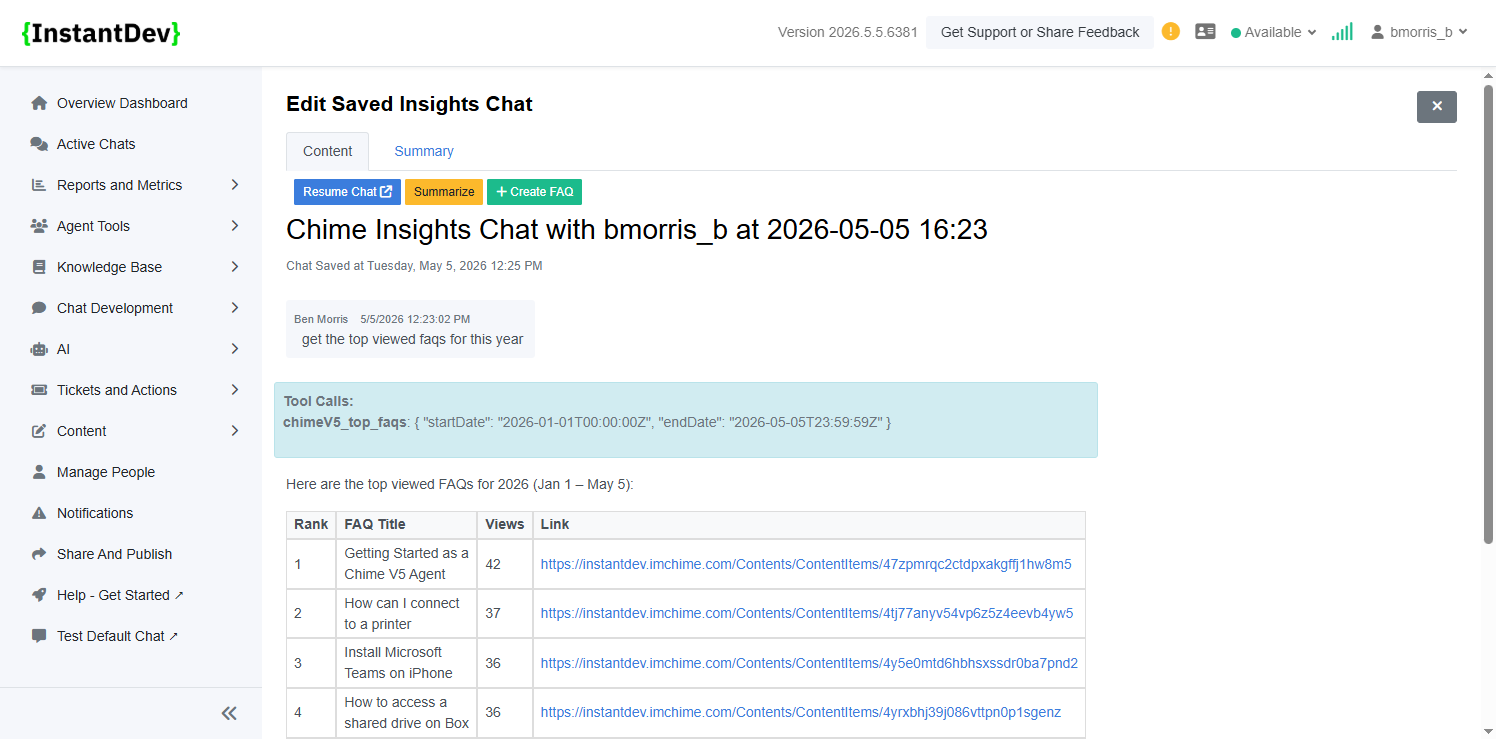
AI Insights can surface and analyze platform data through natural language conversations, making it easier to identify trends such as the most viewed FAQs, usage patterns, and high-traffic knowledge areas without manually building reports.
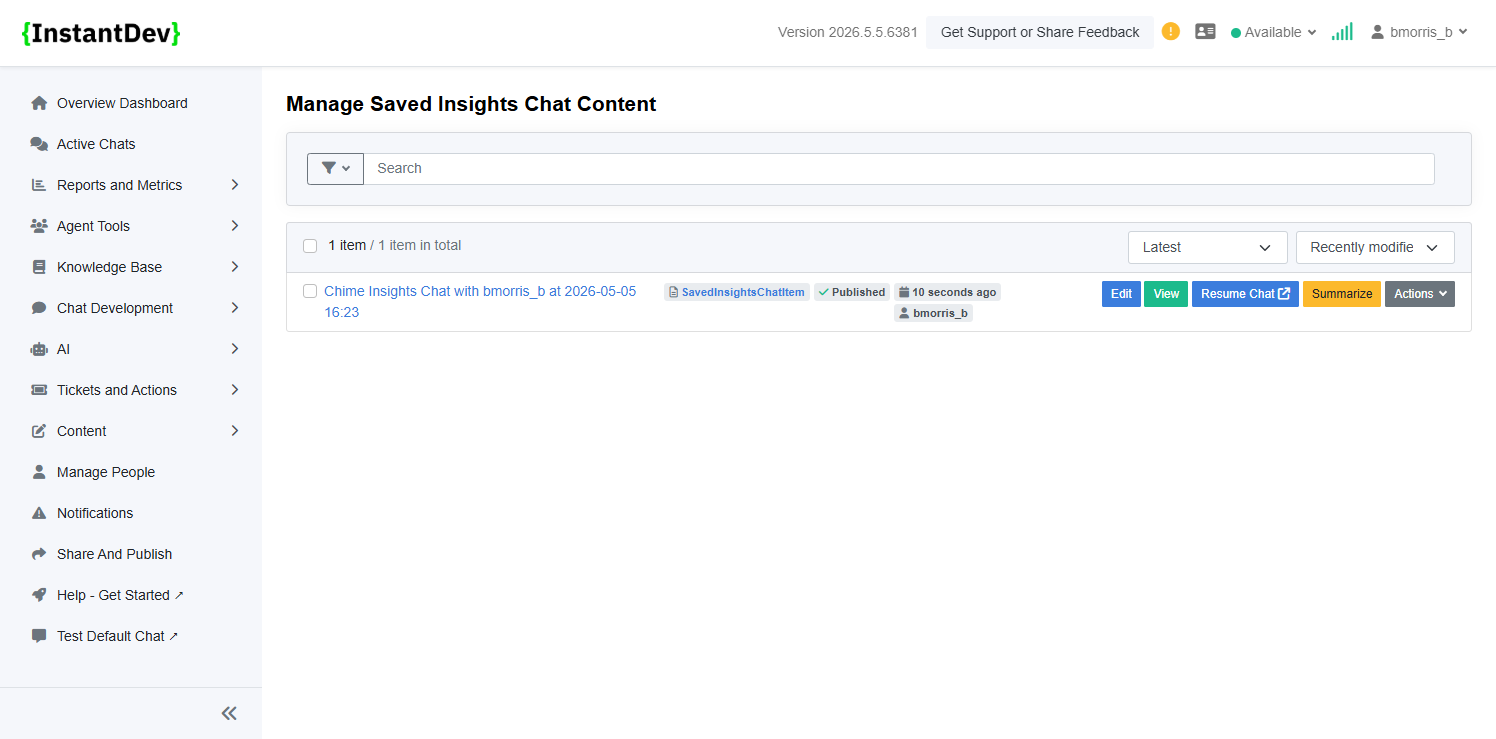
Saved AI Insights conversations make it easy to revisit previous analyses, continue ongoing investigations, and quickly reference historical AI-generated findings without restarting a new chat.
Saved Insight Chats preserve the full conversation history alongside generated summaries, allowing teams to resume investigations, create FAQs from findings, and quickly revisit previously analyzed data through a centralized transcript and summary view.
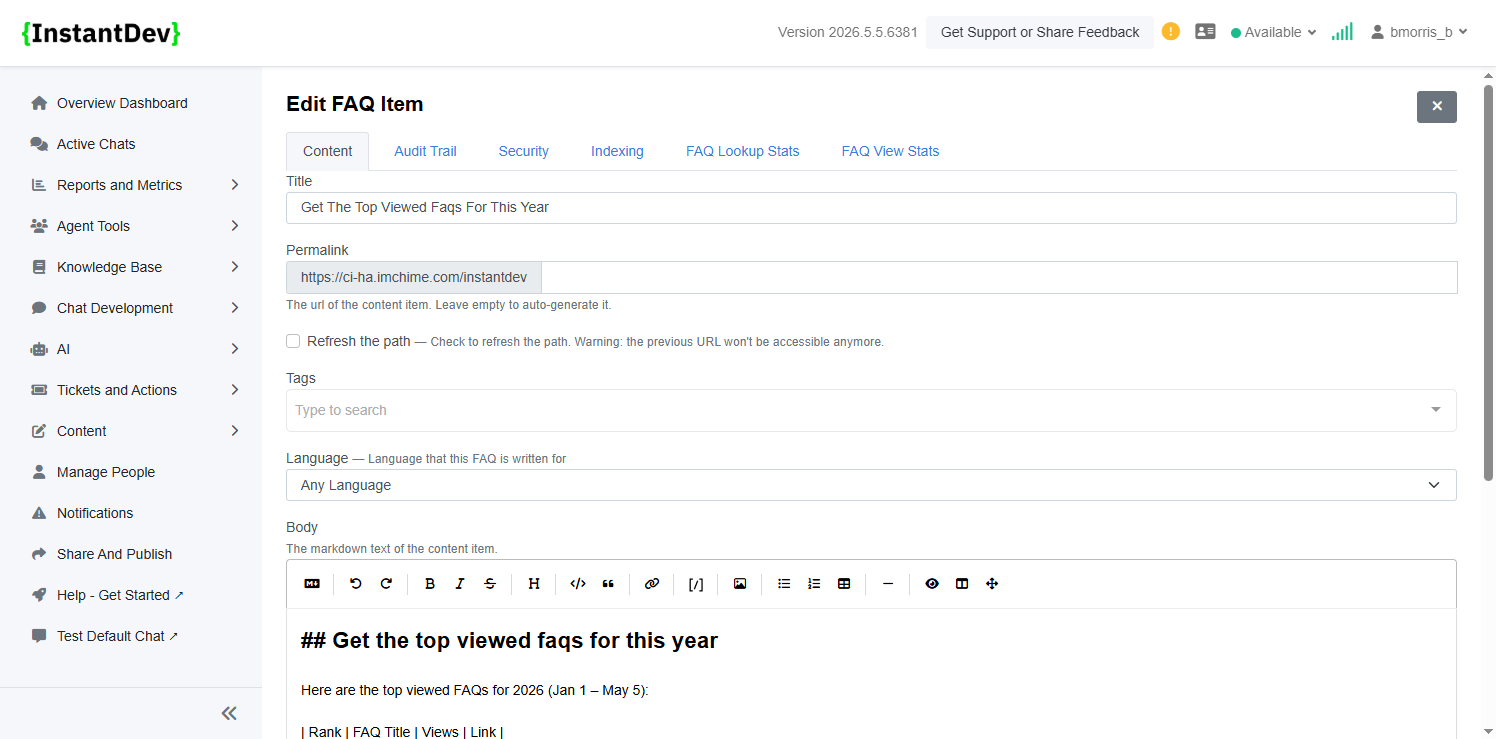
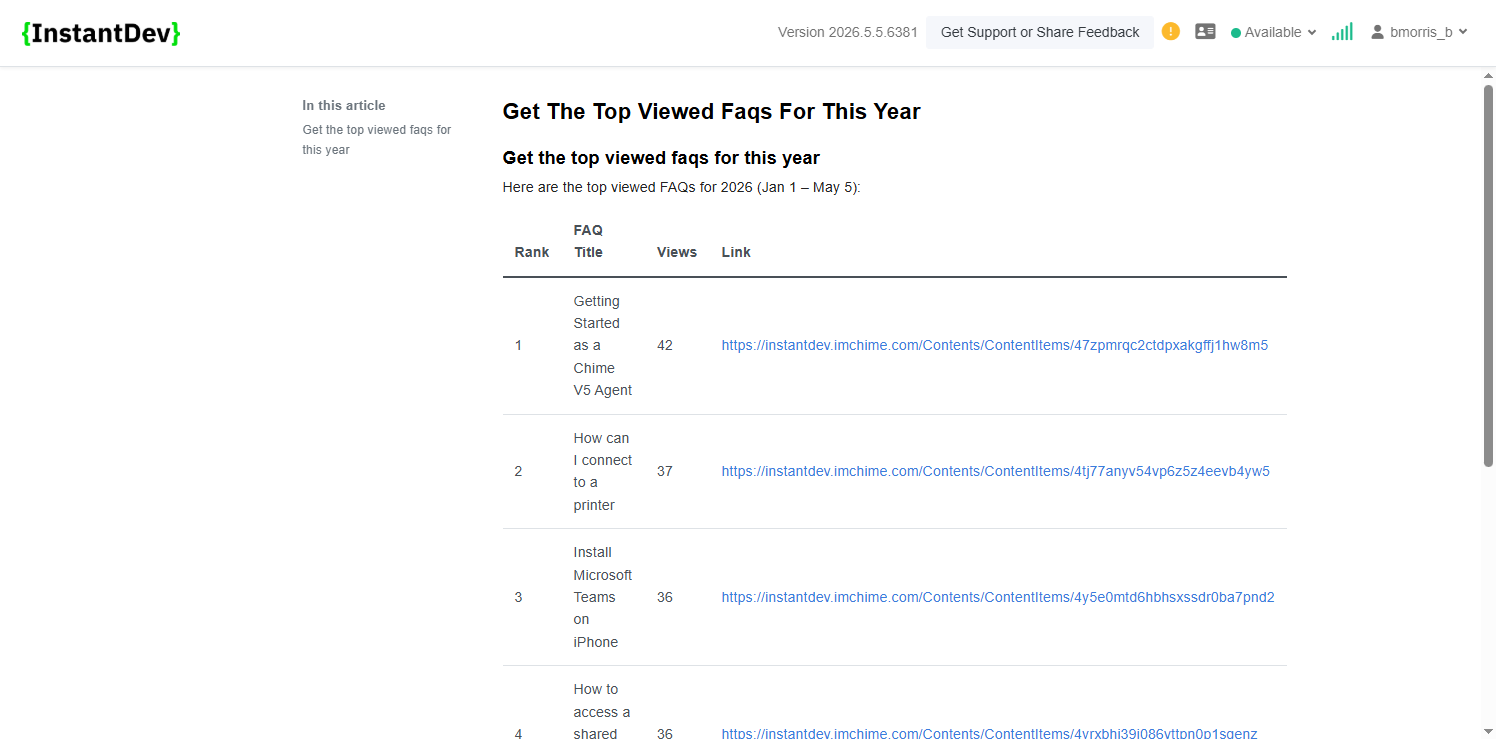
FAQs can be created directly from Insight Chats, transforming analyzed conversations and findings into reusable knowledge base content that can be reviewed, refined, and published for broader team access.
Generated FAQs retain structured formatting from the original Insight Chat, including clean tables and organized lists that make high-traffic topics such as top viewed FAQs easy to review and share.
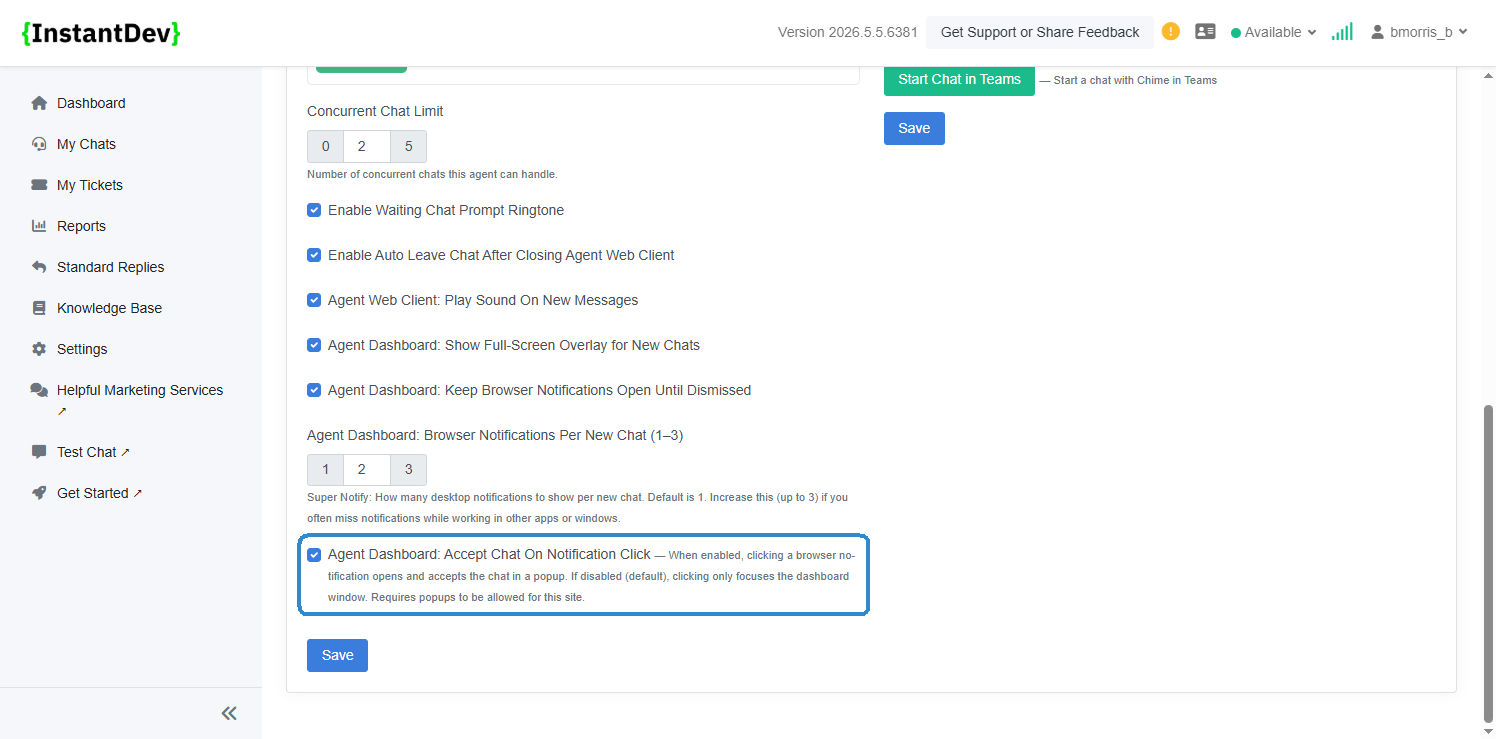
Added an Agent Profile setting to control notification click behavior, allowing agents to automatically open and accept chats in a popup window or keep the default behavior of only focusing the dashboard when a browser notification is clicked.
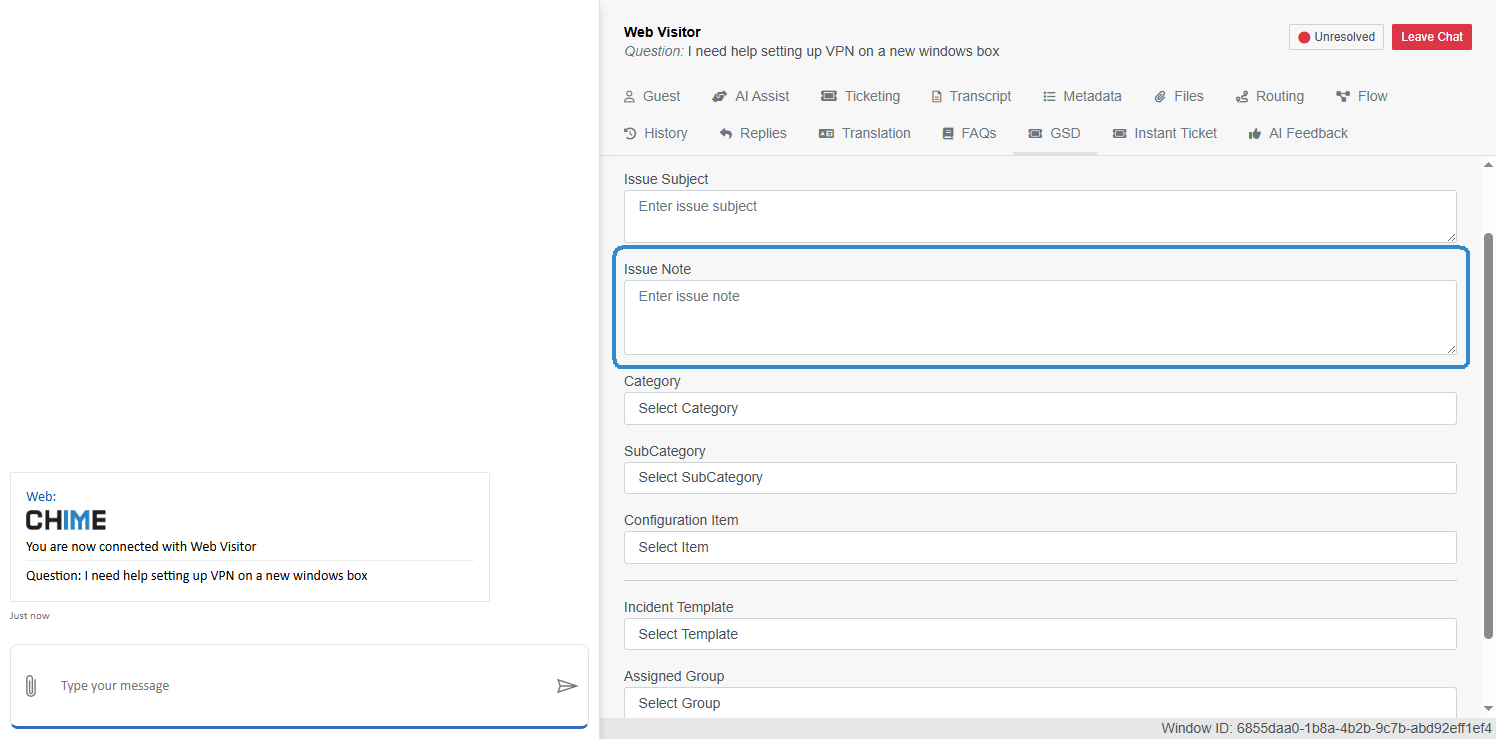
Updated the Page GSD tab to rename the “Issue Description” field to “Issue Note” for clearer ticket metadata labeling and improved usability.
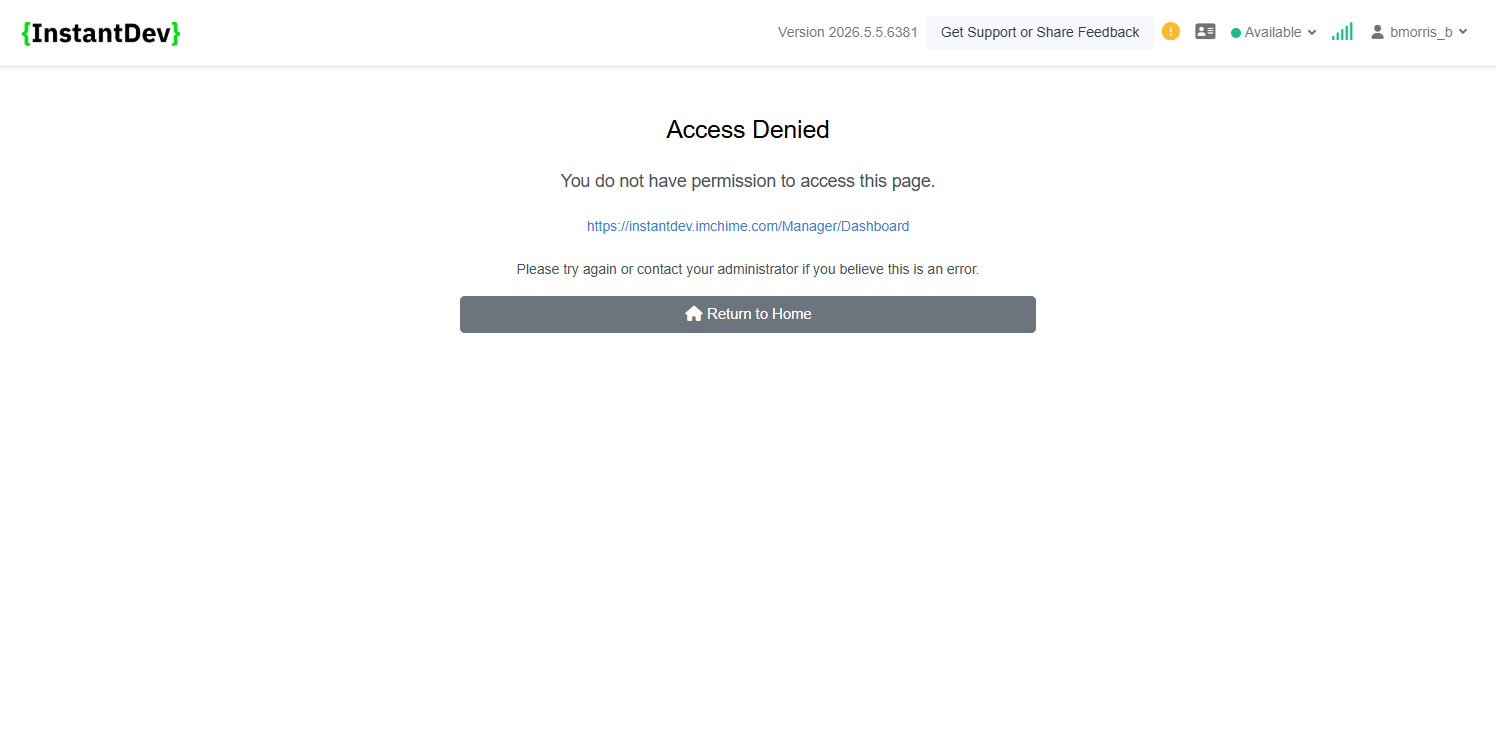
Updated the Access Denied page messaging to provide clearer guidance when users do not have permission to access a page or feature.
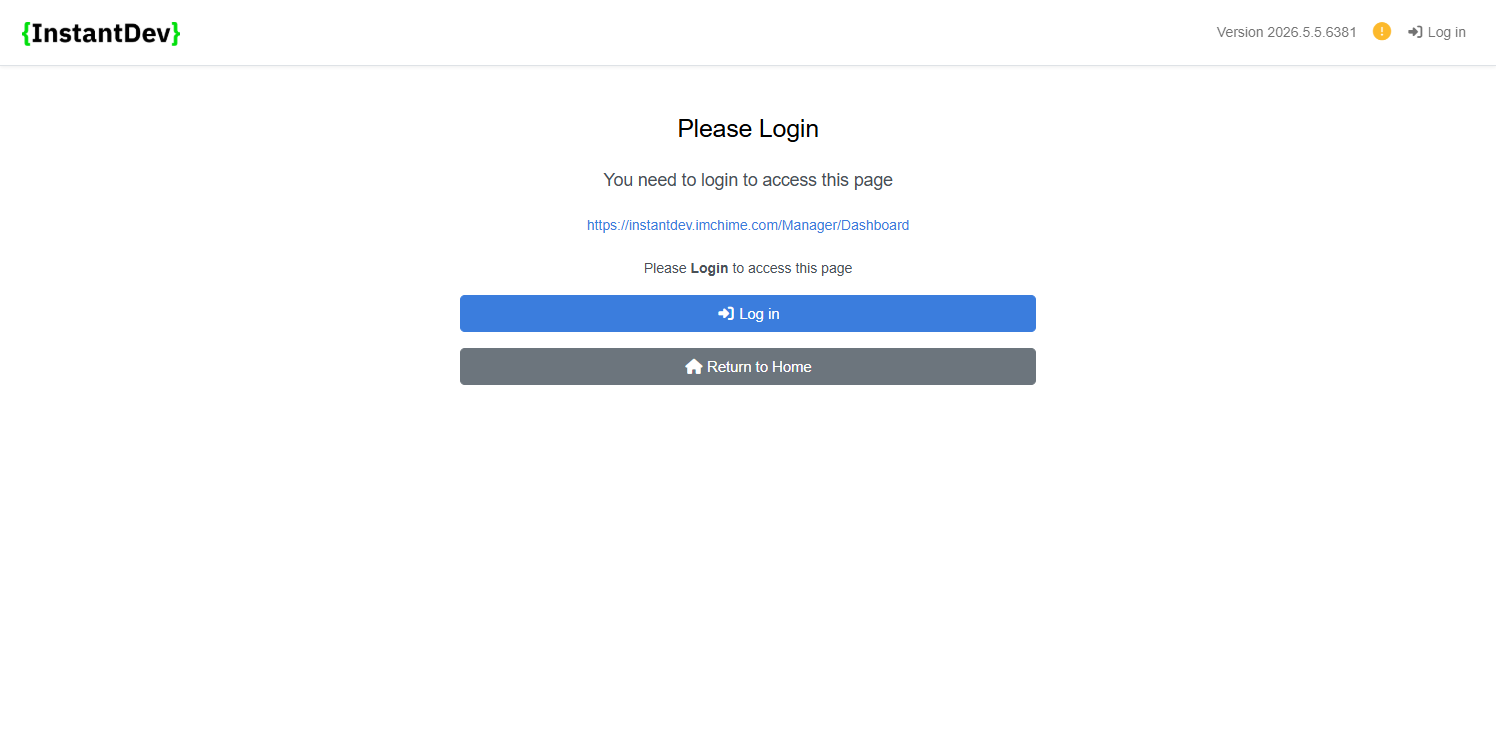
Updated the Login Required page messaging with clearer prompts explaining that authentication is required before accessing restricted pages.
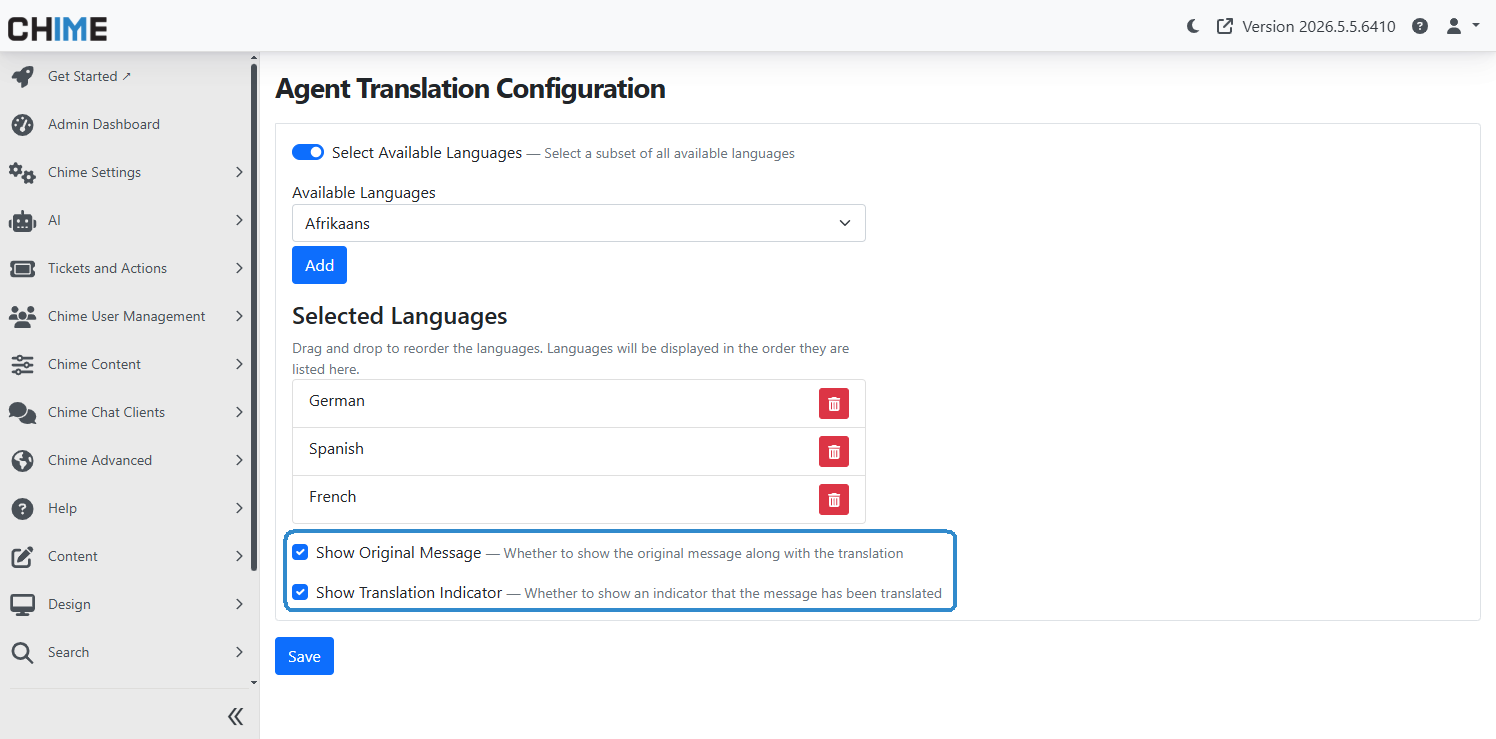
Added new translation display settings allowing tenants to control whether the original guest message is shown alongside translations and whether translated responses display a translation indicator label.
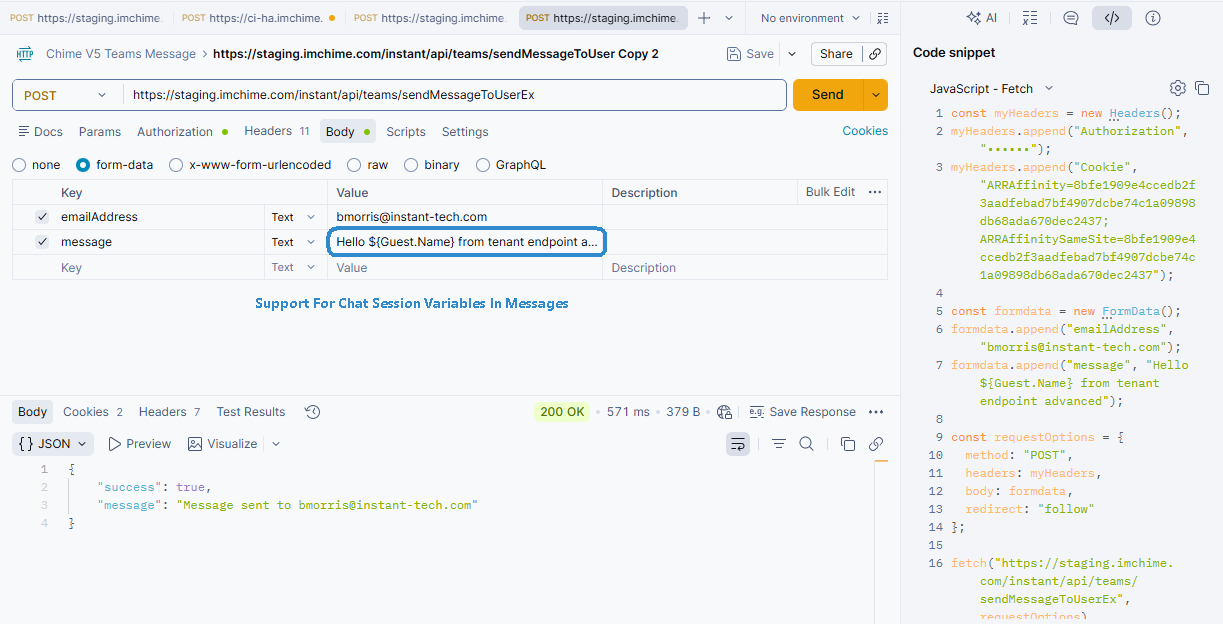
Added API support for sending proactive Teams messages through external tools such as Postman, including support for dynamically inserting chat session variables into message content.
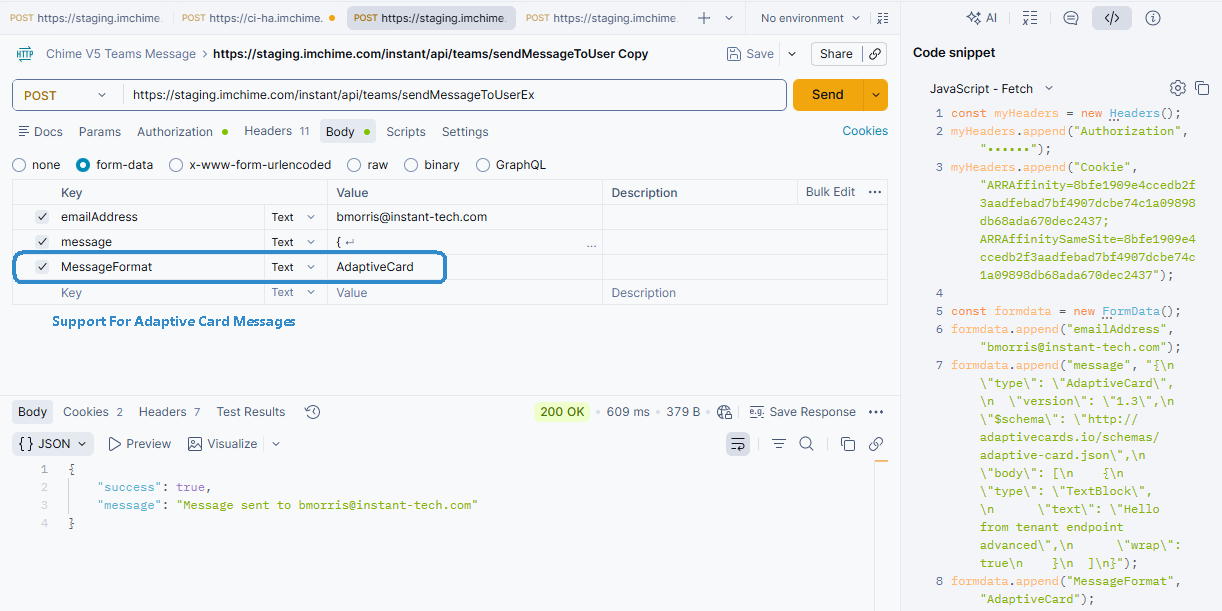
Added support for sending Adaptive Card messages through the Teams Messaging API, enabling richer proactive notifications with structured layouts, actions, and dynamic content formatting.
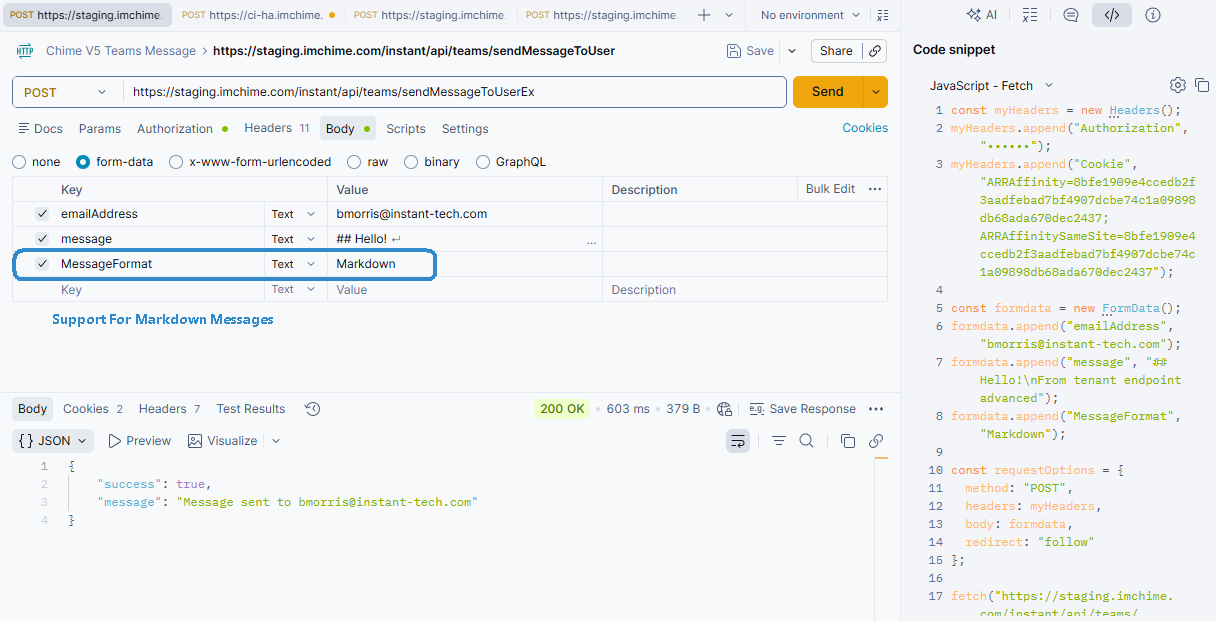
Added support for Markdown-formatted messages through the Teams Messaging API, allowing proactive notifications to include rich text formatting such as links, emphasis, lists, and structured message layouts.
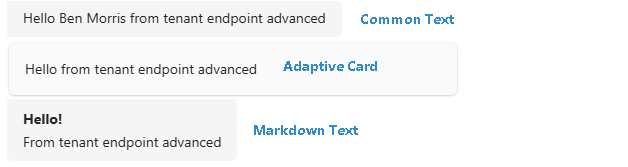
Proactive Teams messages can support multiple content formats, including chat session variable messages, Adaptive Cards, and Markdown-formatted messages, giving teams flexibility in how notifications are structured and delivered.
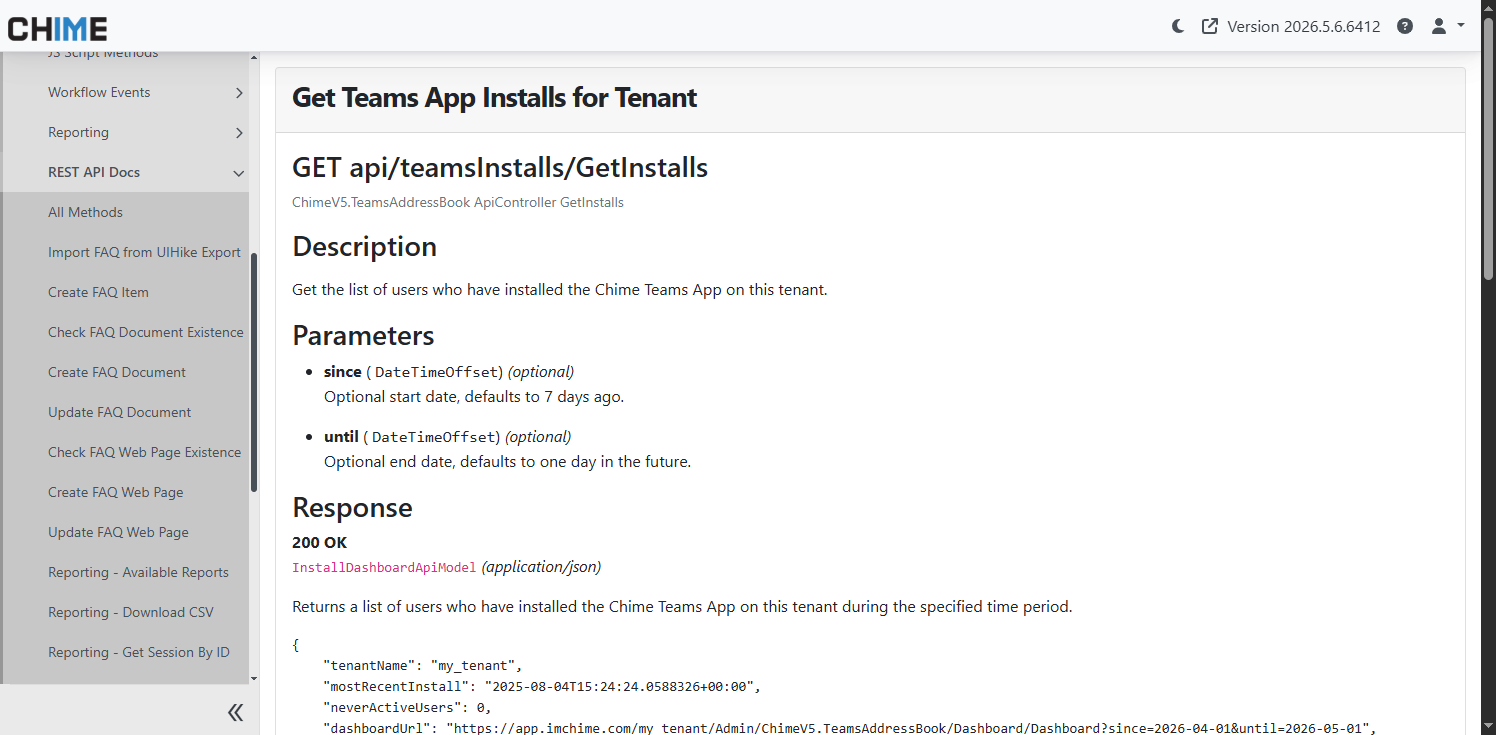
Added REST API documentation for retrieving Teams app installation data by tenant, including request details, parameters, and response examples.
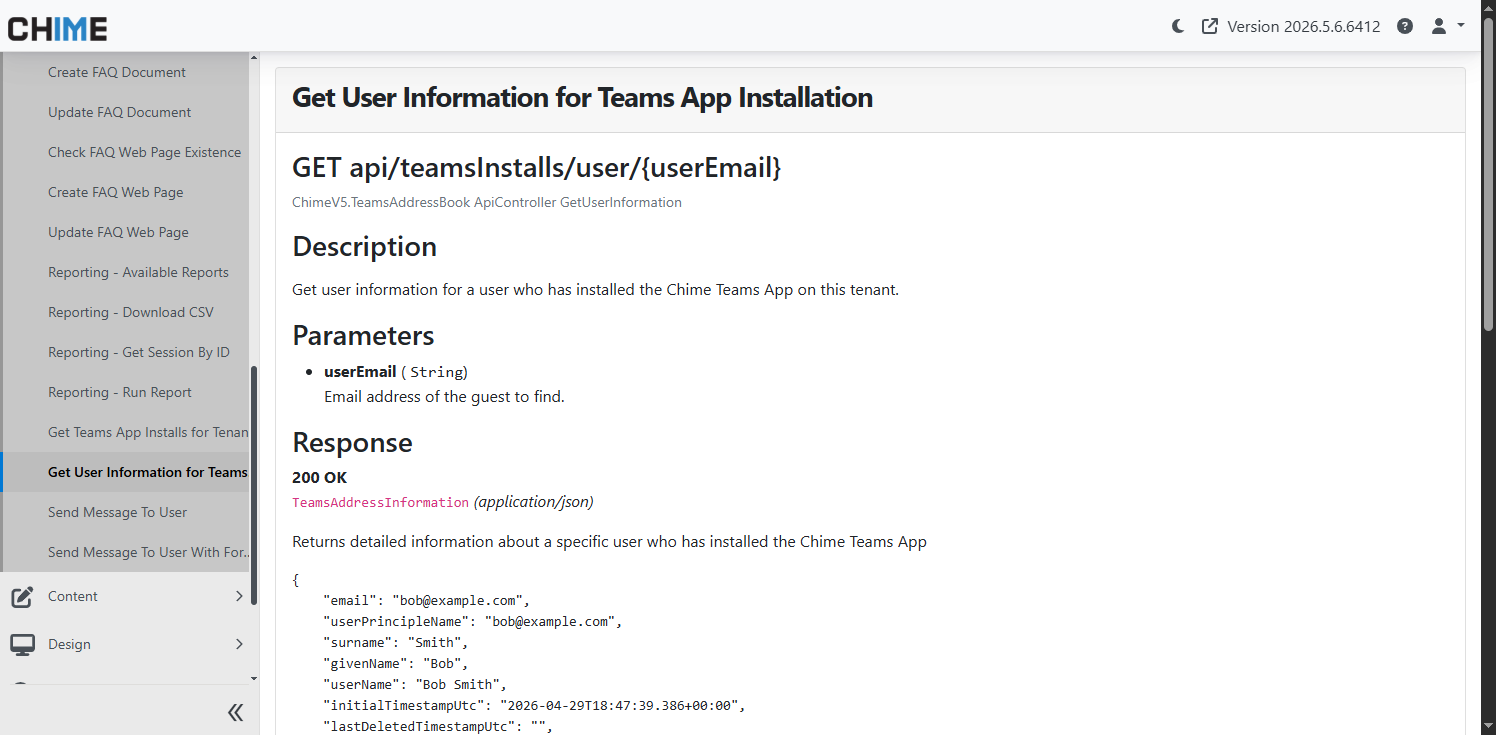
Added REST API documentation for retrieving Teams app user installation information, including available user details and associated installation metadata.
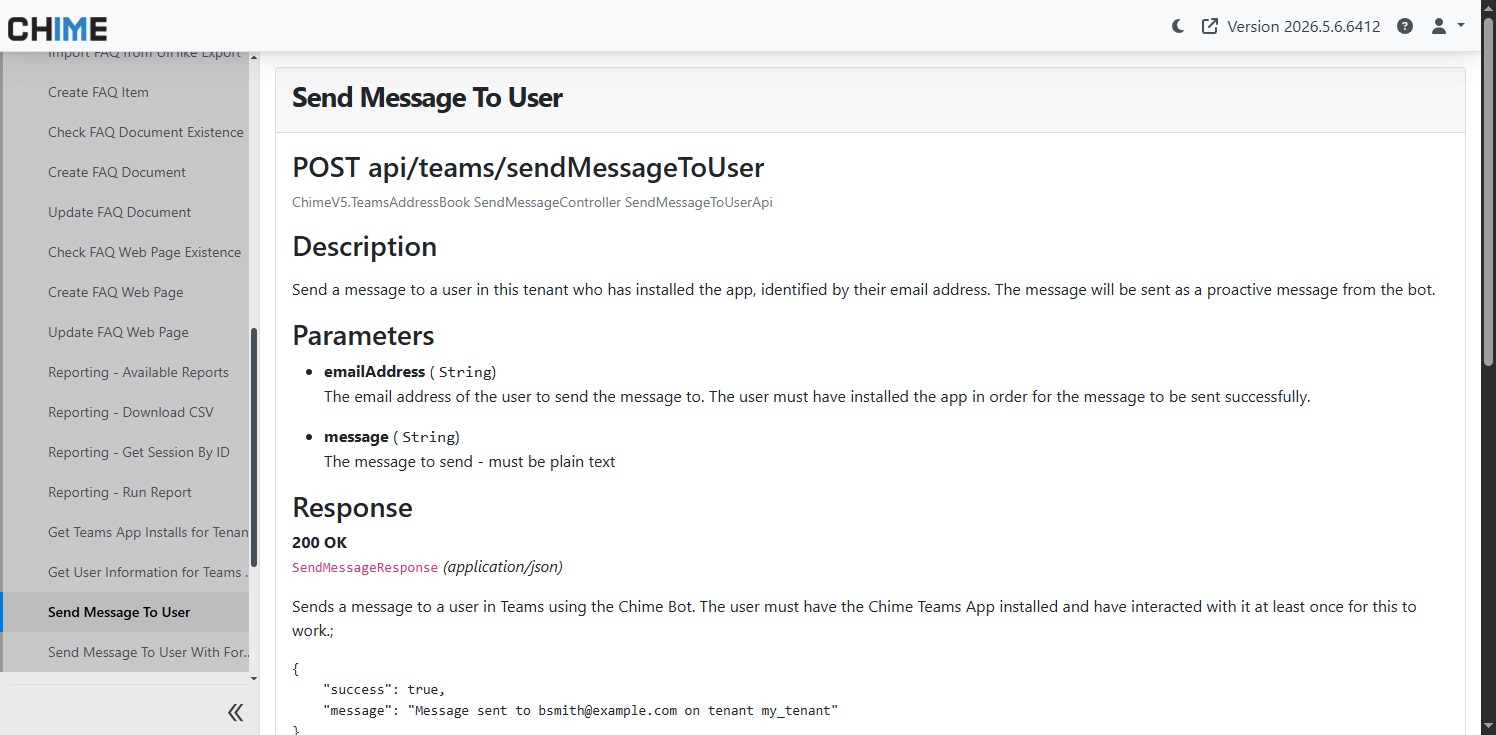
Added REST API documentation for proactively sending Teams messages to users through the Chime platform API.
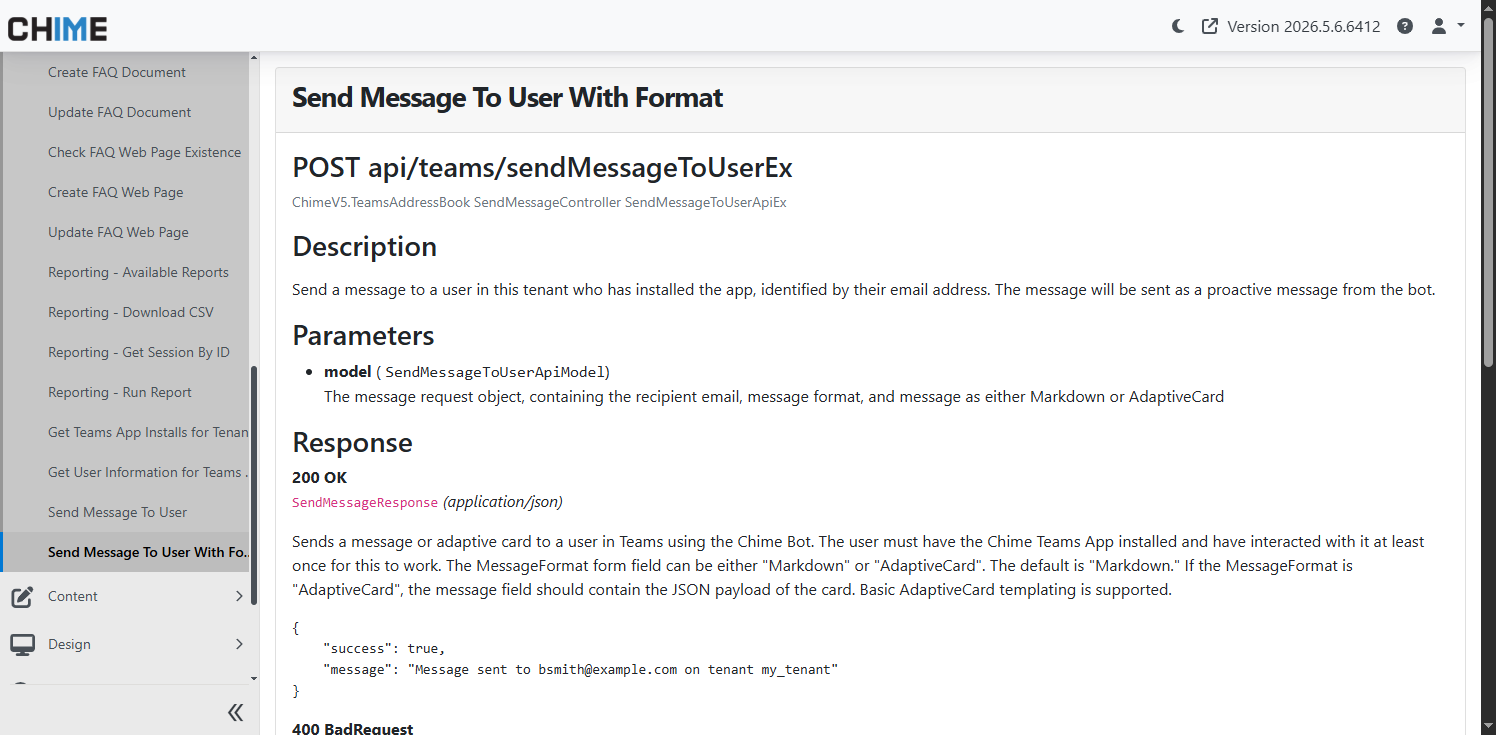
Added REST API documentation for sending formatted Teams messages, including support for Markdown and Adaptive Card content types.