Contents
- Document Title – Markdown Document
- **New Feature - AI Insights** – Introduced AI-powered chat tools for admins and managers that can an…
- **AI Insights - Admin Settings** – Configure AI Insights within the Admin UI with configuration opti…
- **AI Insights - AI Prompt** – A new AI prompt has been added and is configured by default for AI Ins…
- **AI Insights - Admin Insights Chat** – Easy to access chat UI for Admins where users can view insig…
- **AI Insights - Manager Insights Chat** – Easy to access chat UI for Managers where users can view i…
- AI Insights - Available Tools** – Users in both Admin and Manager UI can view available tools that A…
- **AI Insights - Example Chat Query** – AI Insights can surface and analyze platform data through nat…
- **AI Insights - Saved Insight Chats** – Saved AI Insights conversations make it easy to revisit prev…
- **AI Insights - Saved Insight Chat Example** – Saved Insight Chats preserve the full conversation hi…
- **AI Insights - Saved Chat FAQ** – FAQs can be created directly from Insight Chats, transforming ana…
- **AI Insights - Saved Chat FAQ** – Generated FAQs retain structured formatting from the original Ins…
- **Agent Notification Settings - Accept Chat on Click** – Added an Agent Profile setting to control n…
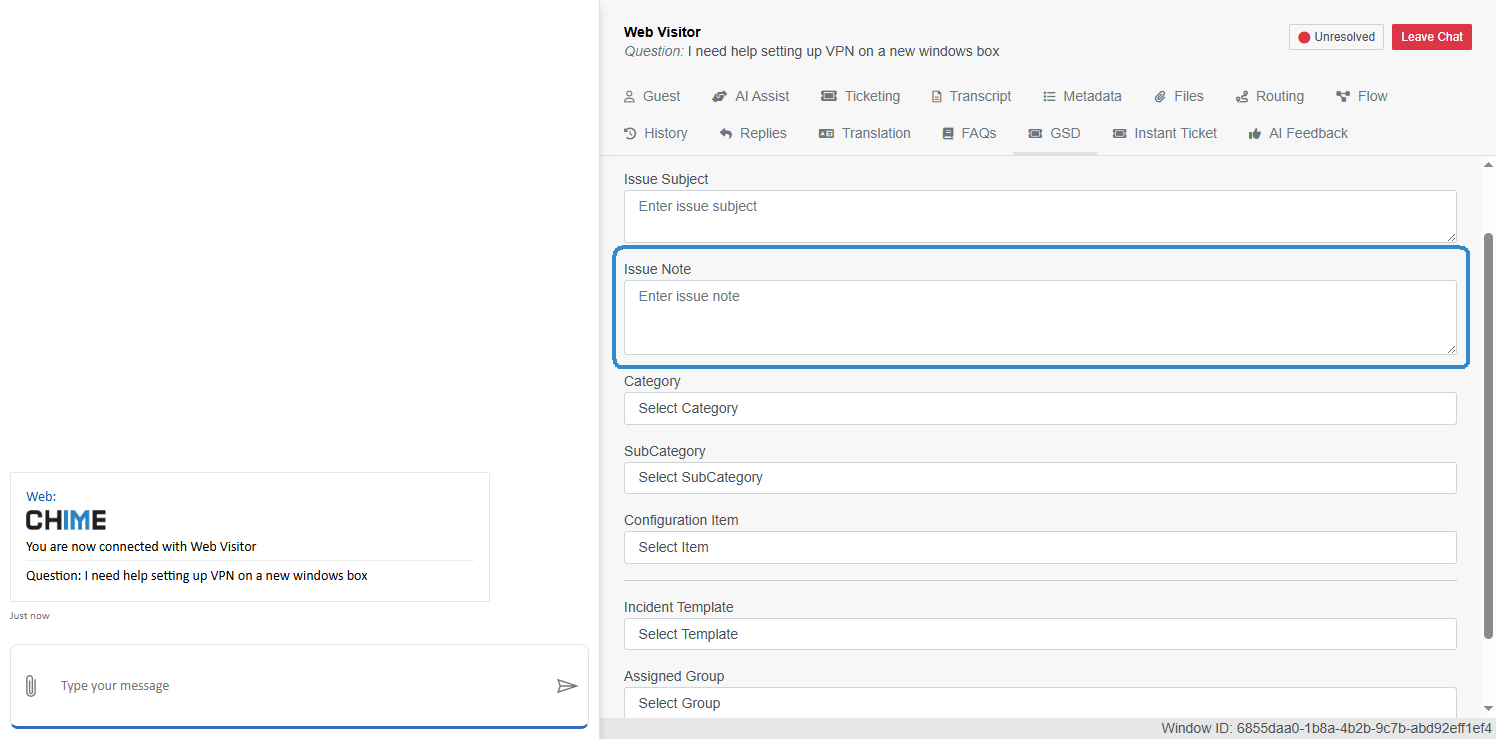
- **Page GSD Tab - Issue Note Label Update** – Updated the Page GSD tab to rename the “Issue Descripti…
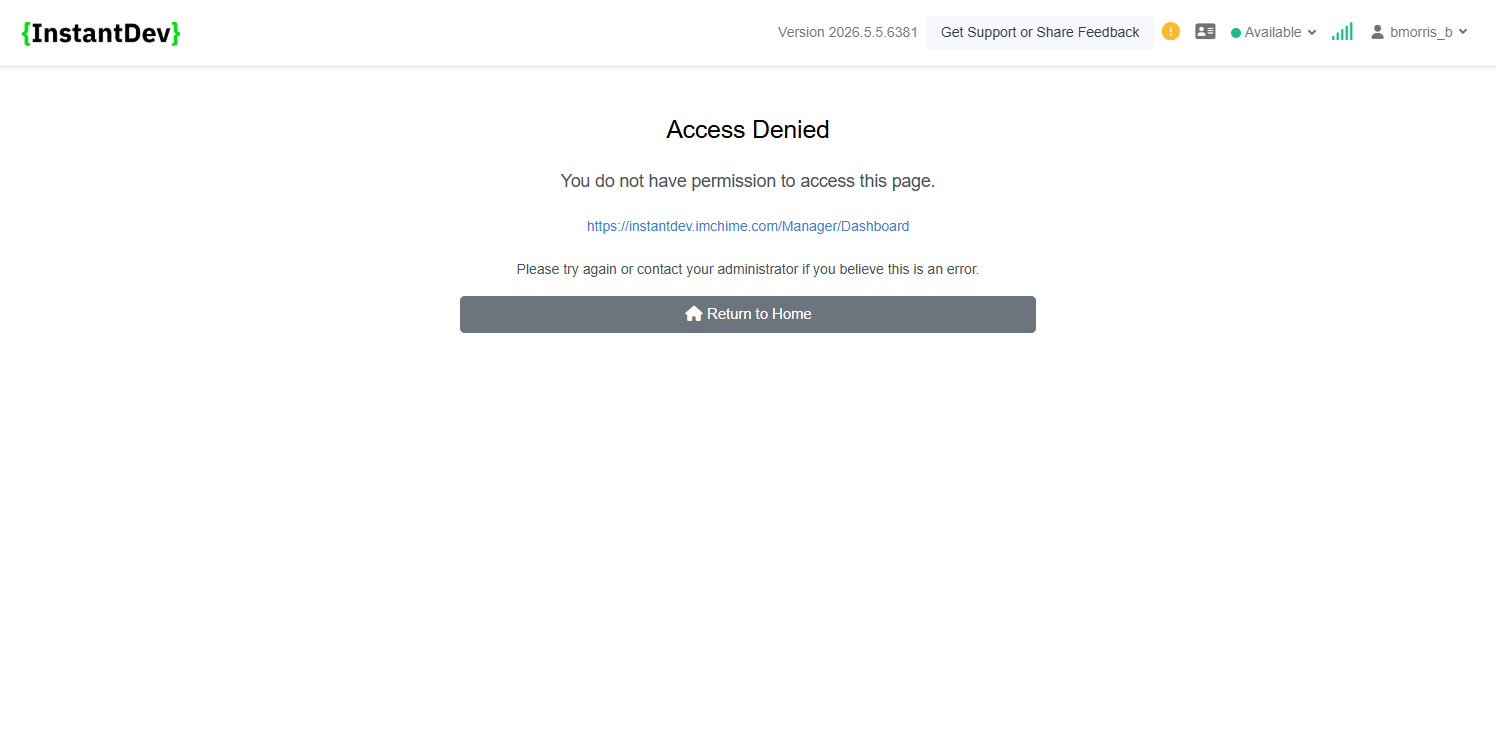
- **Access Denied Page Updates** – Updated the Access Denied page messaging to provide clearer guidanc…
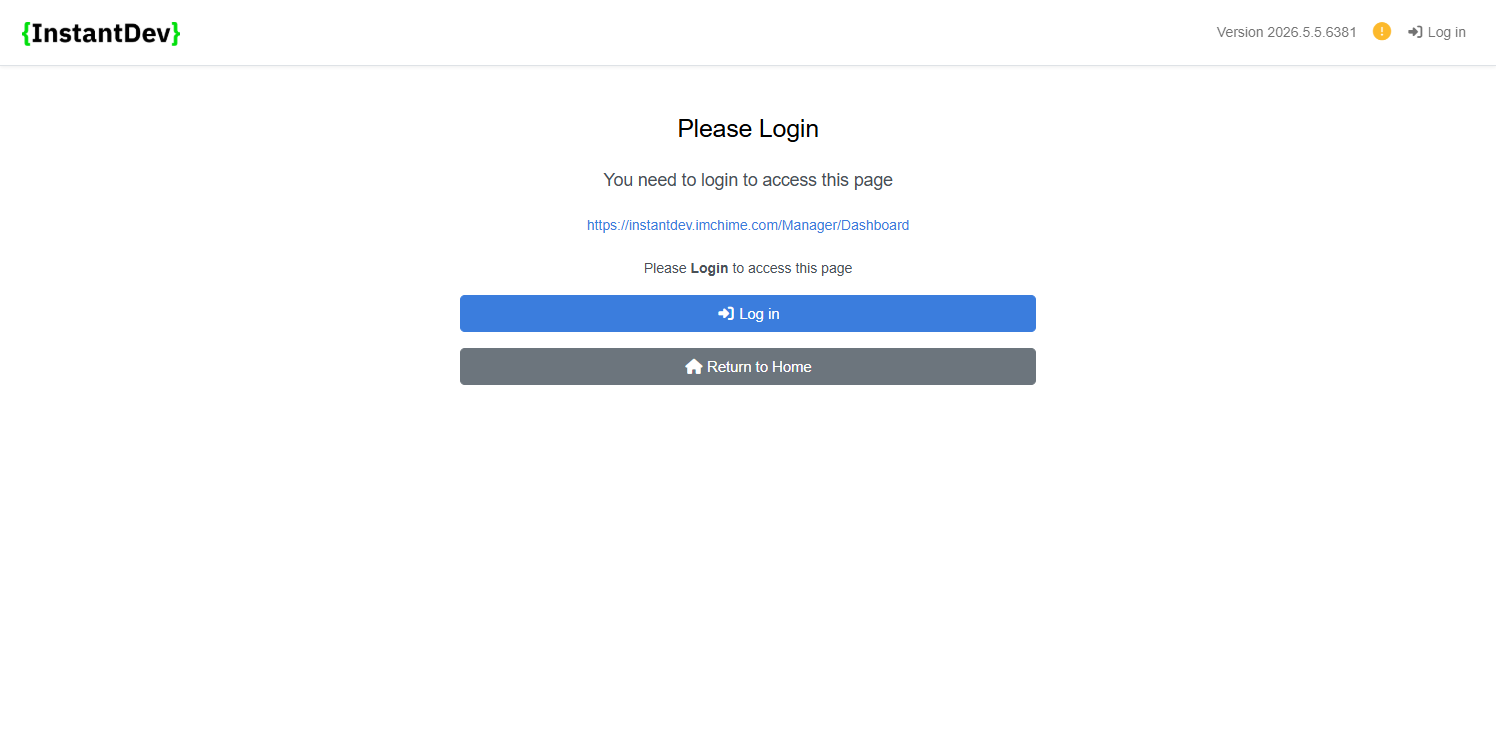
- **Login Required Page Updates** – Updated the Login Required page messaging with clearer prompts exp…
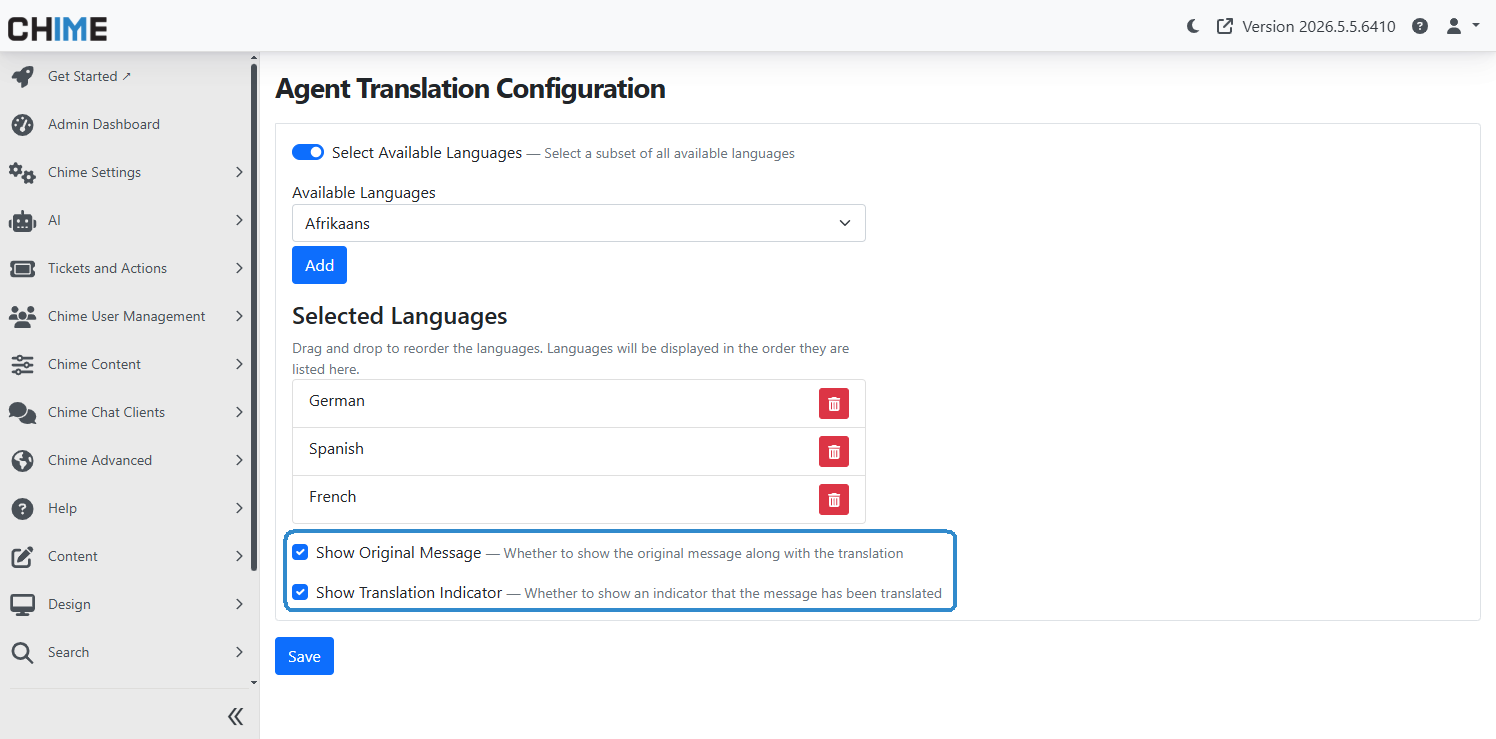
- **Admin Agent Translation Settings - Display Controls** – Added new translation display settings all…
- **Teams Messaging API - Chat Session Variable Support** – Added API support for sending proactive Te…
- **Teams Messaging API - Adaptive Card Support** – Added support for sending Adaptive Card messages t…
- **Teams Messaging API - Markdown Message Support** – Added support for Markdown-formatted messages t…
- **Teams Messaging API - Message Format Examples** – Proactive Teams messages can support multiple co…
- **REST API Docs - Teams App Installs for Tenant** – Added REST API documentation for retrieving Team…
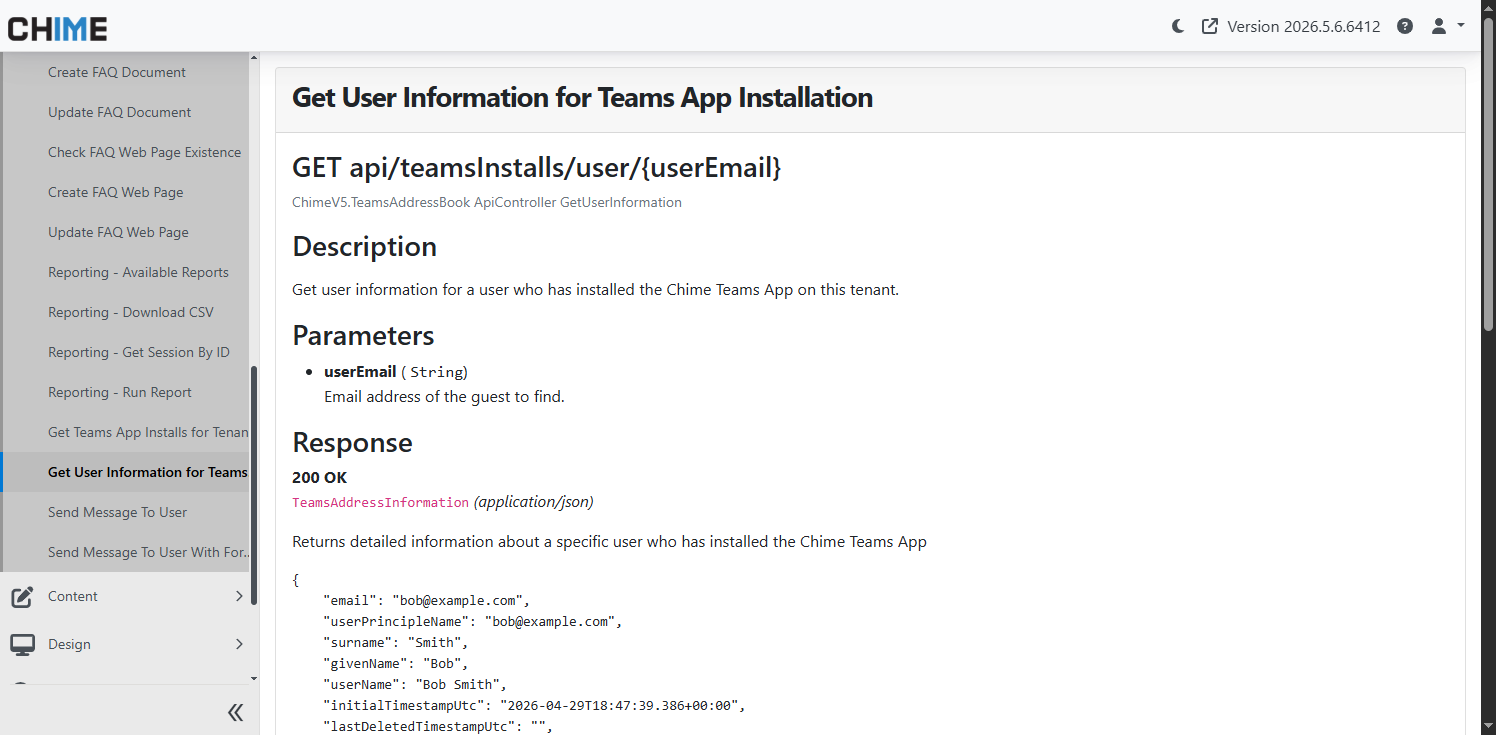
- **REST API Docs - Teams User Information** – Added REST API documentation for retrieving Teams app u…
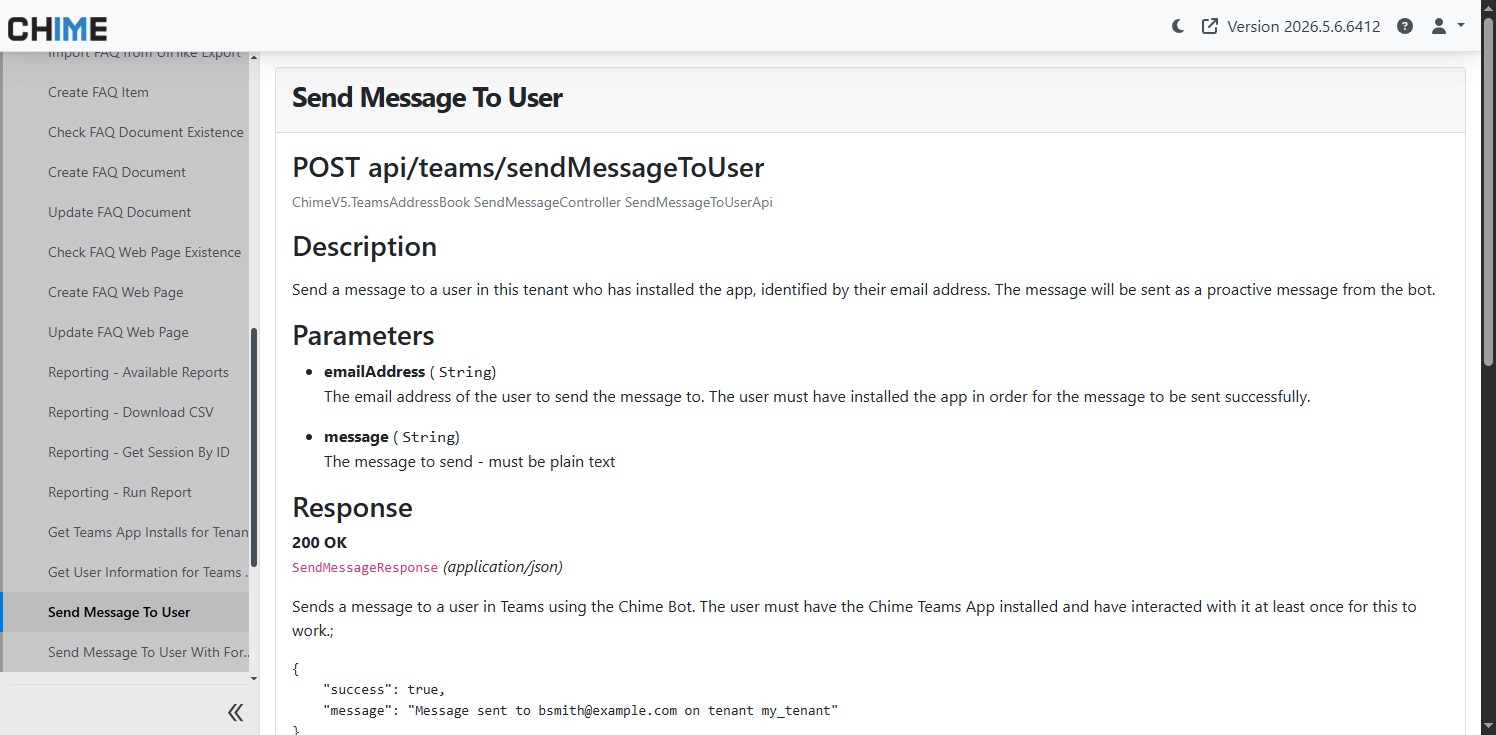
- **REST API Docs - Send Message to User** – Added REST API documentation for proactively sending Team…
- **REST API Docs - Send Message with Format** – Added REST API documentation for sending formatted Te…
Step 1 – Overview
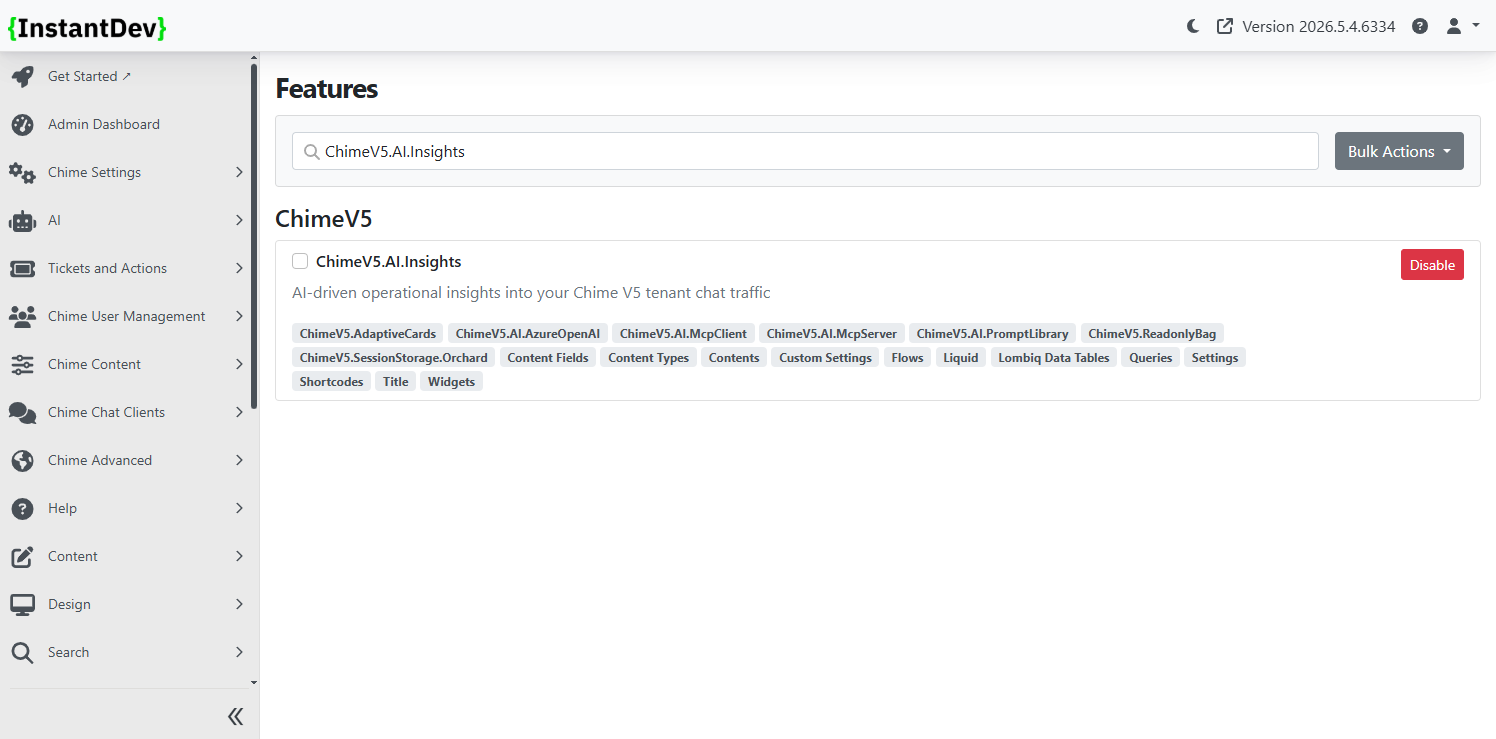
- Admin & Manager AI Insights Chat - Introduced AI-powered chat tools for administrators and managers that can analyze and cross-reference Chime data, including MCP-powered access to internal platform insights and API knowledge.
- Page GSD Label Update - Updated the Page GSD interface label from “Issue Description” to “Issue Note” for improved clarity within ticket metadata workflows.
- Agent Notification Acceptance Setting - Added a new agent profile setting allowing chats to automatically open and accept directly from notification clicks.
- Enhanced Access Denied Messaging - Updated 401 and 403 error page language to provide clearer and more user-friendly guidance.
- Agent Translation Display Controls - Added tenant-level controls for translated chat messages, including options to show original guest messages and translation indicators for multilingual conversations.
- Teams Proactive Messaging API - Added API support for sending proactive Teams messages along with fallback handling for users not yet stored in the Teams Address Book.
- REST API Documentation - Added built-in REST API documentation with parameter details, tenant-aware examples, sample requests, and improved API discovery for Chime endpoints.
Step 2 – New Feature - AI Insights
-
Introduced AI-powered chat tools for admins and managers that can analyze and cross reference Chime data, including MCP-powered access to internal platform insights and API knowledge
Step 3 – AI Insights - Admin Settings
-
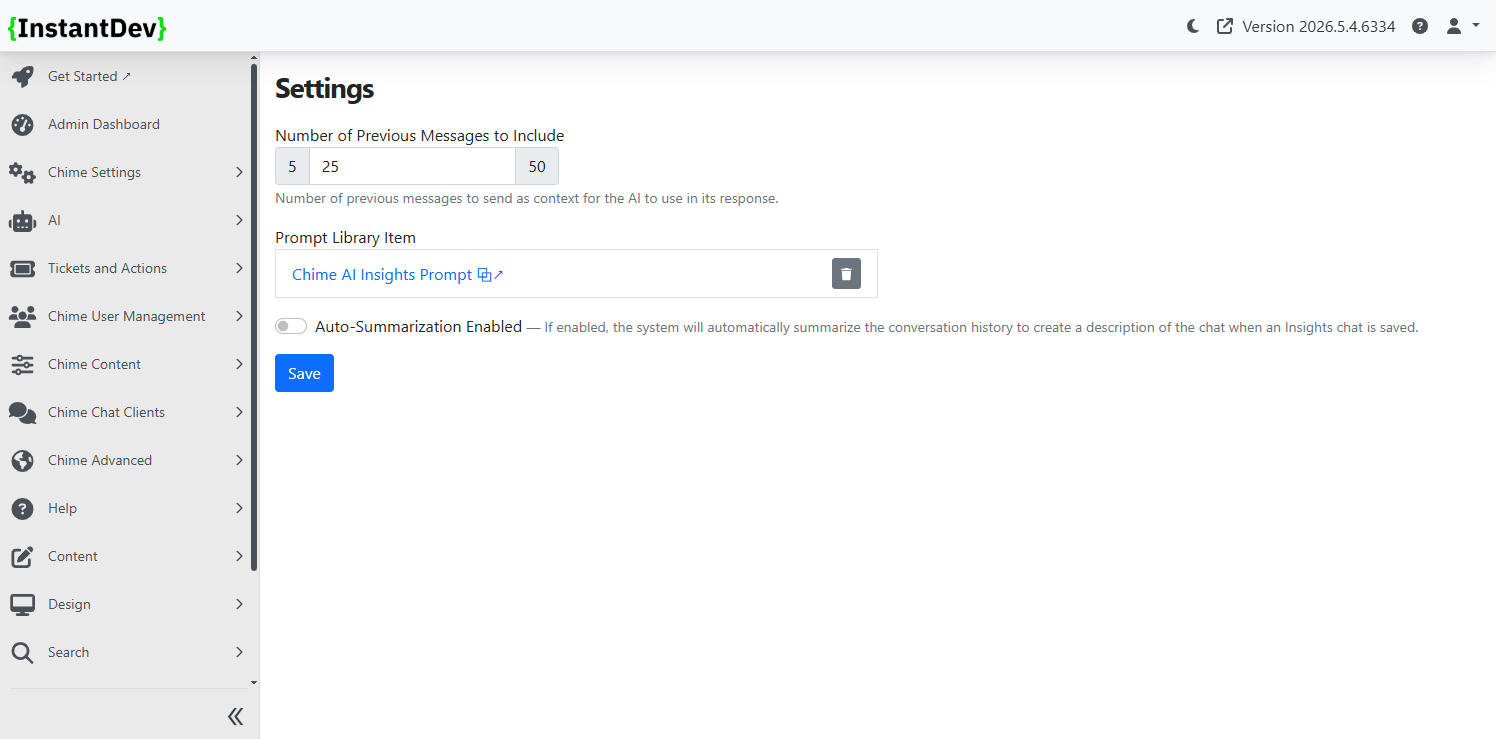
Configure AI Insights within the Admin UI with configuration options for the number of previous messages to use for AI context, a new Chime AI Insights Prompt, and toggle for auto-summarization of chats
Step 4 – AI Insights - AI Prompt
-
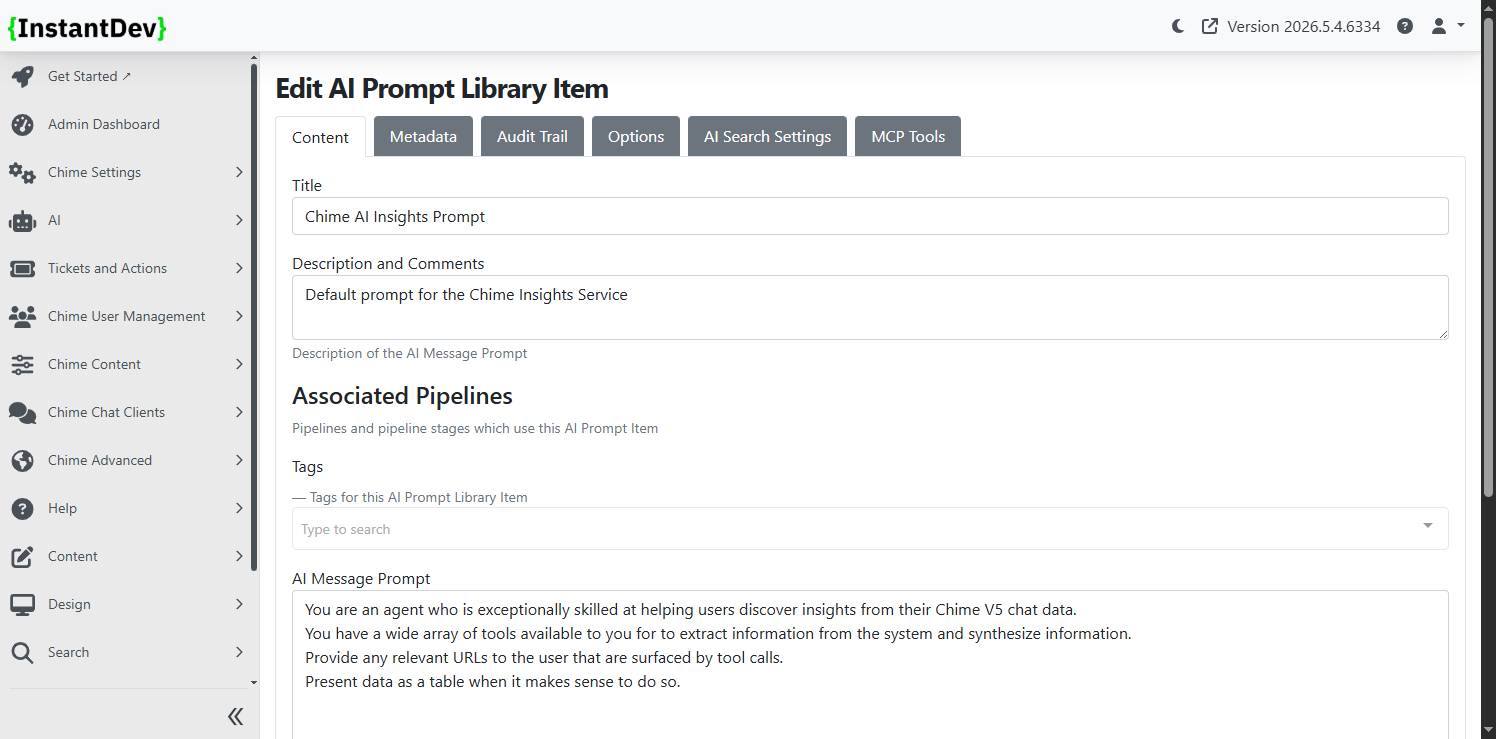
A new AI prompt has been added and is configured by default for AI Insights
Step 5 – AI Insights - Admin Insights Chat
-
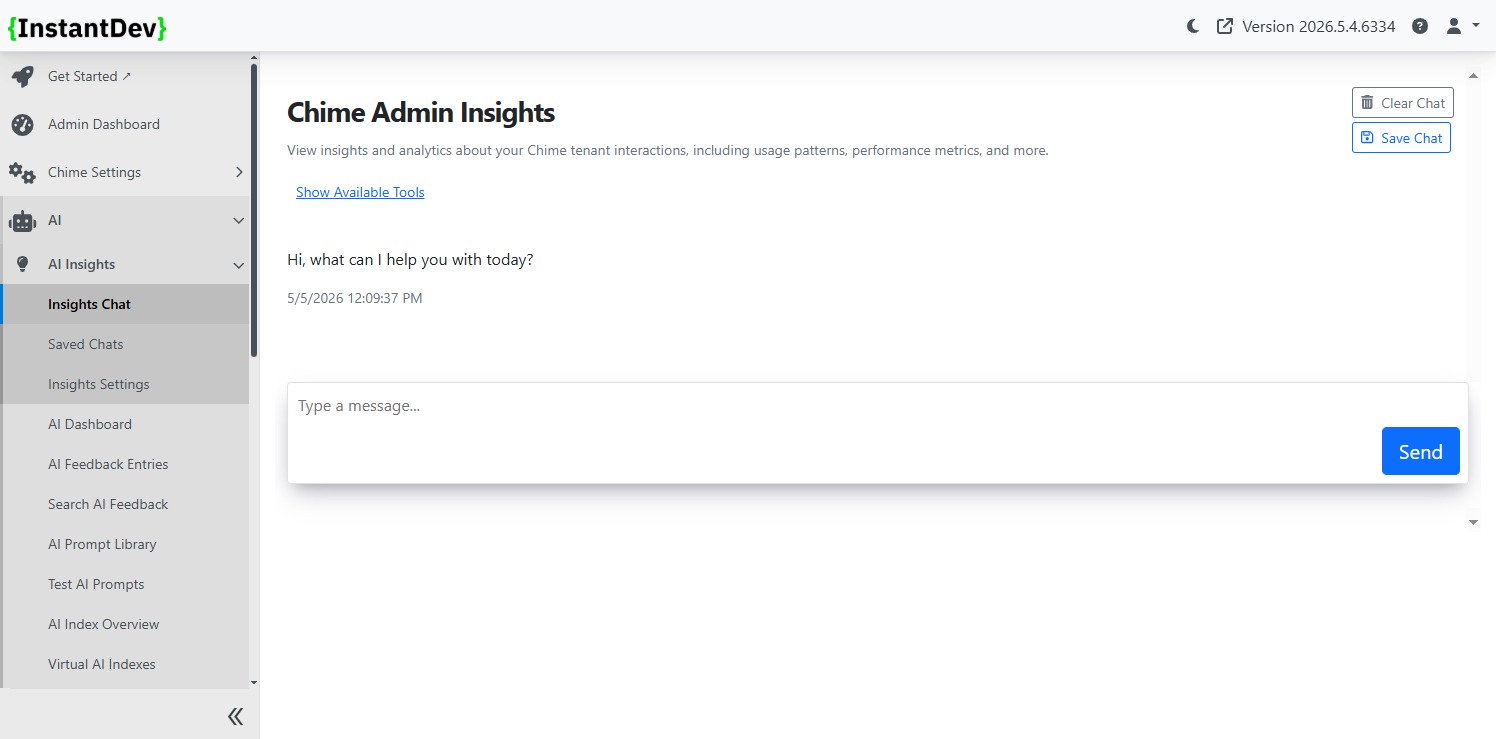
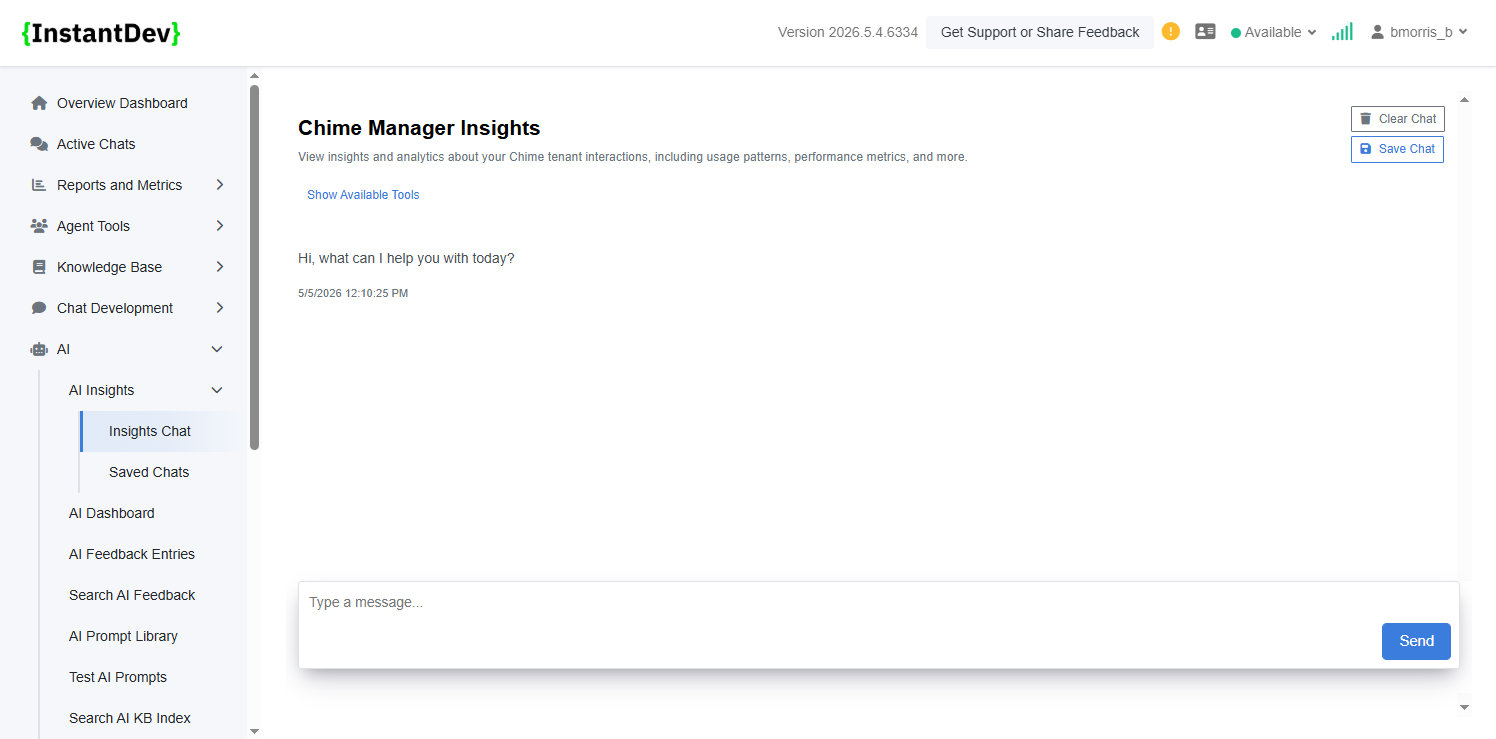
Easy to access chat UI for Admins where users can view insights and analytics about the Chime tenant, usage patters, performance metrics, and more
Step 6 – AI Insights - Manager Insights Chat
-
Easy to access chat UI for Managers where users can view insights and analytics about the Chime tenant, usage patters, performance metrics, and more
Step 7 – AI Insights - Available Tools
-
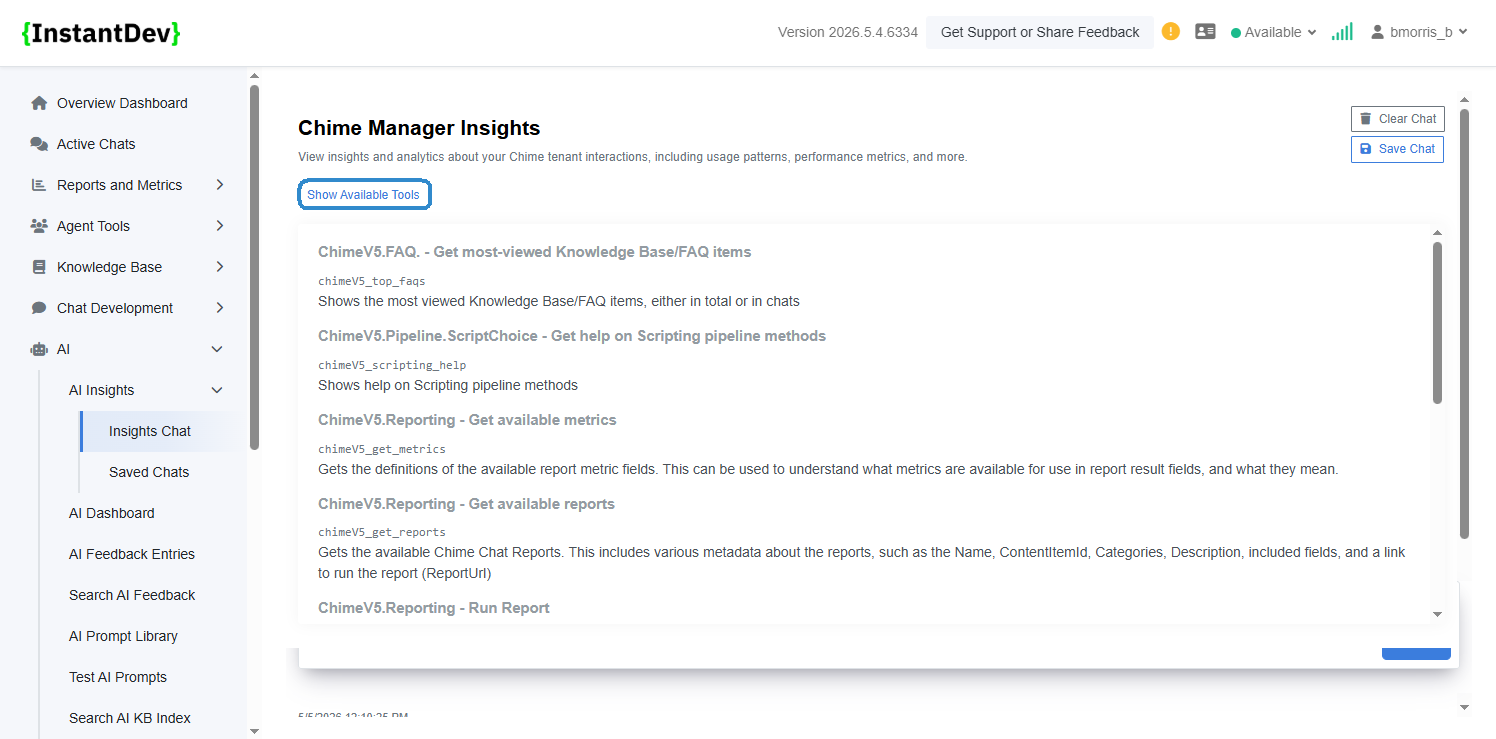
Users in both Admin and Manager UI can view available tools that AI Insights chat will pull content and data from allowing users to know what kinds of content can be searched for
Step 8 – AI Insights - Example Chat Query
-
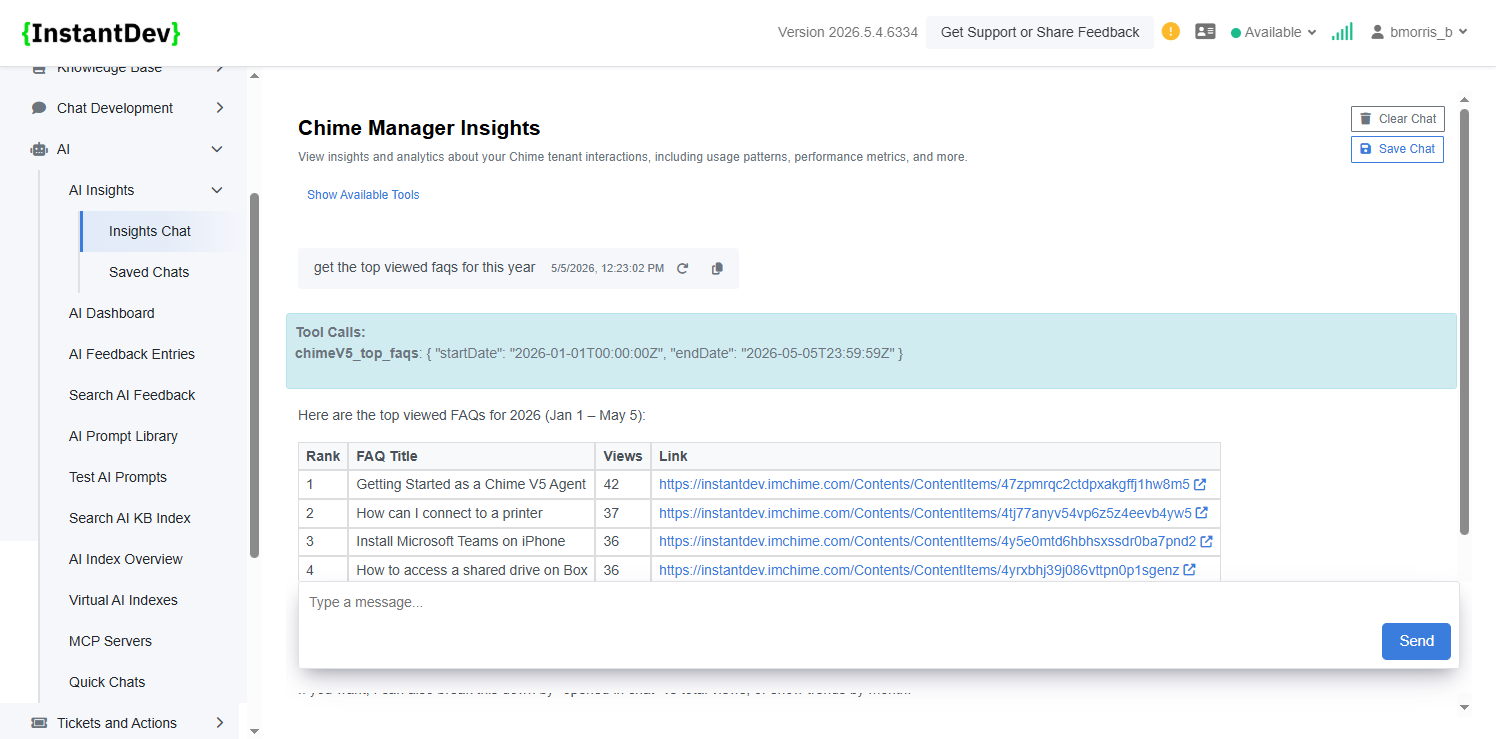
AI Insights can surface and analyze platform data through natural language conversations, making it easier to identify trends such as the most viewed FAQs, usage patterns, and high-traffic knowledge areas without manually building reports.
Step 9 – AI Insights - Saved Insight Chats
-
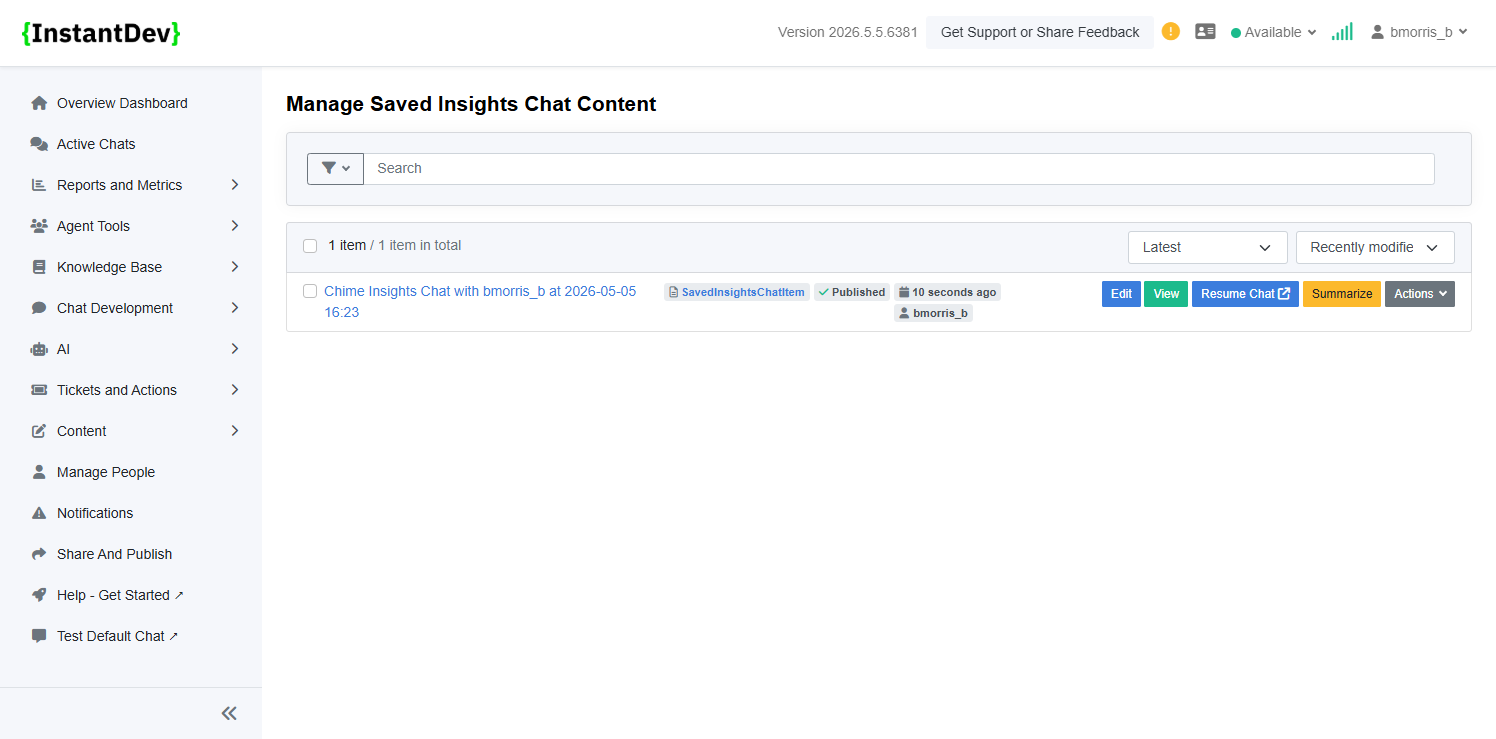
Saved AI Insights conversations make it easy to revisit previous analyses, continue ongoing investigations, and quickly reference historical AI-generated findings without restarting a new chat.
Step 10 – AI Insights - Saved Insight Chat Example
-
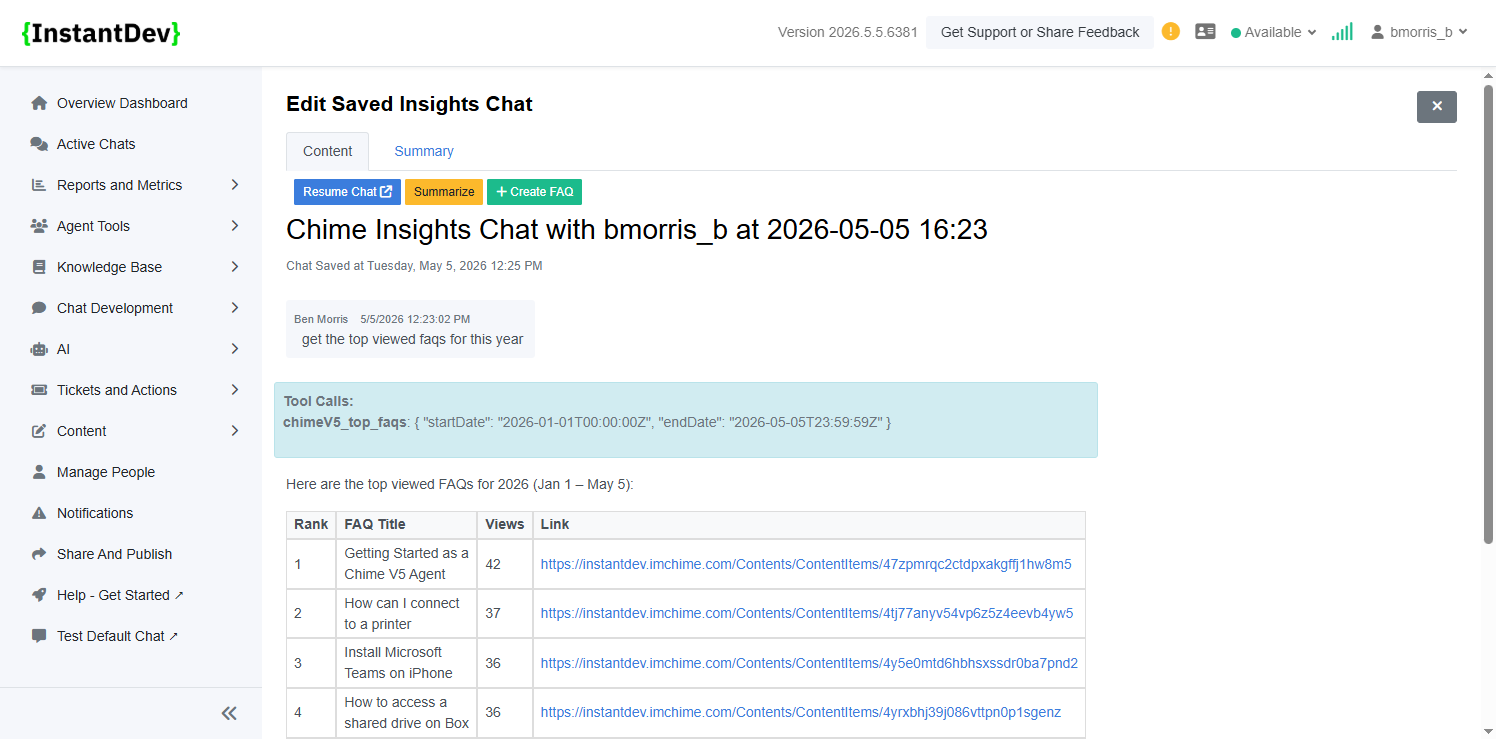
Saved Insight Chats preserve the full conversation history alongside generated summaries, allowing teams to resume investigations, create FAQs from findings, and quickly revisit previously analyzed data through a centralized transcript and summary view.
Step 11 – AI Insights - Saved Chat FAQ
-
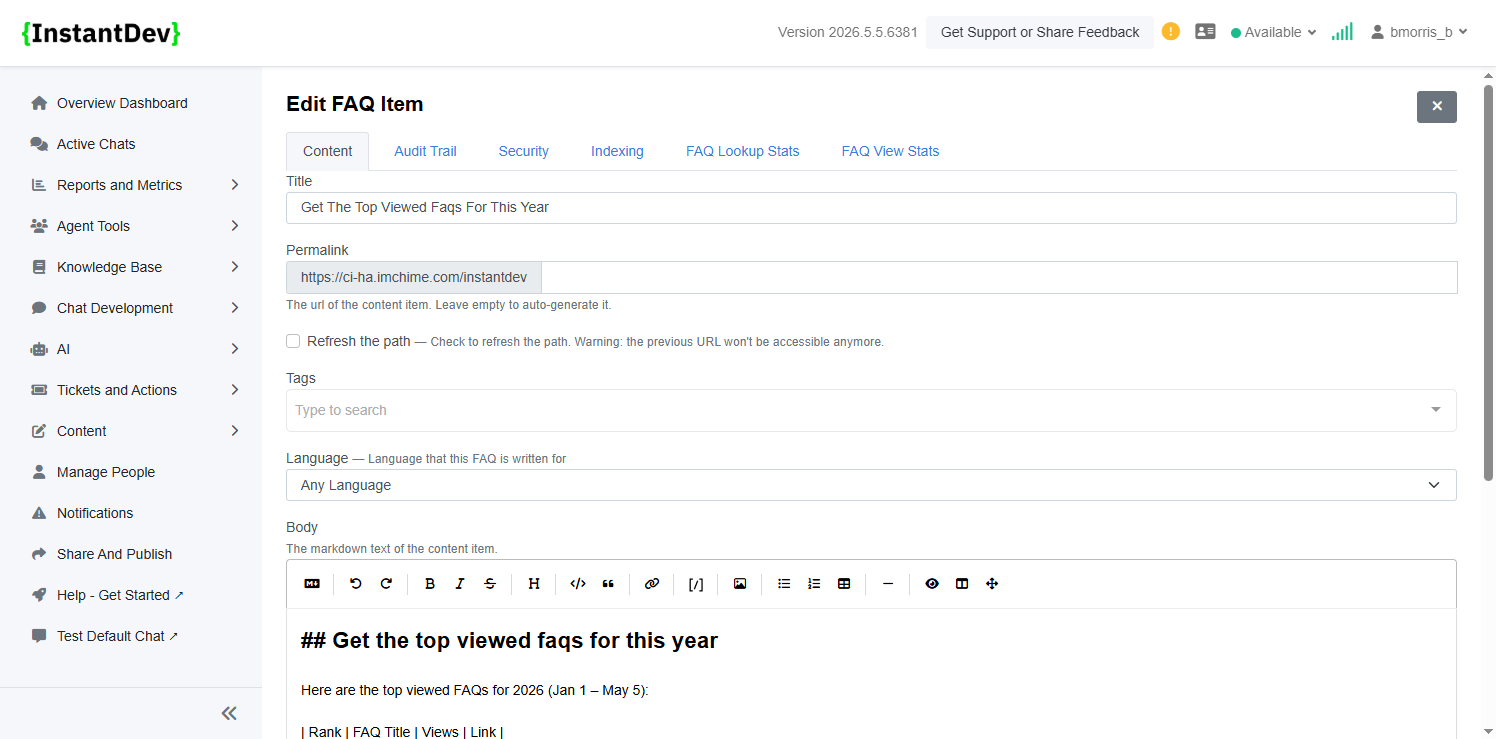
FAQs can be created directly from Insight Chats, transforming analyzed conversations and findings into reusable knowledge base content that can be reviewed, refined, and published for broader team access.
Step 12 – AI Insights - Saved Chat FAQ
-
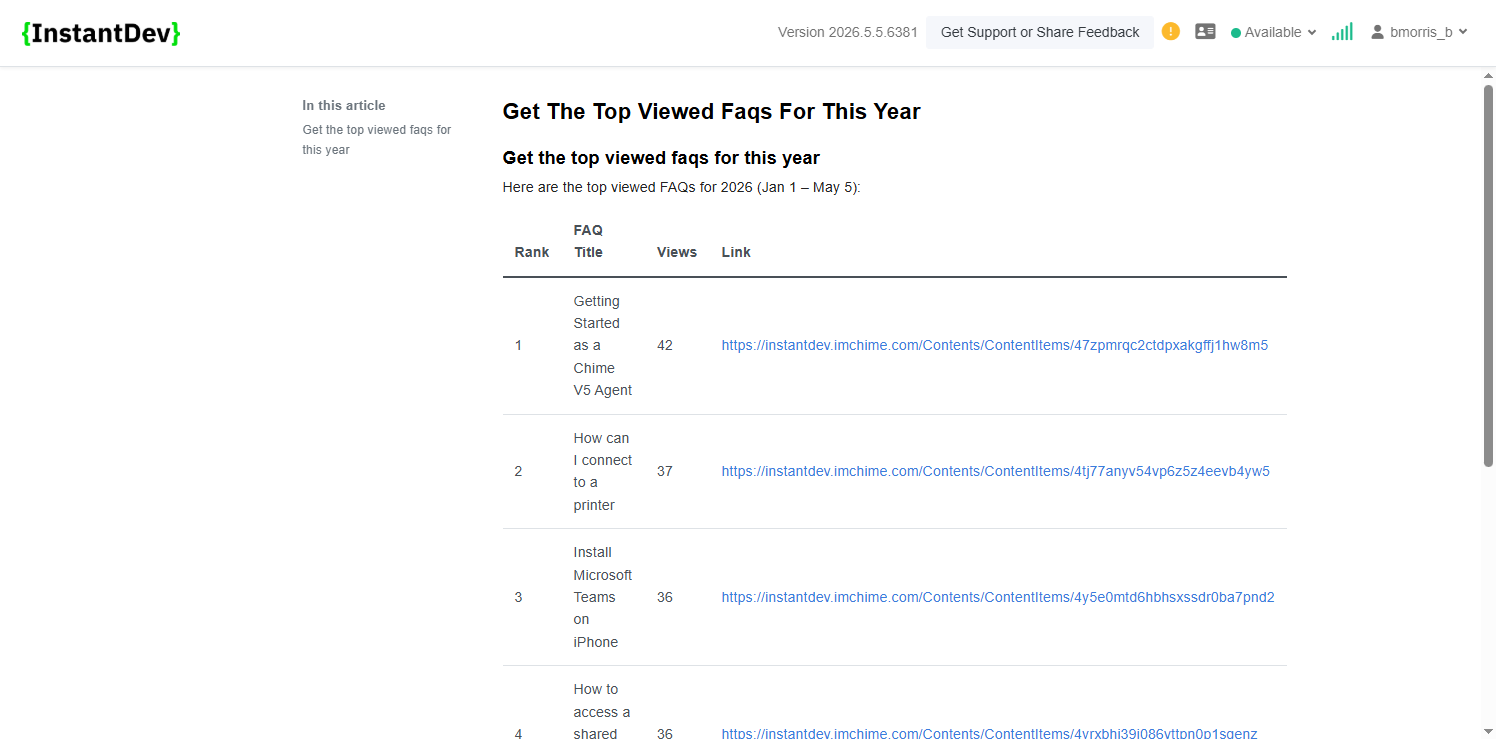
Generated FAQs retain structured formatting from the original Insight Chat, including clean tables and organized lists that make high-traffic topics such as top viewed FAQs easy to review and share.
Step 13 – Agent Notification Settings - Accept Chat on Click
-
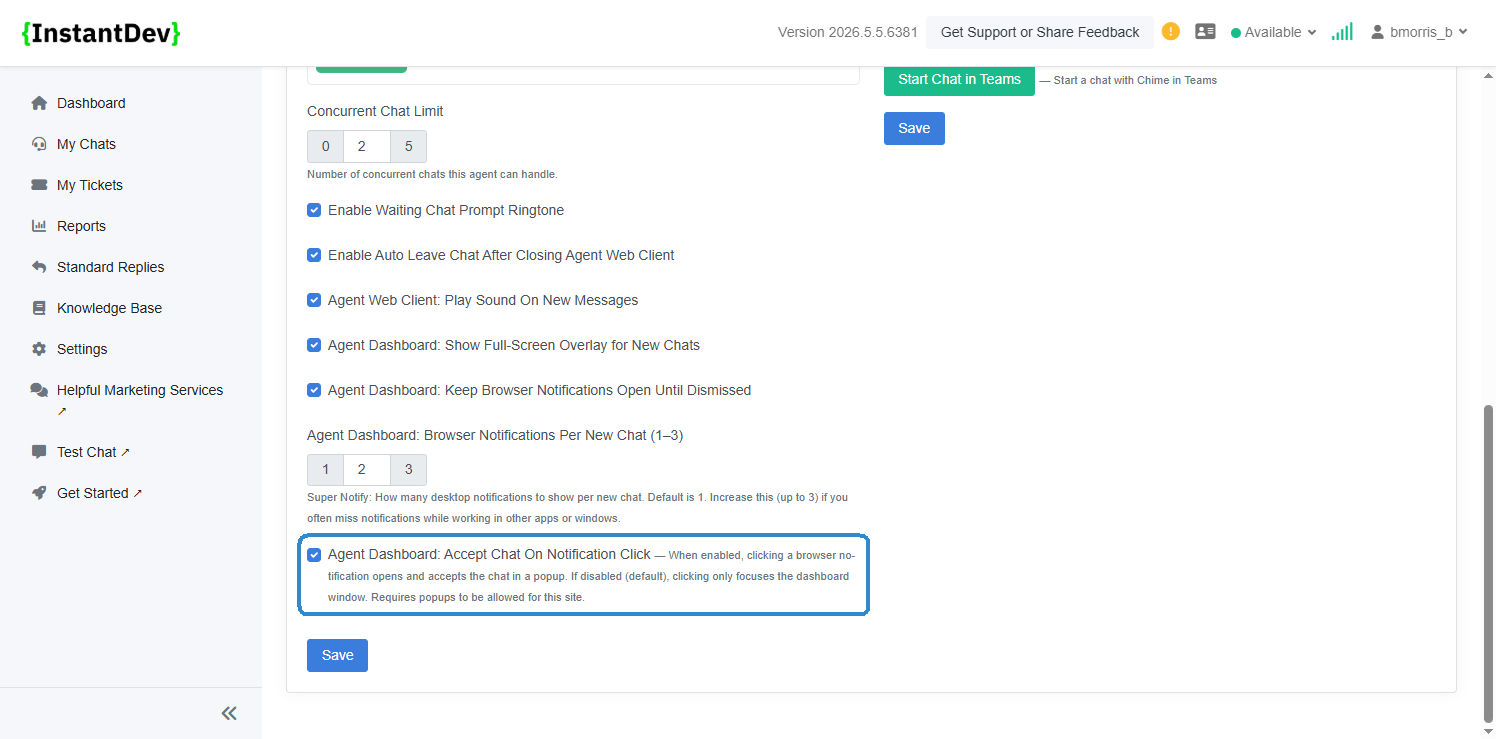
Added an Agent Profile setting to control notification click behavior, allowing agents to automatically open and accept chats in a popup window or keep the default behavior of only focusing the dashboard when a browser notification is clicked.
Step 14 – Page GSD Tab - Issue Note Label Update
-
Updated the Page GSD tab to rename the “Issue Description” field to “Issue Note” for clearer ticket metadata labeling and improved usability.
Step 15 – Access Denied Page Updates
-
Updated the Access Denied page messaging to provide clearer guidance when users do not have permission to access a page or feature.
Step 16 – Login Required Page Updates
-
Updated the Login Required page messaging with clearer prompts explaining that authentication is required before accessing restricted pages.
Step 17 – Admin Agent Translation Settings - Display Controls
-
Added new translation display settings allowing tenants to control whether the original guest message is shown alongside translations and whether translated responses display a translation indicator label.
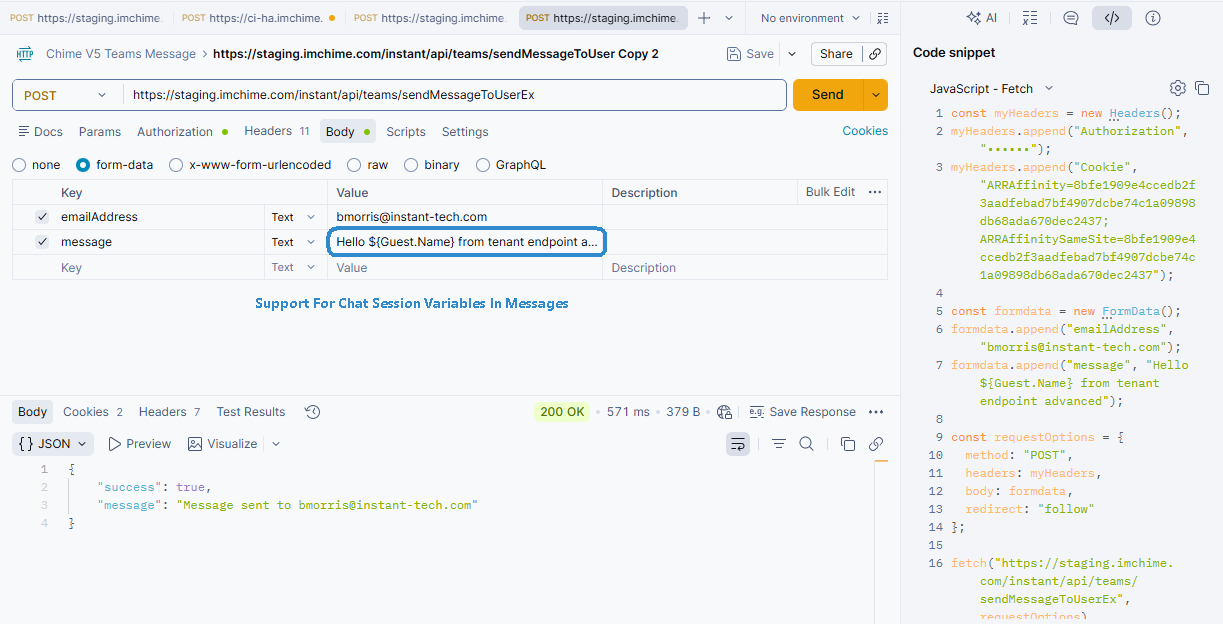
Step 18 – Teams Messaging API - Chat Session Variable Support
-
Added API support for sending proactive Teams messages through external tools such as Postman, including support for dynamically inserting chat session variables into message content.
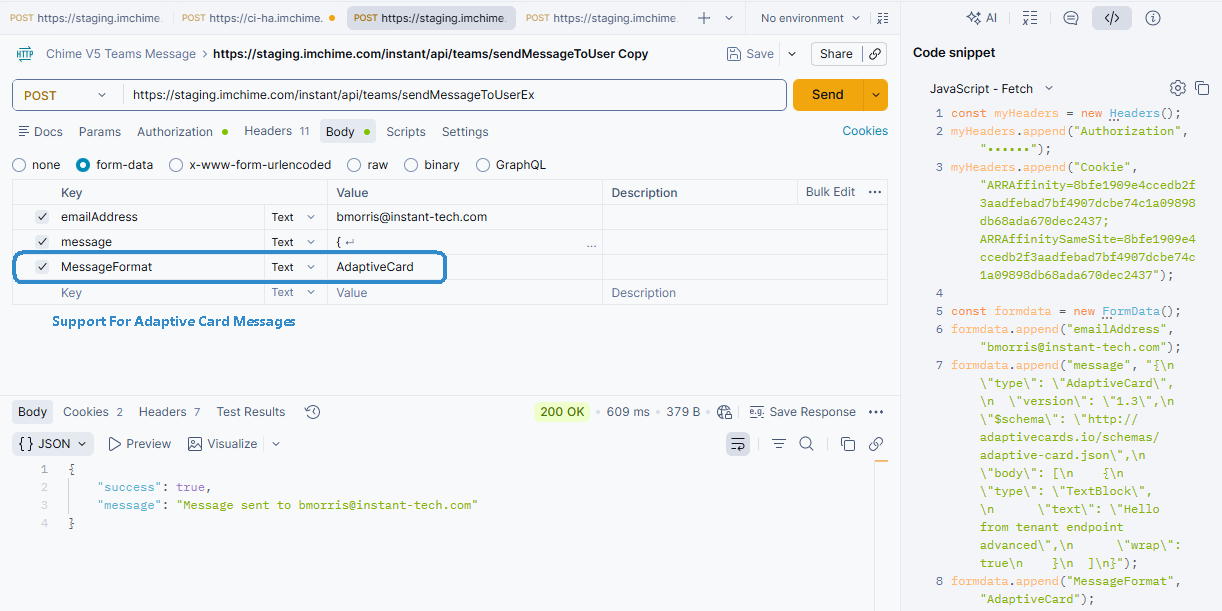
Step 19 – Teams Messaging API - Adaptive Card Support
-
Added support for sending Adaptive Card messages through the Teams Messaging API, enabling richer proactive notifications with structured layouts, actions, and dynamic content formatting.
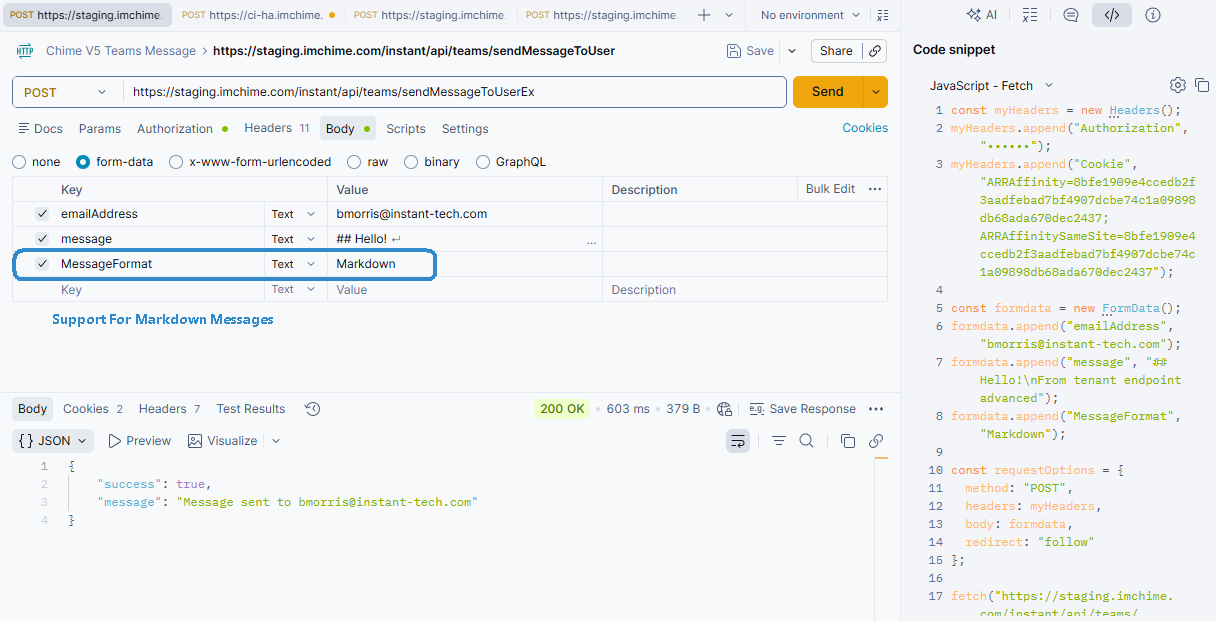
Step 20 – Teams Messaging API - Markdown Message Support
-
Added support for Markdown-formatted messages through the Teams Messaging API, allowing proactive notifications to include rich text formatting such as links, emphasis, lists, and structured message layouts.
Step 21 – Teams Messaging API - Message Format Examples
-
Proactive Teams messages can support multiple content formats, including chat session variable messages, Adaptive Cards, and Markdown-formatted messages, giving teams flexibility in how notifications are structured and delivered.

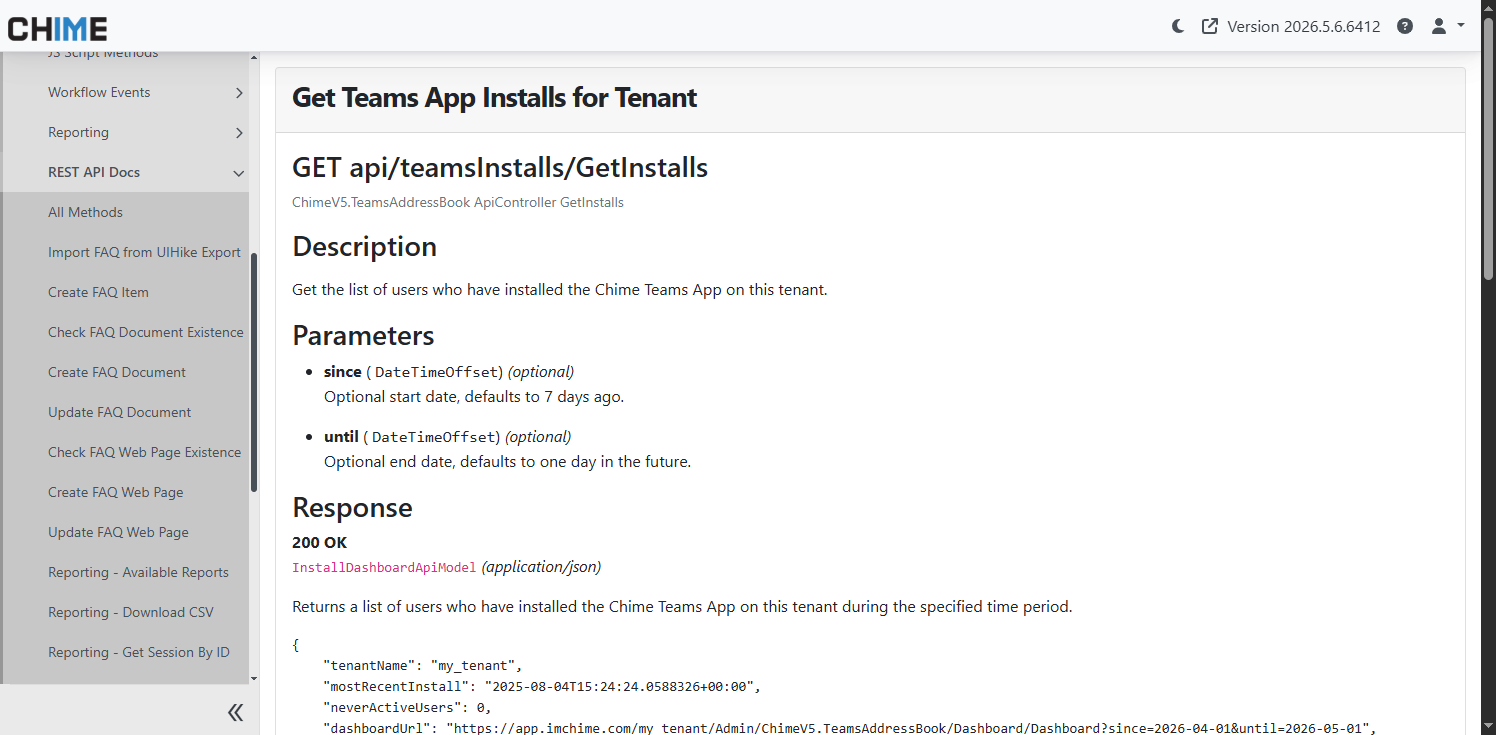
Step 22 – REST API Docs - Teams App Installs for Tenant
-
Added REST API documentation for retrieving Teams app installation data by tenant, including request details, parameters, and response examples.
Step 23 – REST API Docs - Teams User Information
-
Added REST API documentation for retrieving Teams app user installation information, including available user details and associated installation metadata.
Step 24 – REST API Docs - Send Message to User
-
Added REST API documentation for proactively sending Teams messages to users through the Chime platform API.
Step 25 – REST API Docs - Send Message with Format
-
Added REST API documentation for sending formatted Teams messages, including support for Markdown and Adaptive Card content types.
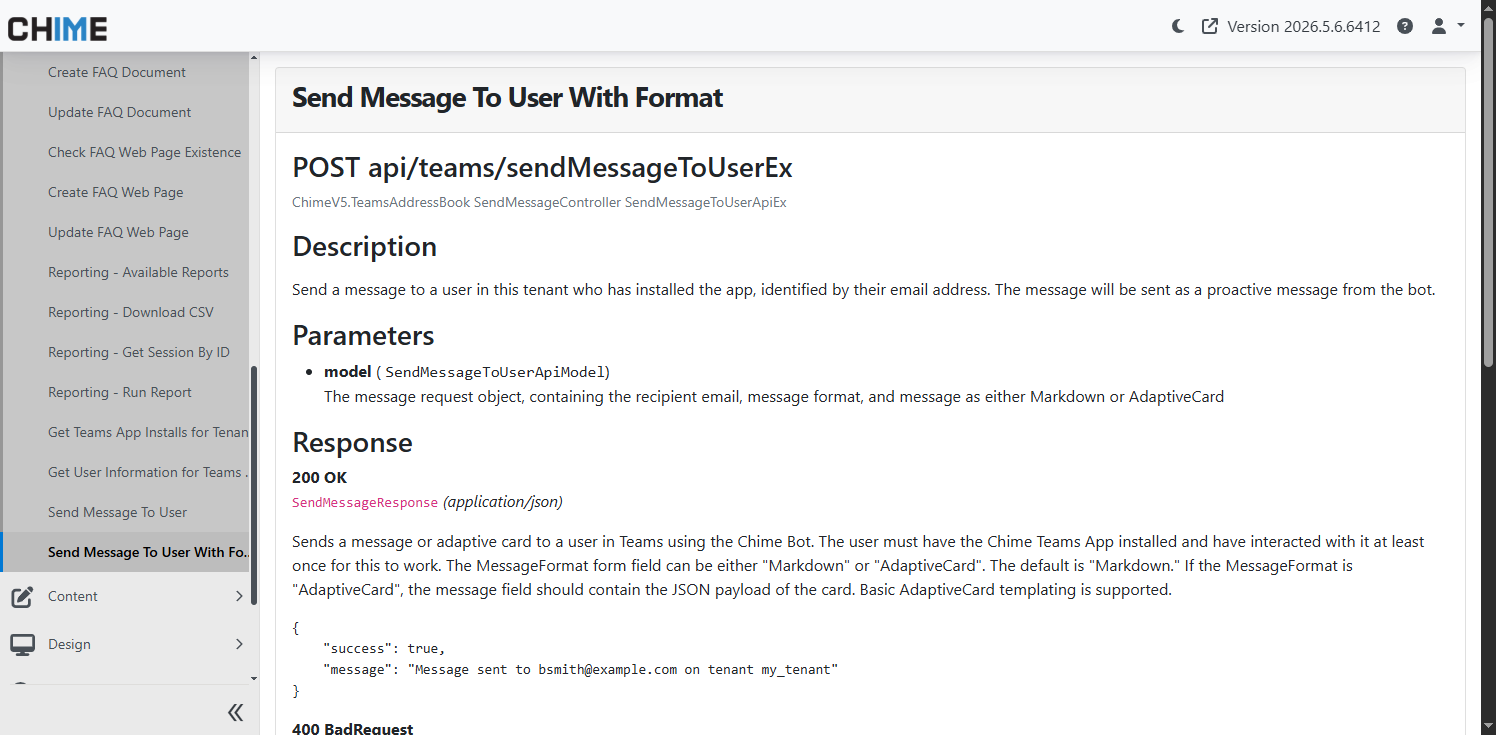
Image Gallery
- Document Title – Markdown Document
- **New Feature - AI Insights** – Introduced AI-powered chat tools for admins and managers that can an…
- **AI Insights - Admin Settings** – Configure AI Insights within the Admin UI with configuration opti…
- **AI Insights - AI Prompt** – A new AI prompt has been added and is configured by default for AI Ins…
- **AI Insights - Admin Insights Chat** – Easy to access chat UI for Admins where users can view insig…
- **AI Insights - Manager Insights Chat** – Easy to access chat UI for Managers where users can view i…
- AI Insights - Available Tools** – Users in both Admin and Manager UI can view available tools that A…
- **AI Insights - Example Chat Query** – AI Insights can surface and analyze platform data through nat…
- **AI Insights - Saved Insight Chats** – Saved AI Insights conversations make it easy to revisit prev…
- **AI Insights - Saved Insight Chat Example** – Saved Insight Chats preserve the full conversation hi…
- **AI Insights - Saved Chat FAQ** – FAQs can be created directly from Insight Chats, transforming ana…
- **AI Insights - Saved Chat FAQ** – Generated FAQs retain structured formatting from the original Ins…
- **Agent Notification Settings - Accept Chat on Click** – Added an Agent Profile setting to control n…
- **Page GSD Tab - Issue Note Label Update** – Updated the Page GSD tab to rename the “Issue Descripti…
- **Access Denied Page Updates** – Updated the Access Denied page messaging to provide clearer guidanc…
- **Login Required Page Updates** – Updated the Login Required page messaging with clearer prompts exp…
- **Admin Agent Translation Settings - Display Controls** – Added new translation display settings all…
- **Teams Messaging API - Chat Session Variable Support** – Added API support for sending proactive Te…
- **Teams Messaging API - Adaptive Card Support** – Added support for sending Adaptive Card messages t…
- **Teams Messaging API - Markdown Message Support** – Added support for Markdown-formatted messages t…
- **Teams Messaging API - Message Format Examples** – Proactive Teams messages can support multiple co…
- **REST API Docs - Teams App Installs for Tenant** – Added REST API documentation for retrieving Team…
- **REST API Docs - Teams User Information** – Added REST API documentation for retrieving Teams app u…
- **REST API Docs - Send Message to User** – Added REST API documentation for proactively sending Team…
- **REST API Docs - Send Message with Format** – Added REST API documentation for sending formatted Te…