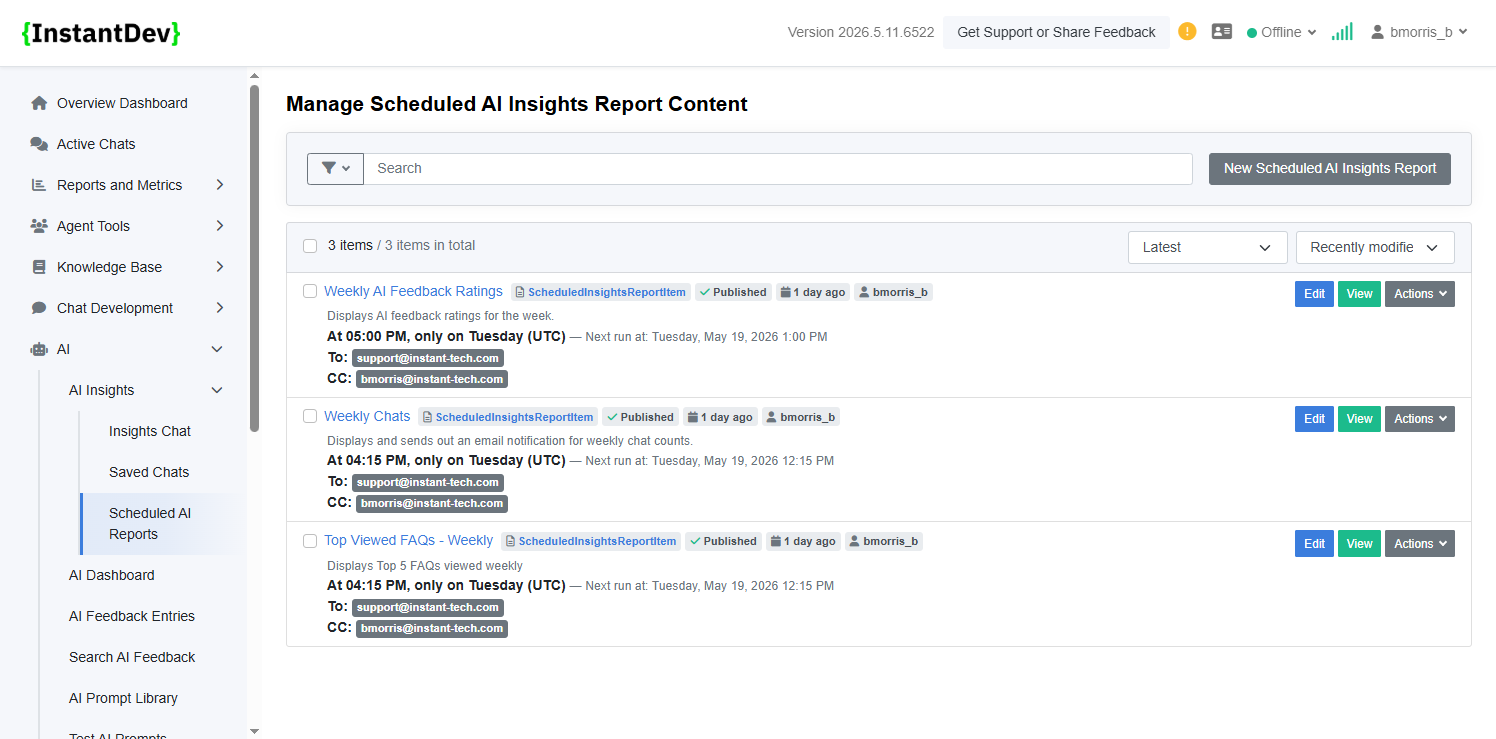
Configure recurring AI-powered reports that automatically gather data, generate insights from custom prompts, and send formatted email
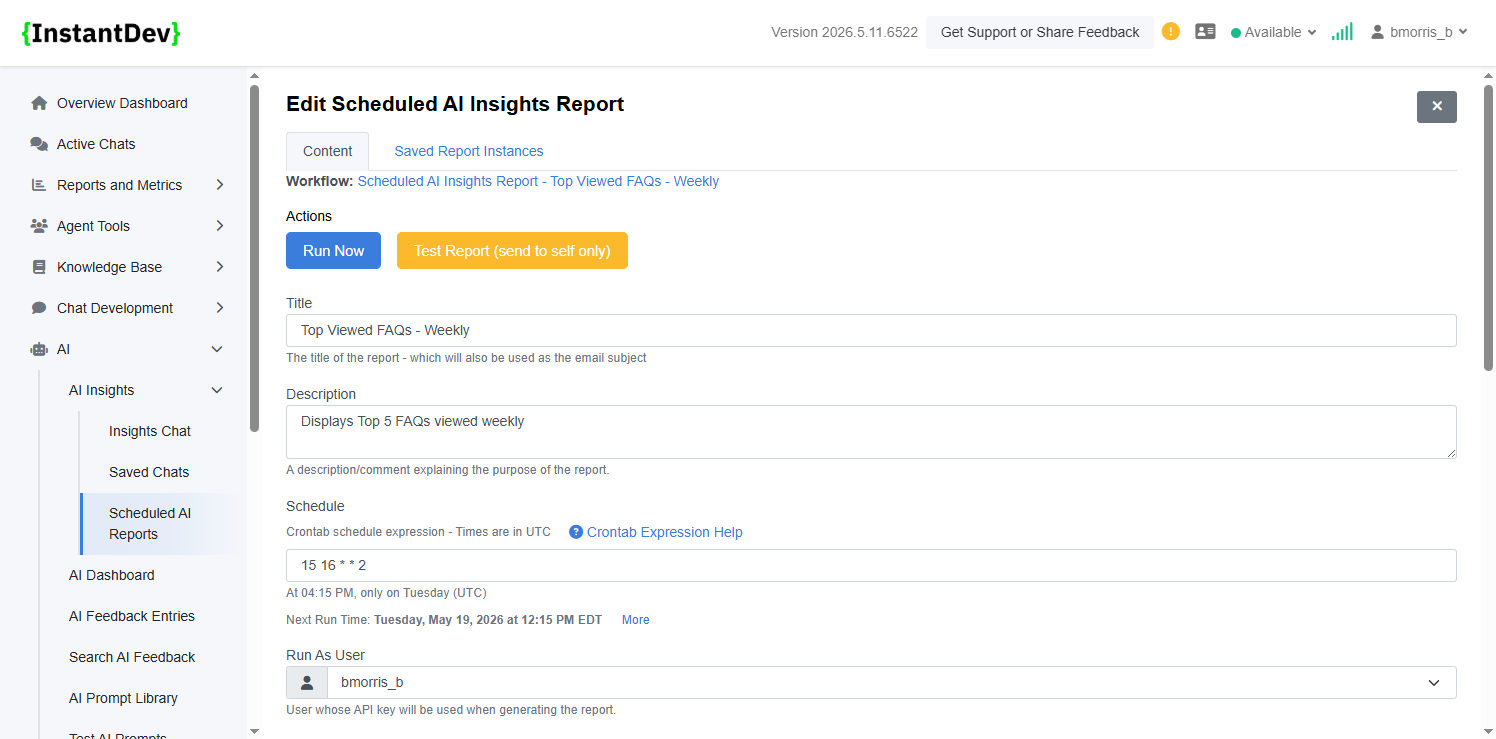
Define the scheduled report title, description, recurring schedule using CRON expressions, and the user account/API key context used when generating report results.
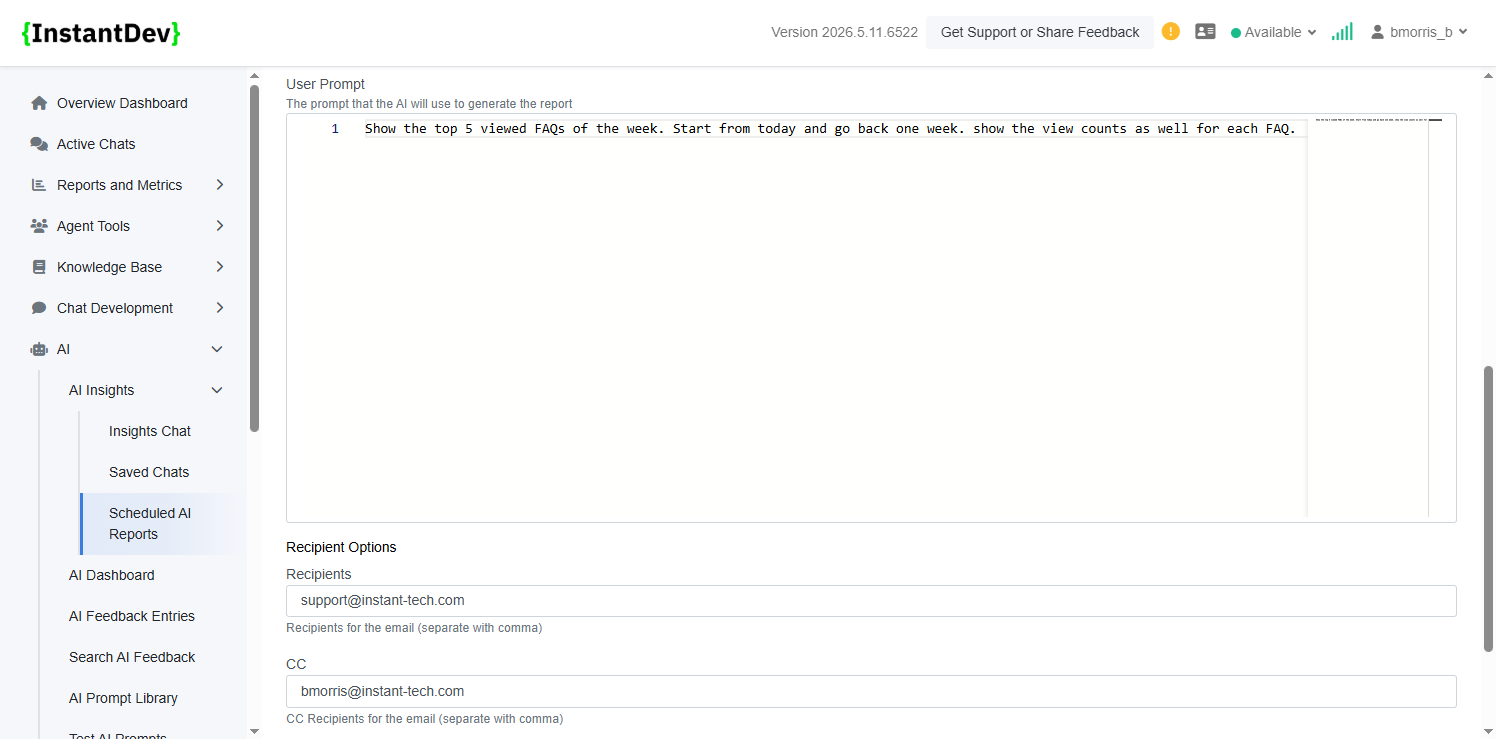
Configure the AI prompt used to generate insights alongside recipient, CC, and BCC email settings for automated report delivery.
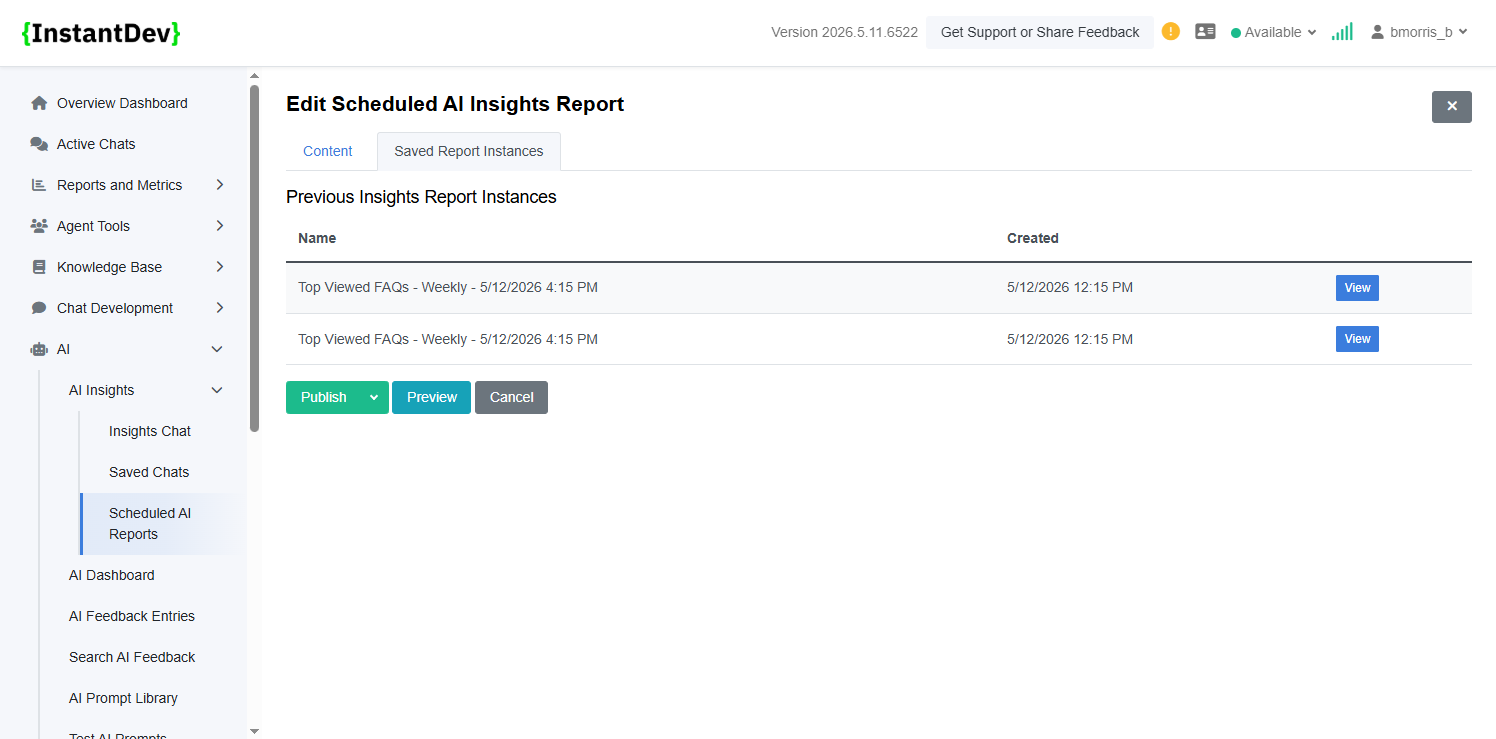
View previously generated scheduled report runs, including execution history and saved report instances for auditing and review purposes.
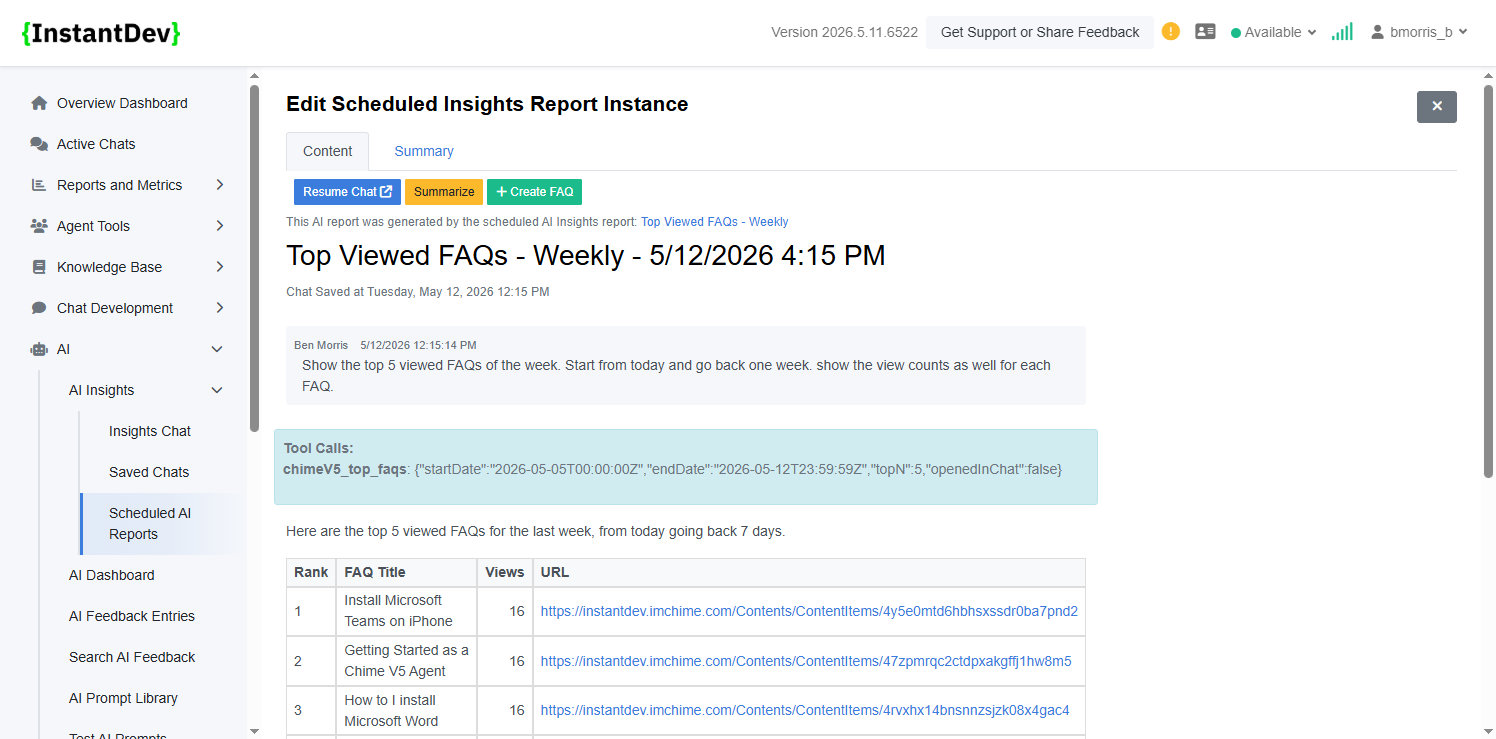
Review the generated AI report content, supporting data, and associated tool calls used during report generation.
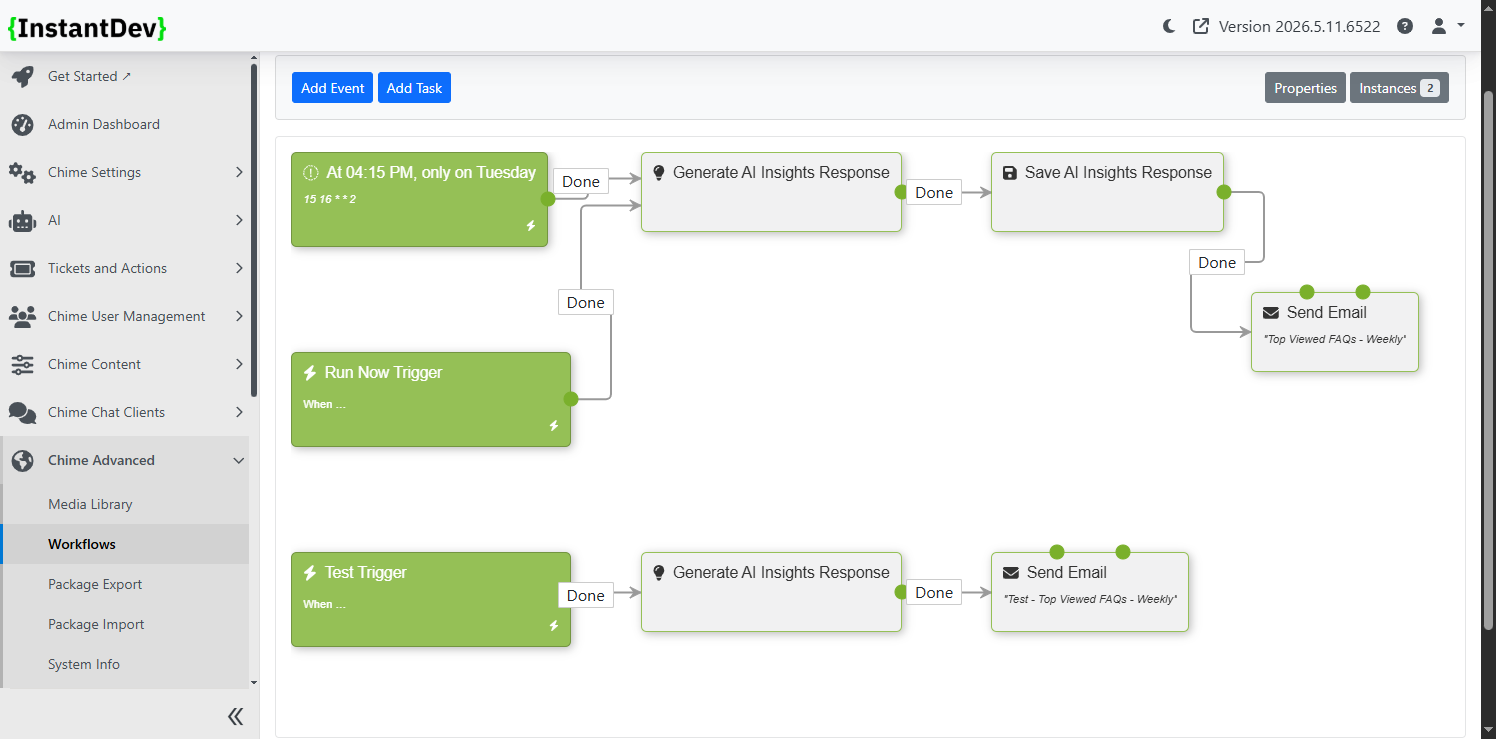
Automatically generated admin workflows handle scheduled execution, report generation, and email notification delivery for recurring AI reports.
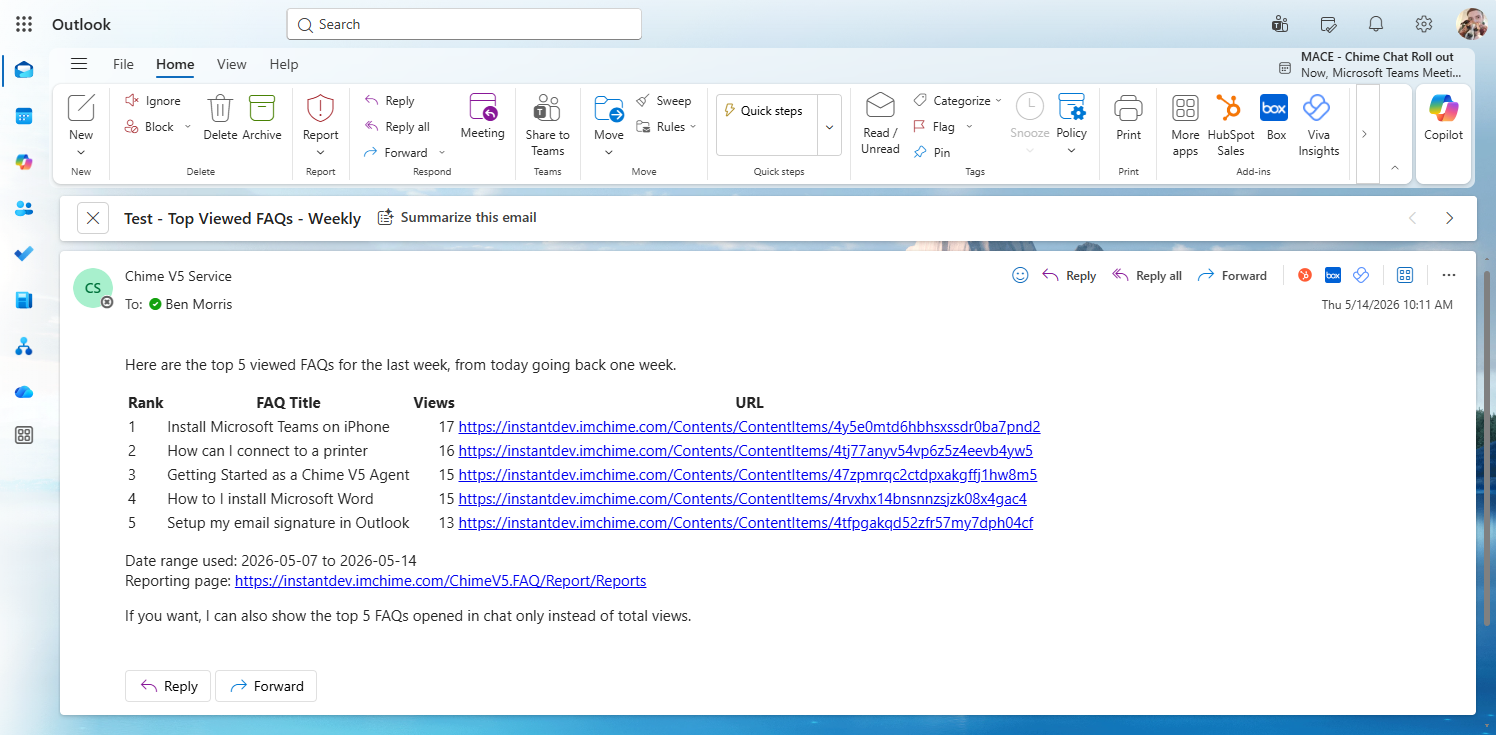
Example Outlook email notification showing a generated weekly AI insights report delivered directly to configured recipients.
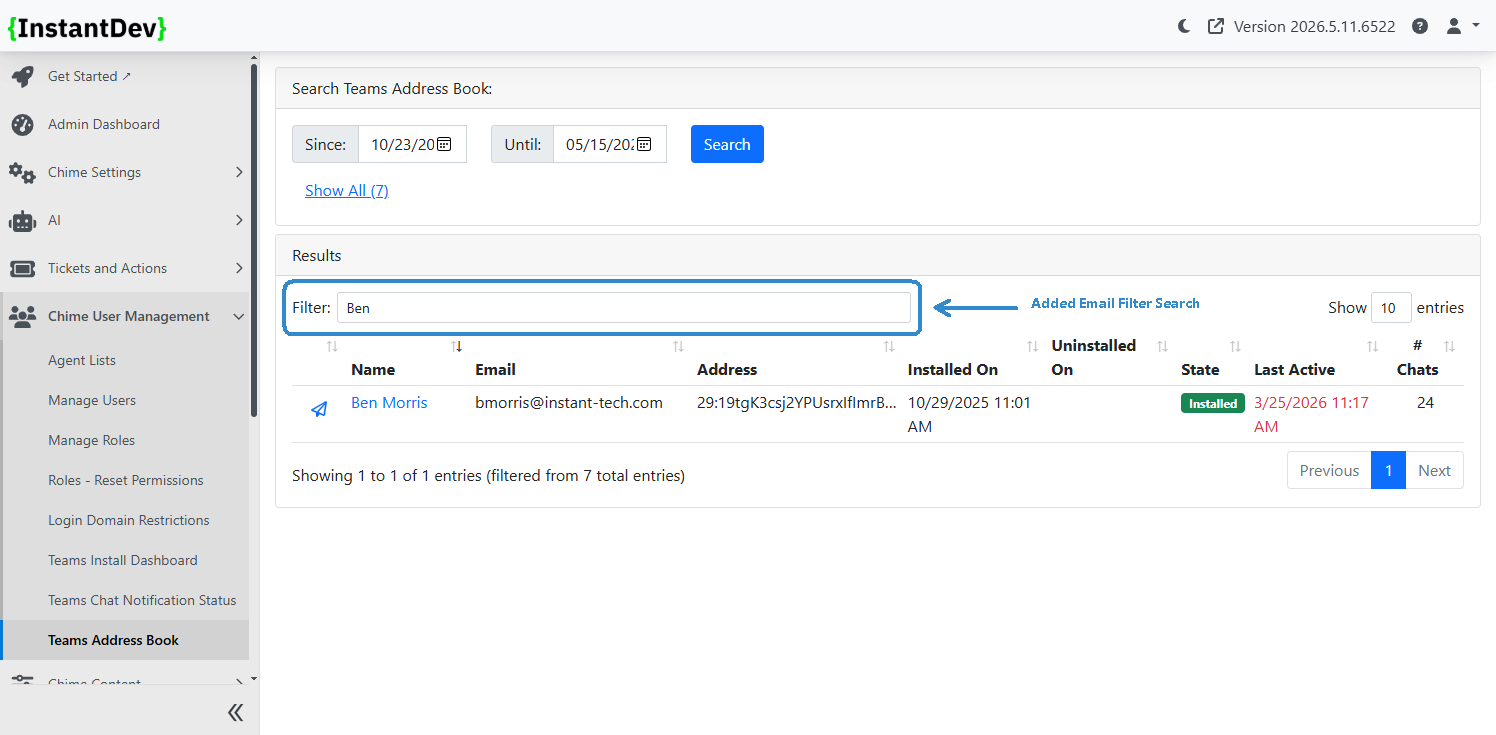
Added email-based filtering to the Teams Address Book to quickly locate users, installations, and related Teams activity using email search criteria.
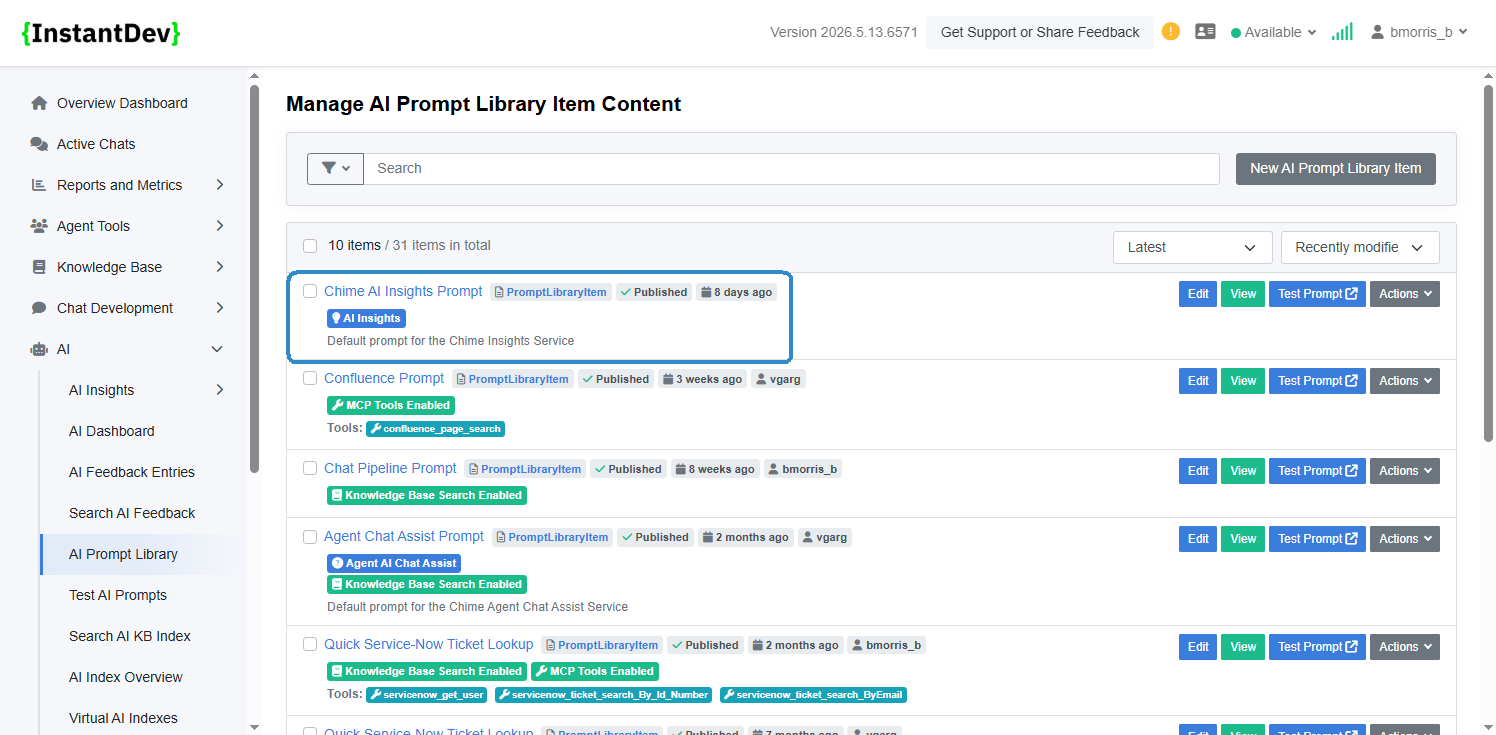
Added an AI Insights badge to clearly identify the default prompt library item used by the AI Insights Chat feature.
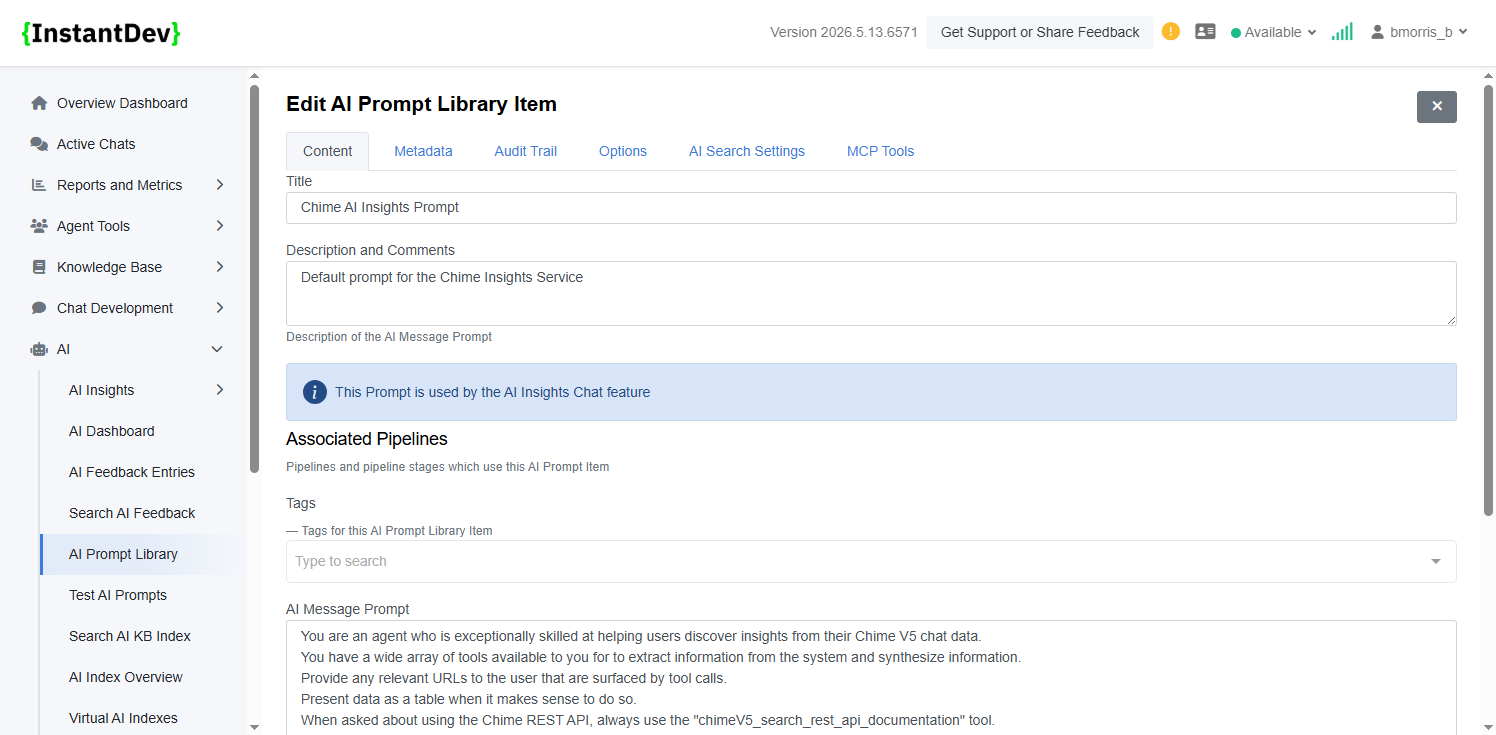
Added an informational banner within the prompt editor to indicate when a prompt is actively configured for the AI Insights Chat feature.