Contents
- Overview – MarkdownDocument
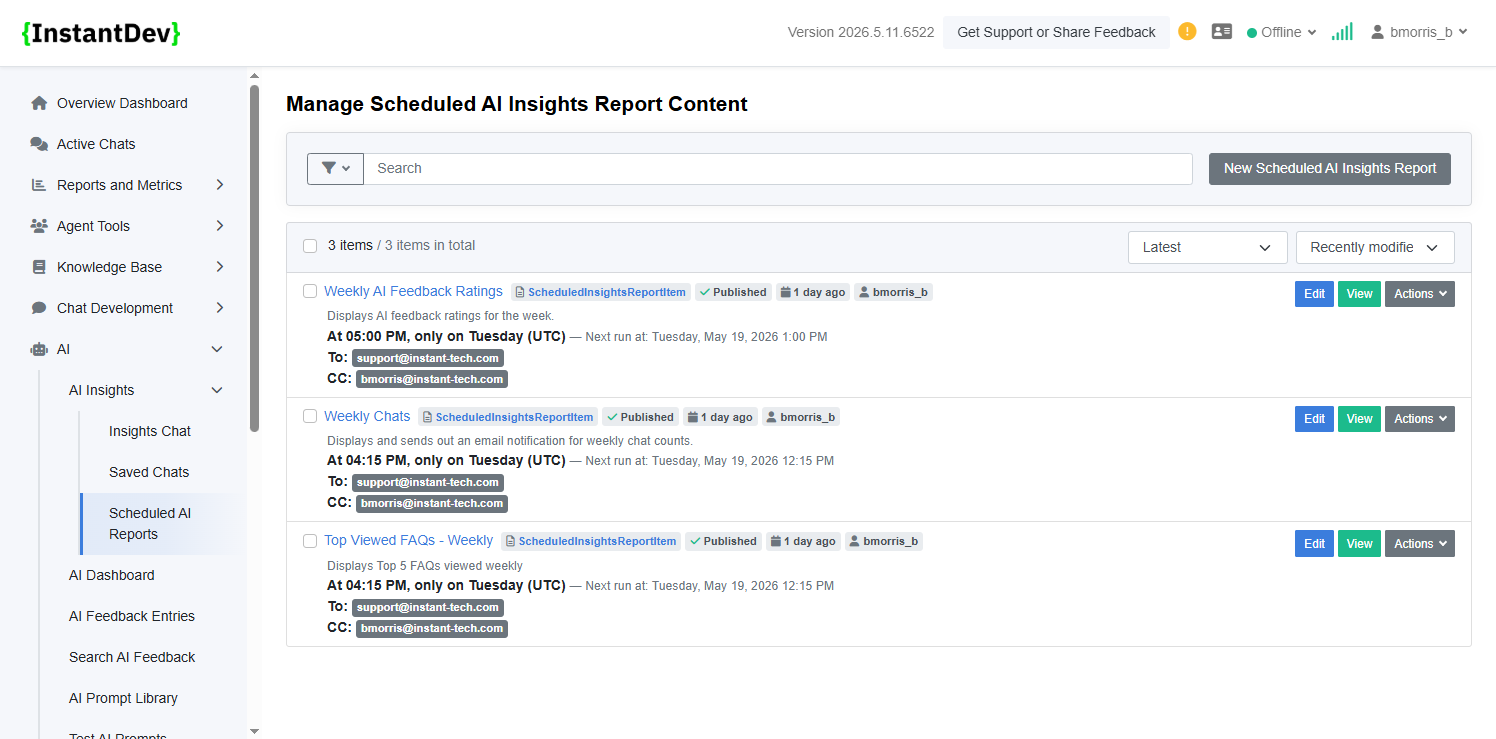
- **AI Scheduled Reports - Automated Insights Overview** – Configure recurring AI-powered reports that…
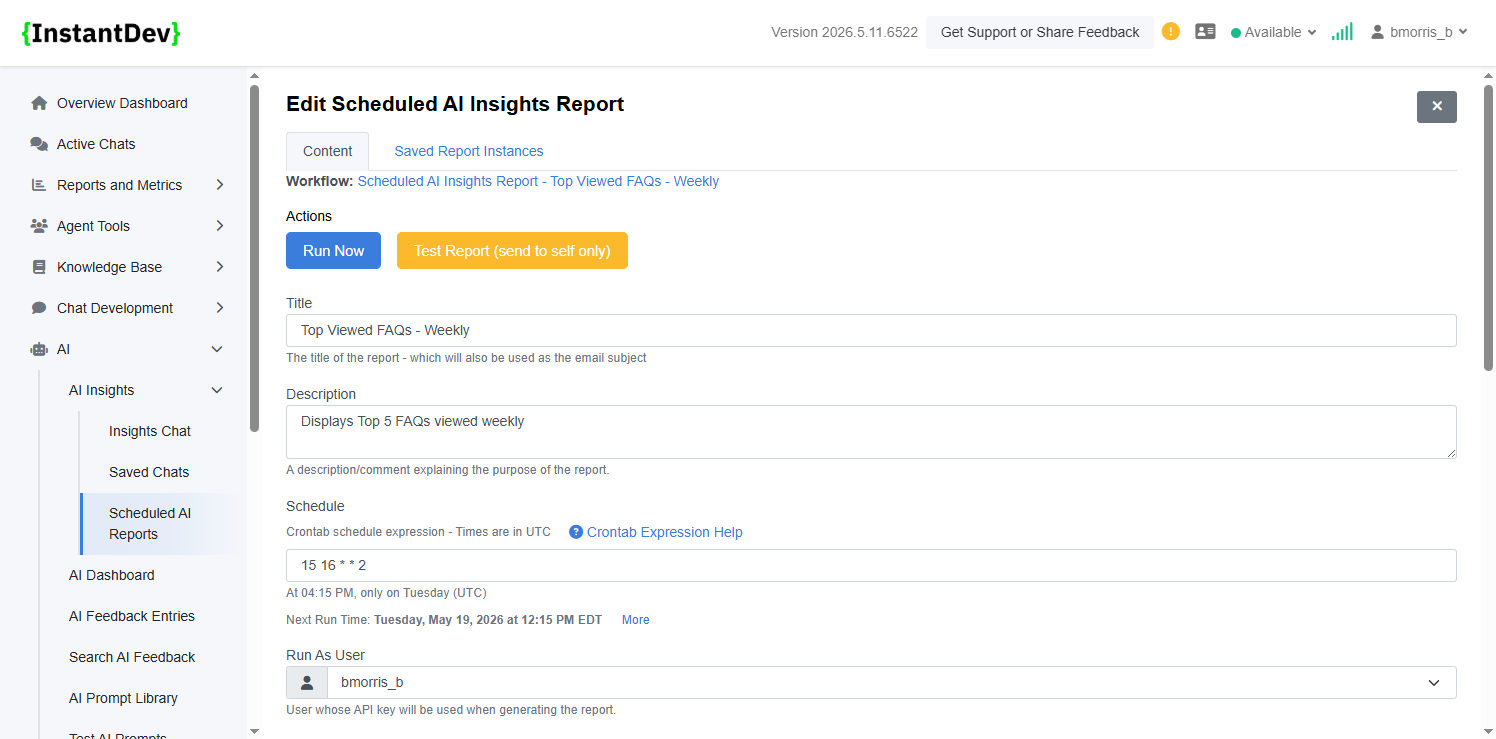
- **AI Scheduled Report - Schedule & User Configuration** – Define the scheduled report title, descrip…
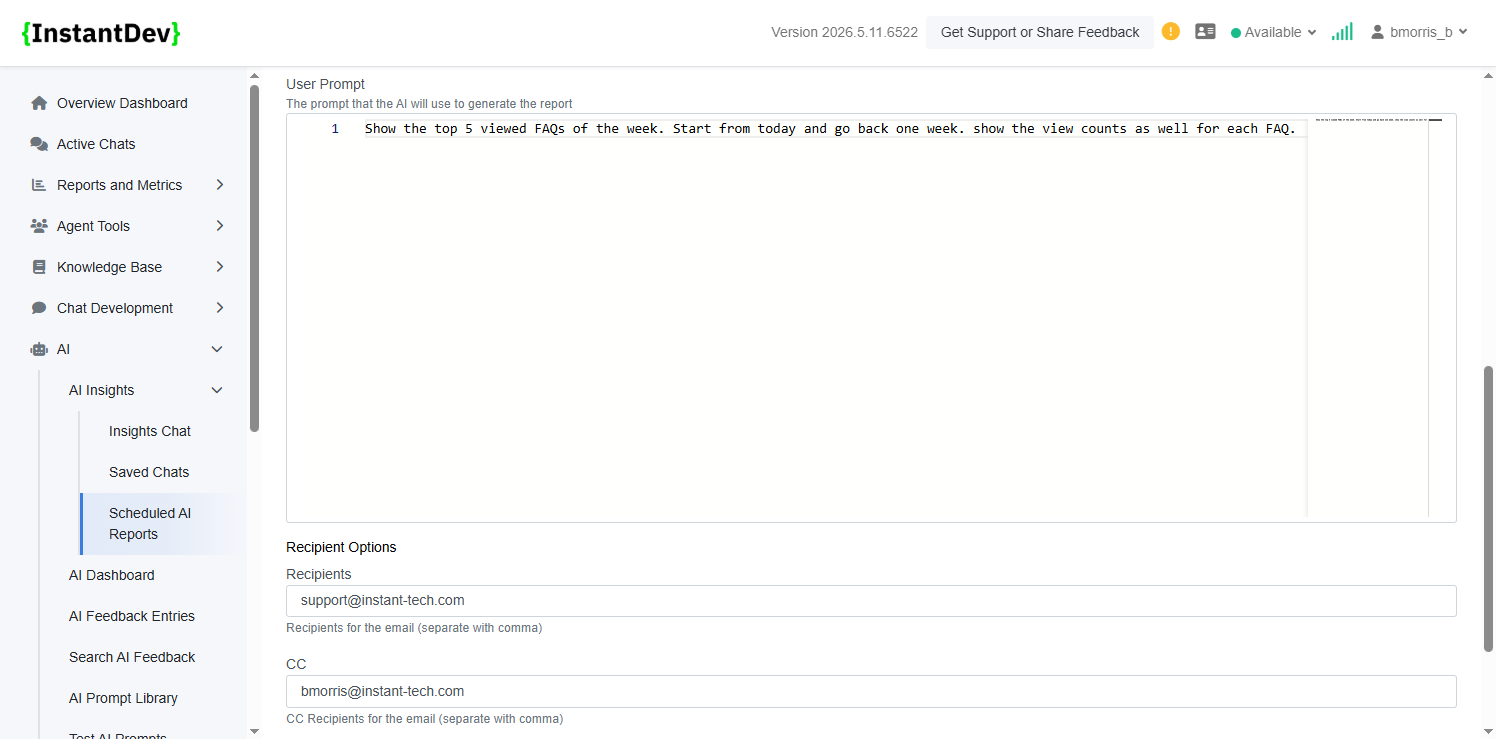
- **AI Scheduled Report - Prompt & Email Recipient Configuration** – Configure the AI prompt used to g…
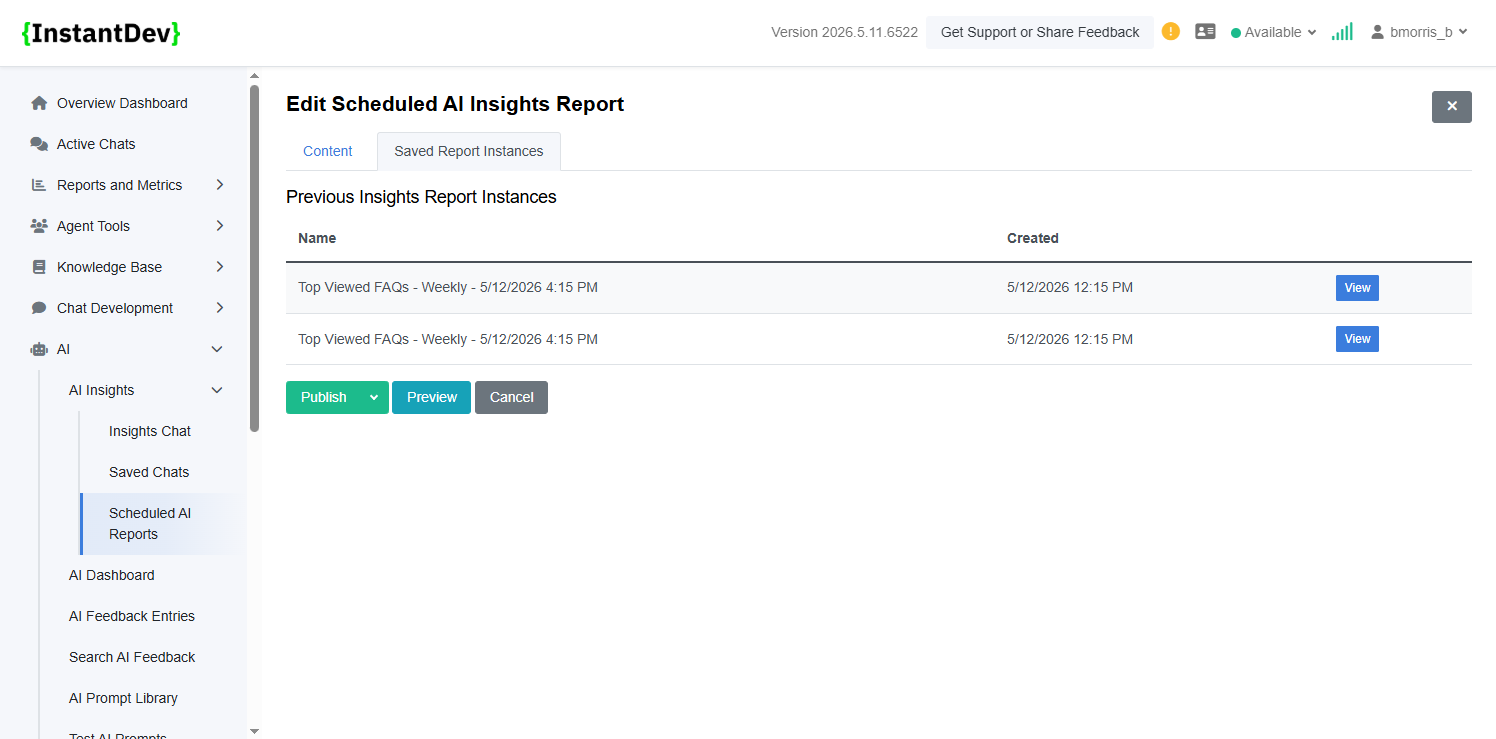
- **AI Scheduled Report - Historical Report Instances** – View previously generated scheduled report r…
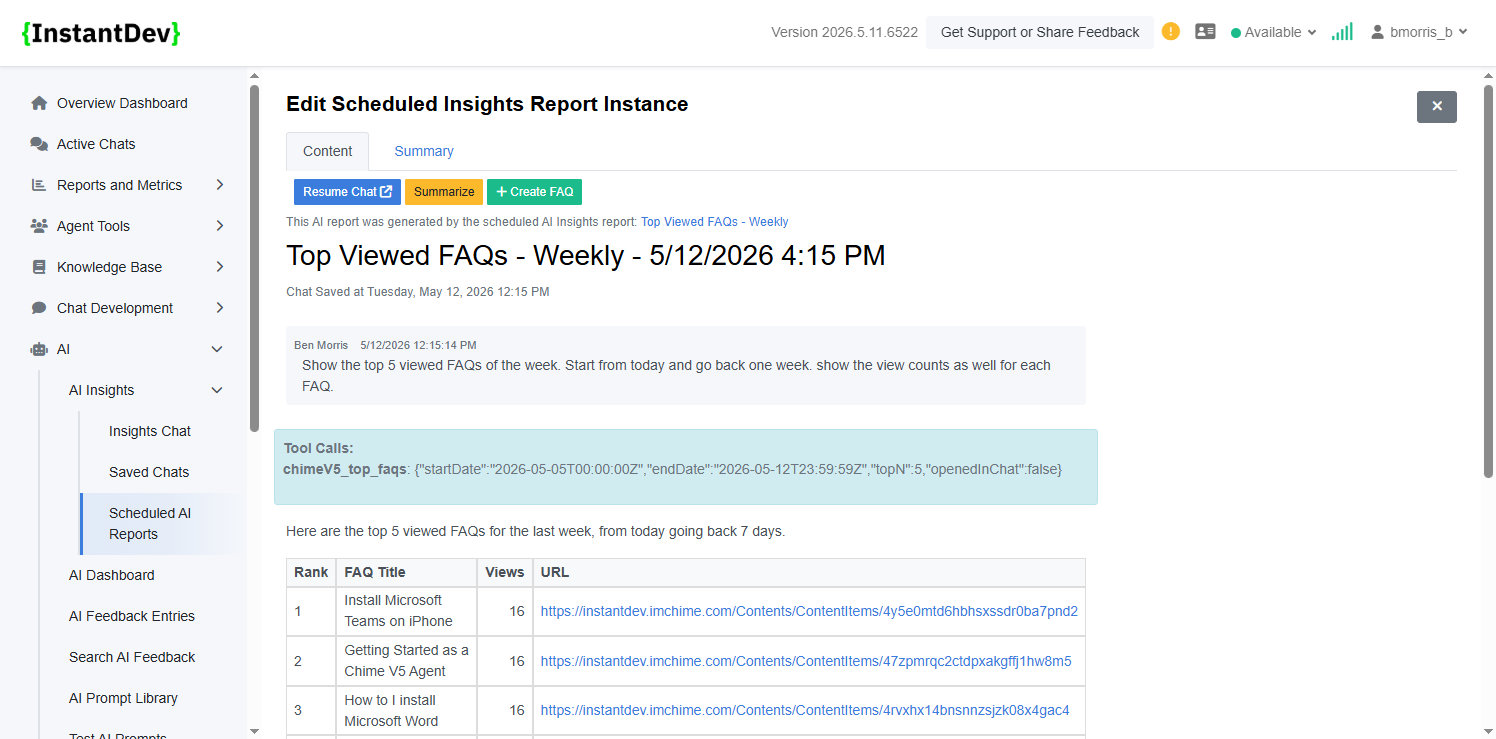
- **AI Scheduled Report - Generated Report Details** – Review the generated AI report content, support…
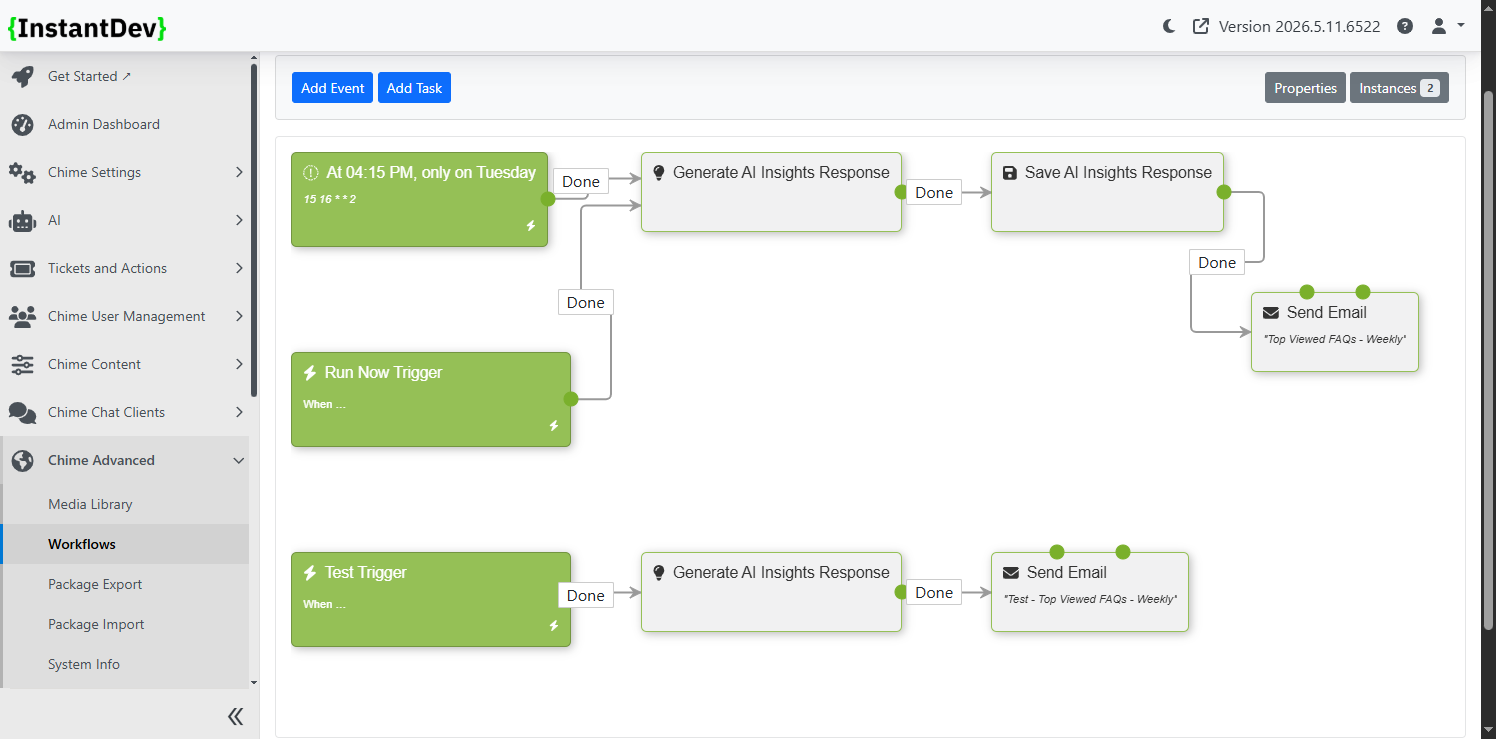
- **AI Scheduled Report - Automated Workflow Processing** – Automatically generated admin workflows ha…
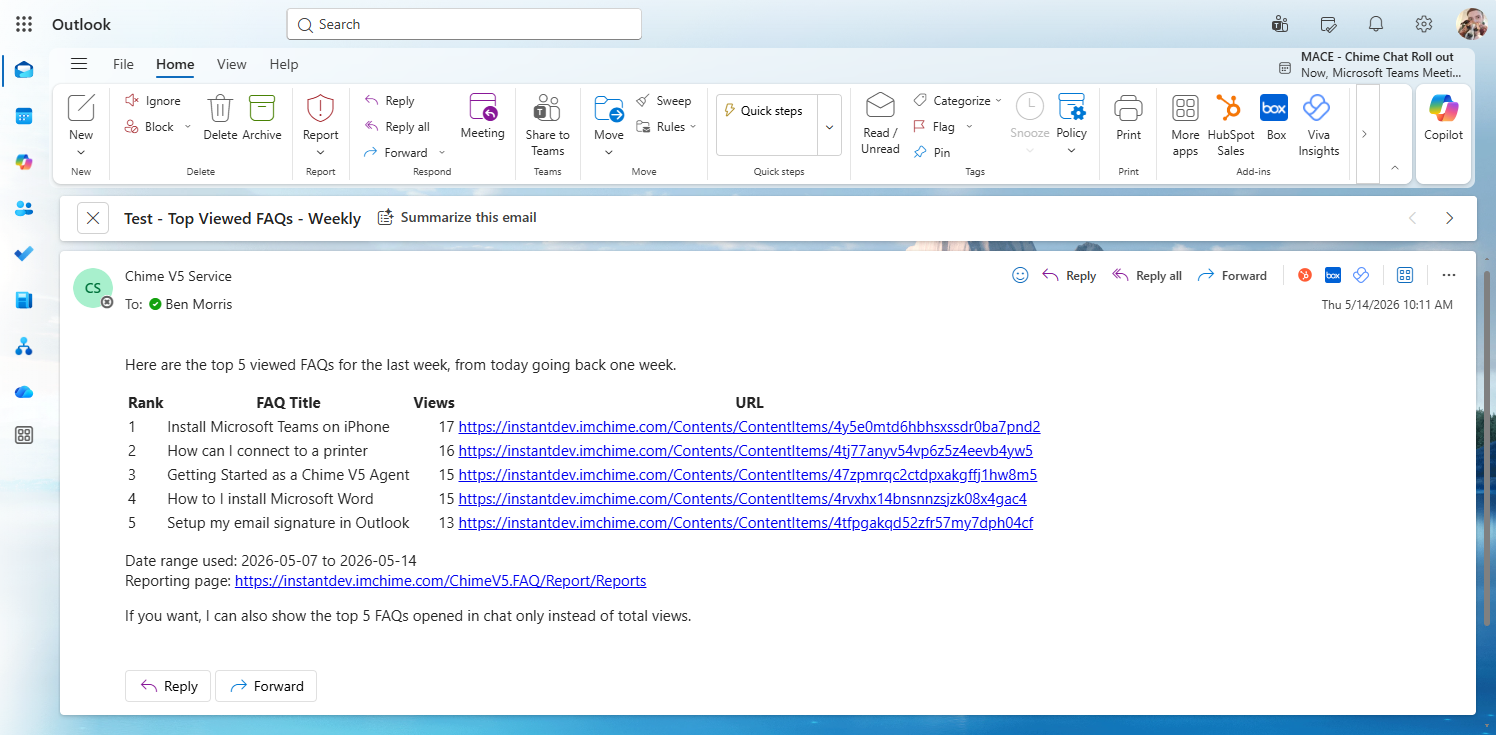
- **AI Scheduled Report - Email Notification Delivery** – Example Outlook email notification showing a…
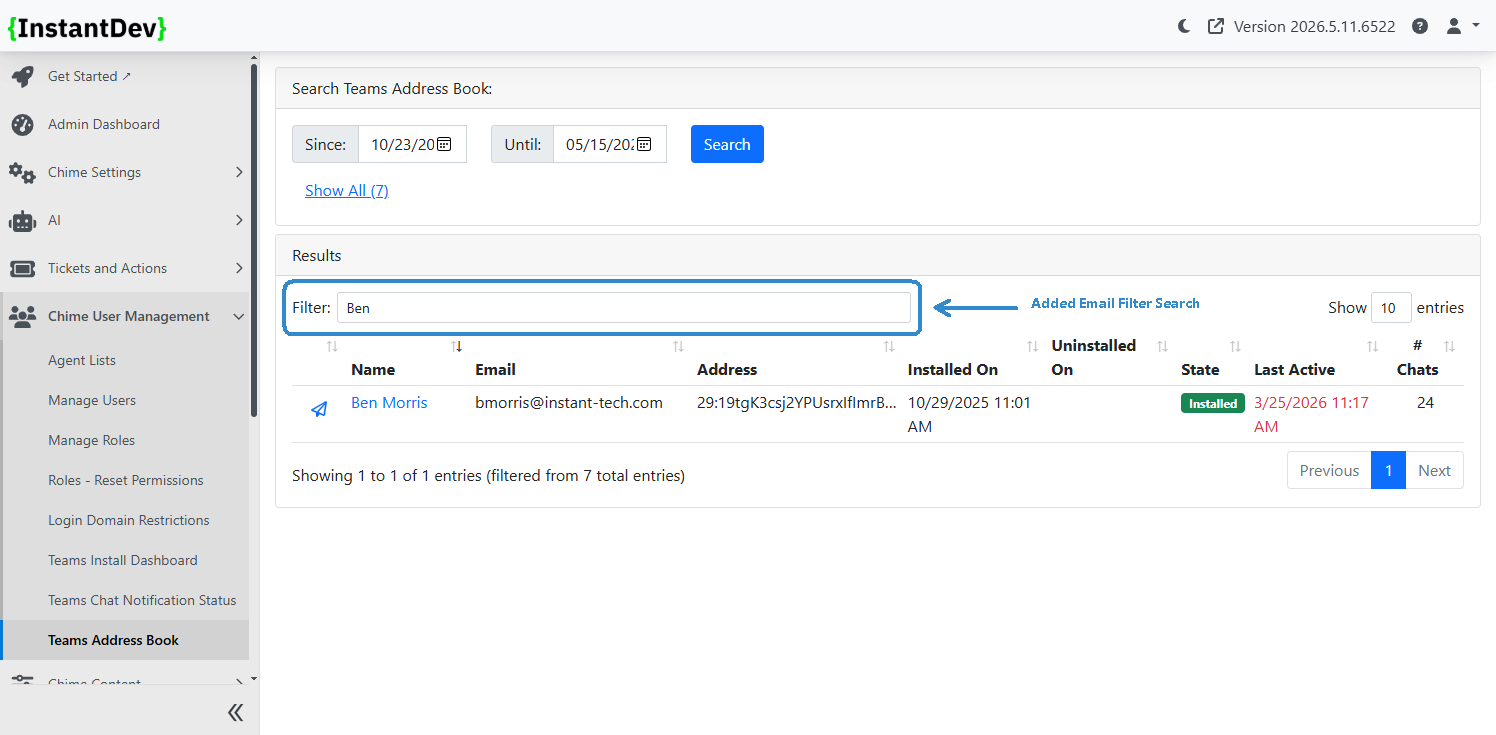
- **Teams Address Book - Email Search Filtering** – Added email-based filtering to the Teams Address B…
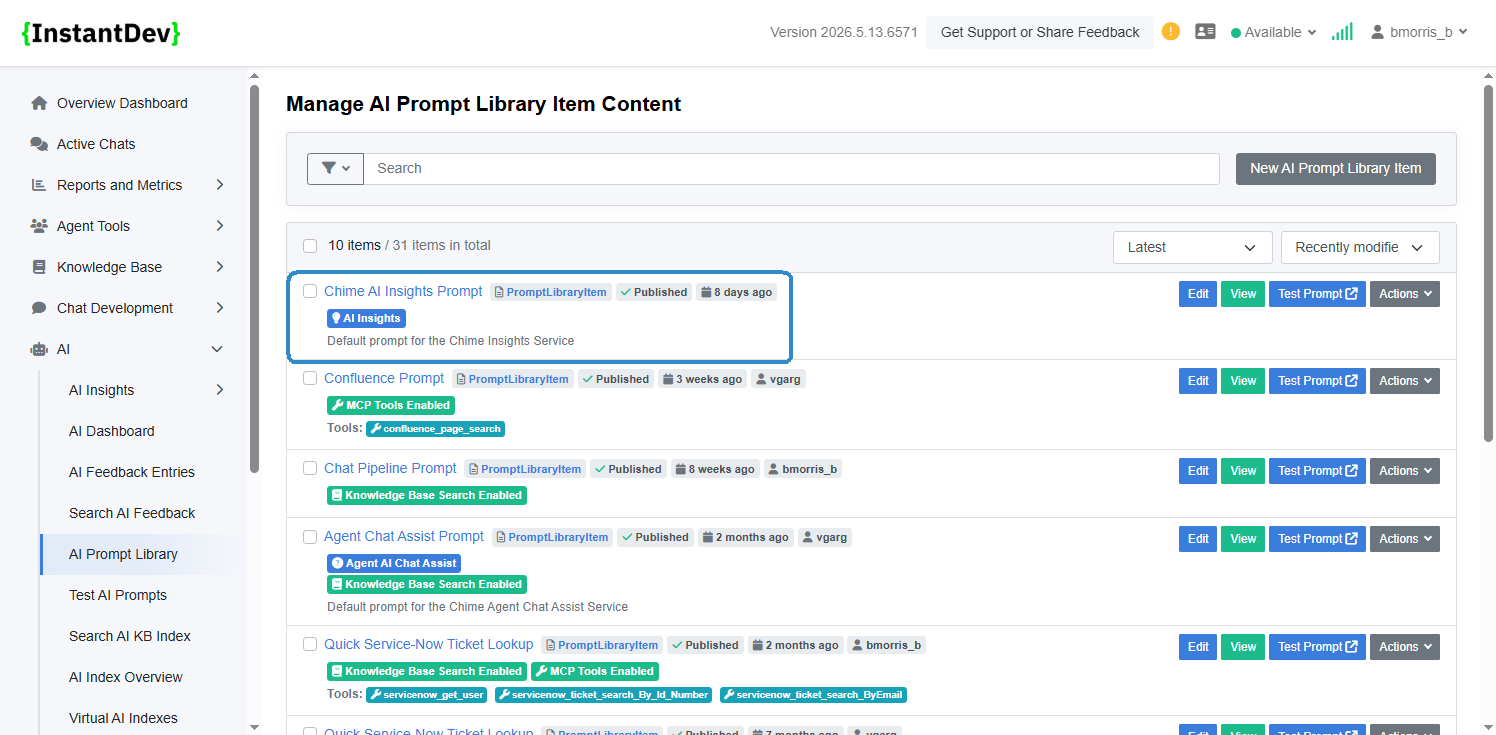
- **AI Insights Prompt Library - Default Prompt Badge** – Added an AI Insights badge to clearly identi…
- **AI Insights Prompt Library - AI Insights Prompt Banner** – Added an informational banner within th…
Step 1 – Overview
Overview
- Scheduled AI Chats/Reports – Added support for scheduling recurring AI-generated chats and reports to automate insights delivery.
- Address Book Email Filtering – Added an email filter option to the Address Book dashboard for easier searching and management of users.
- AI Insights Chat Prompt Enhancements – Improved the AI Insights chat experience with updated prompt decorations and formatting for clearer, more structured responses.
Step 2 – AI Scheduled Reports - Automated Insights Overview
-
Configure recurring AI-powered reports that automatically gather data, generate insights from custom prompts, and send formatted email
Step 3 – AI Scheduled Report - Schedule & User Configuration
-
Define the scheduled report title, description, recurring schedule using CRON expressions, and the user account/API key context used when generating report results.
Step 4 – AI Scheduled Report - Prompt & Email Recipient Configuration
-
Configure the AI prompt used to generate insights alongside recipient, CC, and BCC email settings for automated report delivery.
Step 5 – AI Scheduled Report - Historical Report Instances
-
View previously generated scheduled report runs, including execution history and saved report instances for auditing and review purposes.
Step 6 – AI Scheduled Report - Generated Report Details
-
Review the generated AI report content, supporting data, and associated tool calls used during report generation.
Step 7 – AI Scheduled Report - Automated Workflow Processing
-
Automatically generated admin workflows handle scheduled execution, report generation, and email notification delivery for recurring AI reports.
Step 8 – AI Scheduled Report - Email Notification Delivery
-
Example Outlook email notification showing a generated weekly AI insights report delivered directly to configured recipients.
Step 9 – Teams Address Book - Email Search Filtering
-
Added email-based filtering to the Teams Address Book to quickly locate users, installations, and related Teams activity using email search criteria.
Step 10 – AI Insights Prompt Library - Default Prompt Badge
-
Added an AI Insights badge to clearly identify the default prompt library item used by the AI Insights Chat feature.
Step 11 – AI Insights Prompt Library - AI Insights Prompt Banner
-
Added an informational banner within the prompt editor to indicate when a prompt is actively configured for the AI Insights Chat feature.
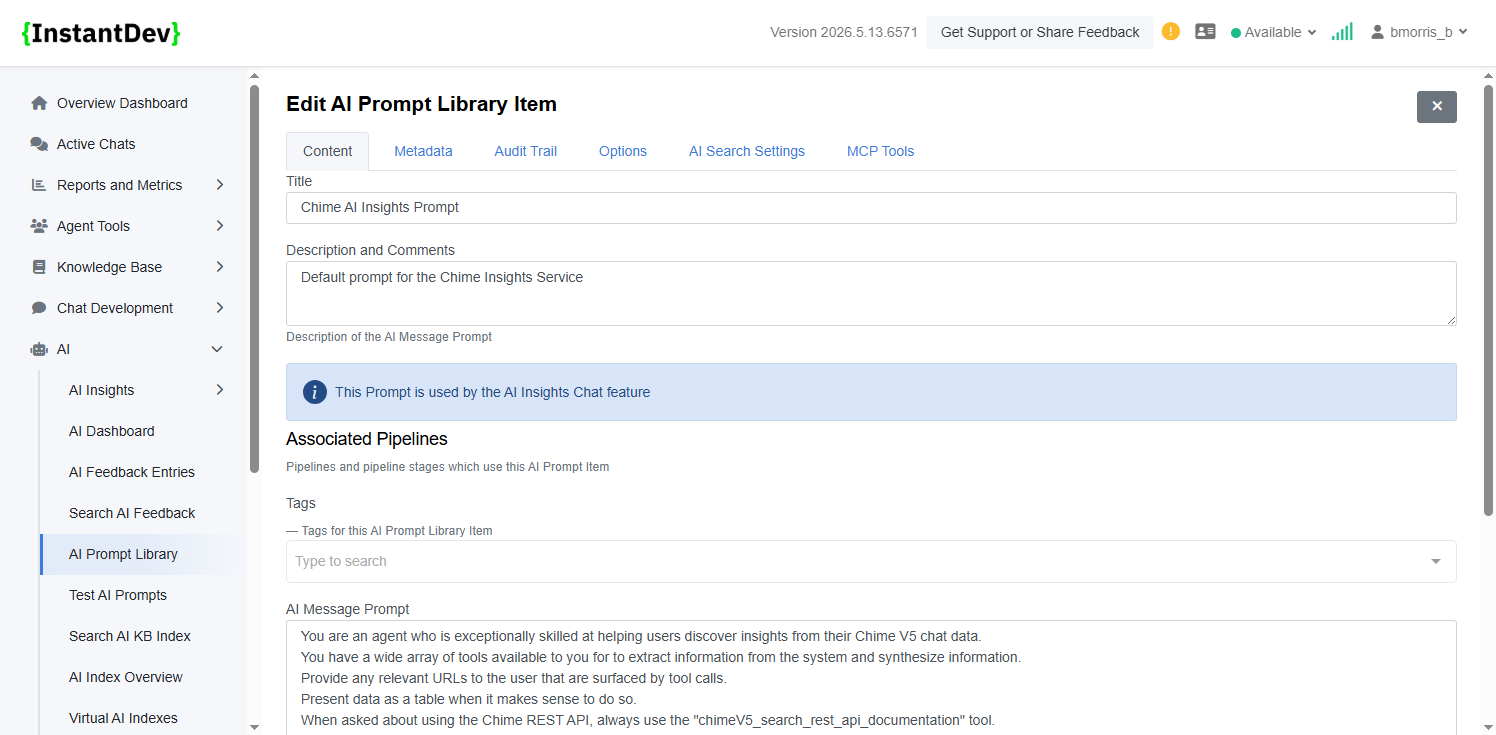
Image Gallery
- Overview – MarkdownDocument
- **AI Scheduled Reports - Automated Insights Overview** – Configure recurring AI-powered reports that…
- **AI Scheduled Report - Schedule & User Configuration** – Define the scheduled report title, descrip…
- **AI Scheduled Report - Prompt & Email Recipient Configuration** – Configure the AI prompt used to g…
- **AI Scheduled Report - Historical Report Instances** – View previously generated scheduled report r…
- **AI Scheduled Report - Generated Report Details** – Review the generated AI report content, support…
- **AI Scheduled Report - Automated Workflow Processing** – Automatically generated admin workflows ha…
- **AI Scheduled Report - Email Notification Delivery** – Example Outlook email notification showing a…
- **Teams Address Book - Email Search Filtering** – Added email-based filtering to the Teams Address B…
- **AI Insights Prompt Library - Default Prompt Badge** – Added an AI Insights badge to clearly identi…
- **AI Insights Prompt Library - AI Insights Prompt Banner** – Added an informational banner within th…