We’ve improved pipeline discovery in QuickChat, strengthened AI chat handling for image-based conversations, and introduced several workflow enhancements that make it easier for agents and managers to work efficiently across tenants, tickets, and knowledge content.
Share our latest updates with our Build PowerPoint Presentation
Overview
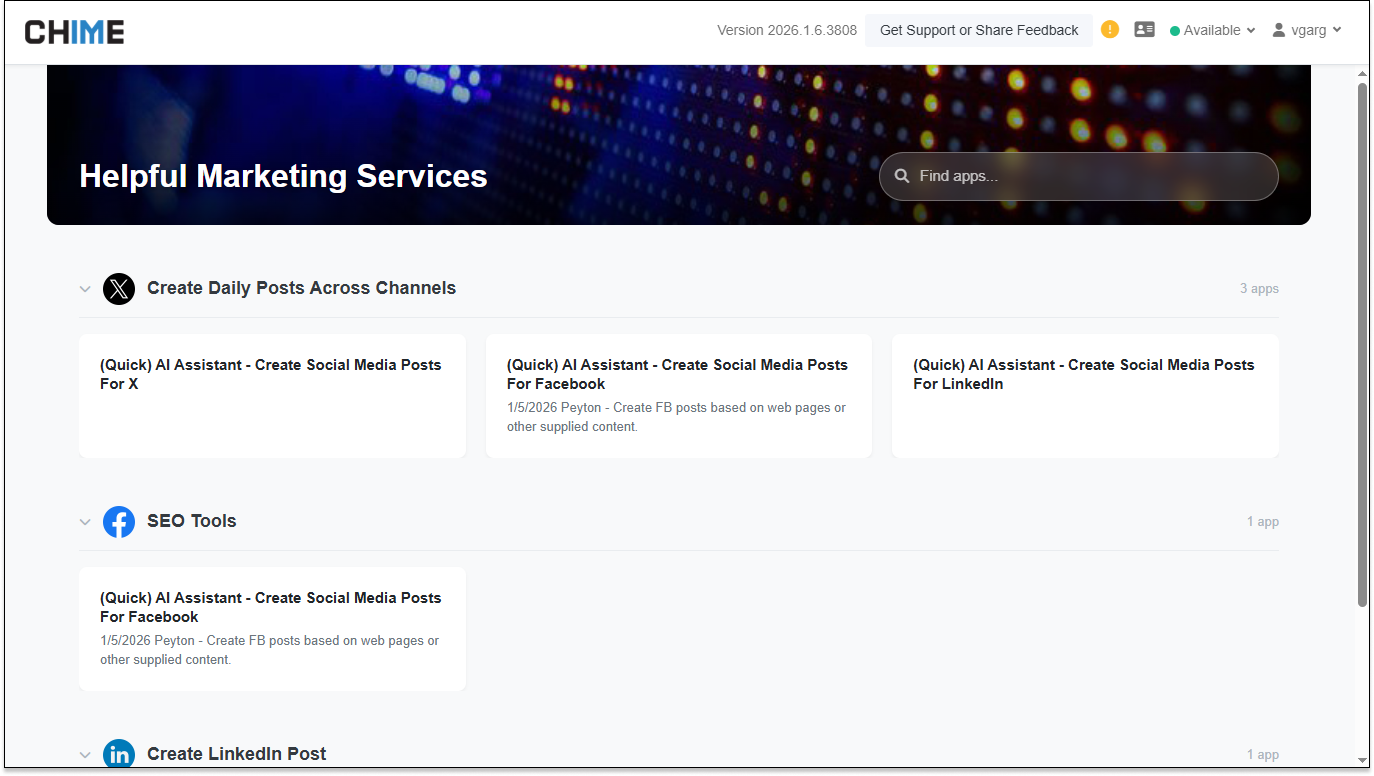
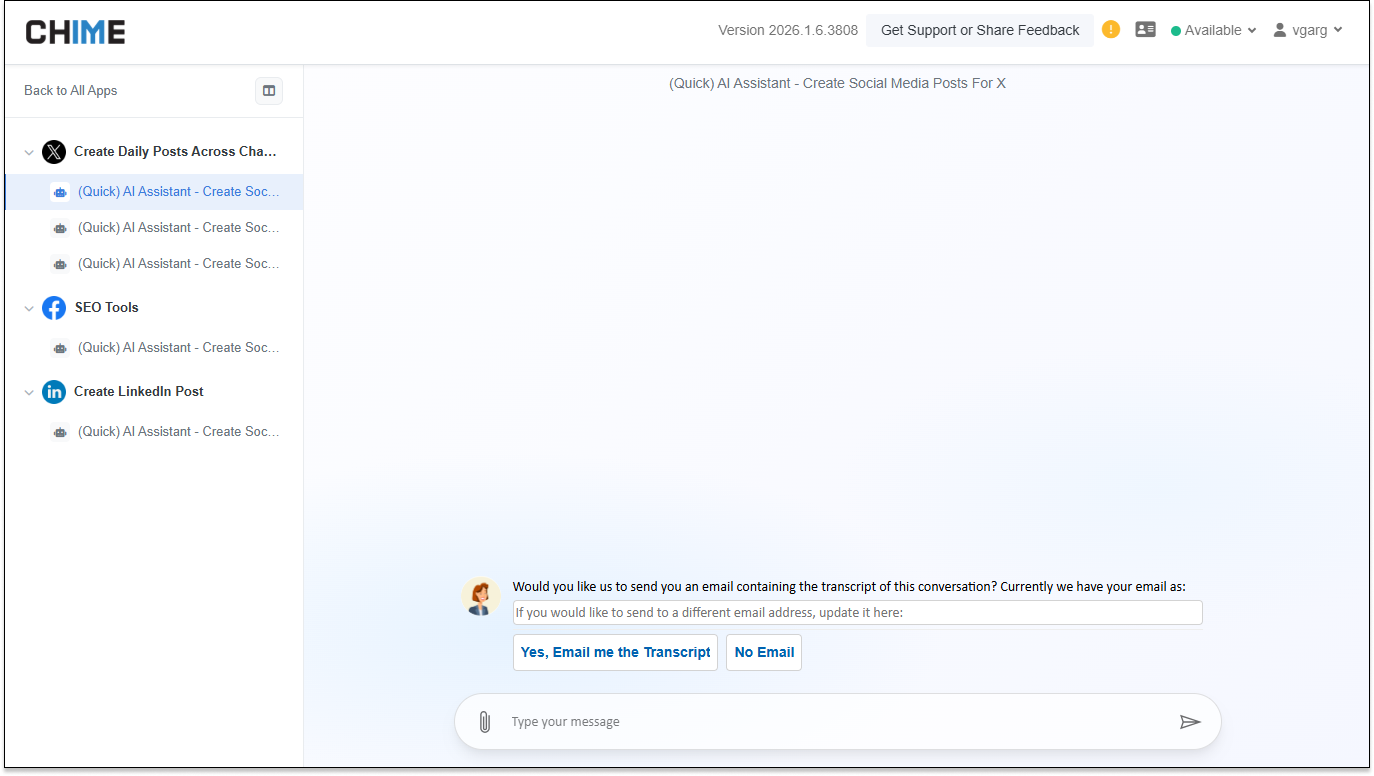
QuickChat UI – Pipeline Browsing Improvements – QuickChat now features a tile-based layout that allows pipelines to be browsed from both the main grid and the sidebar, reducing drill-down and making common actions easier to discover.
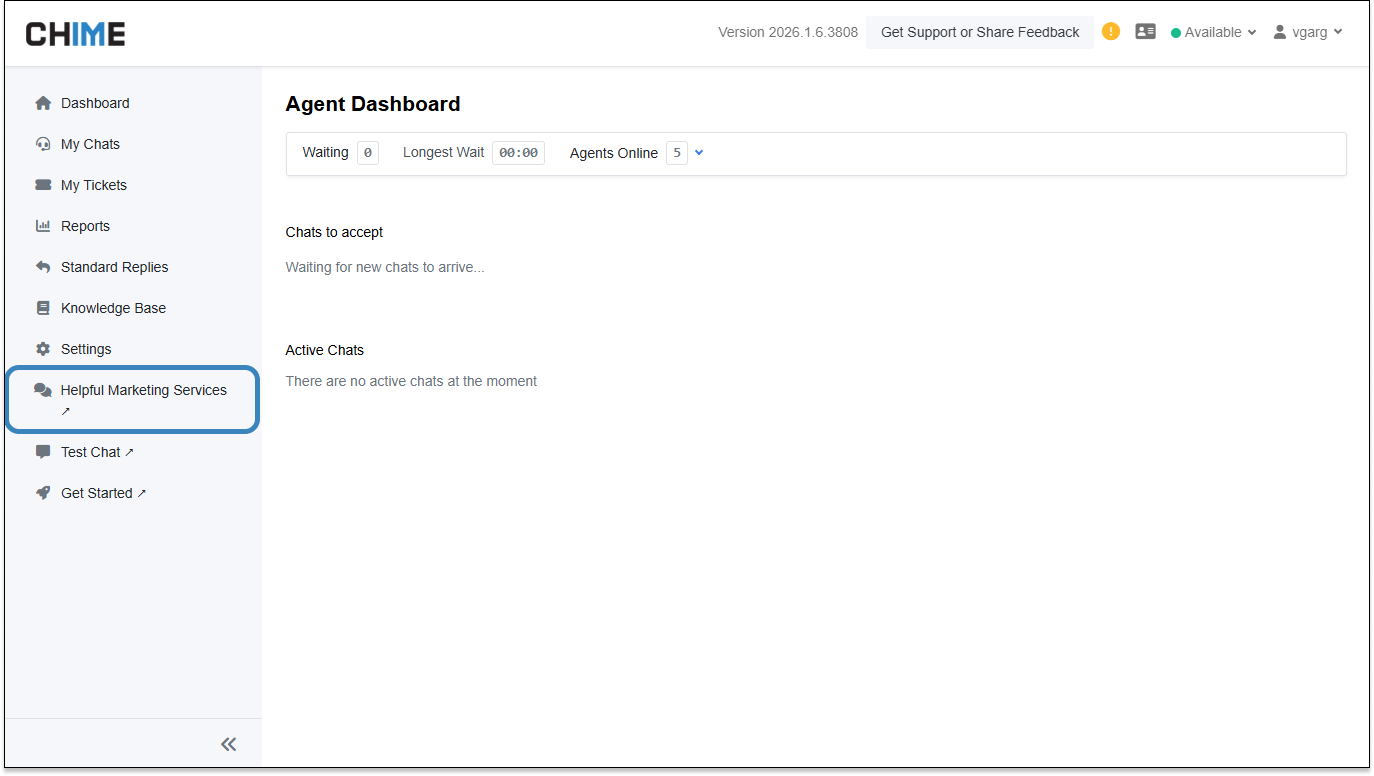
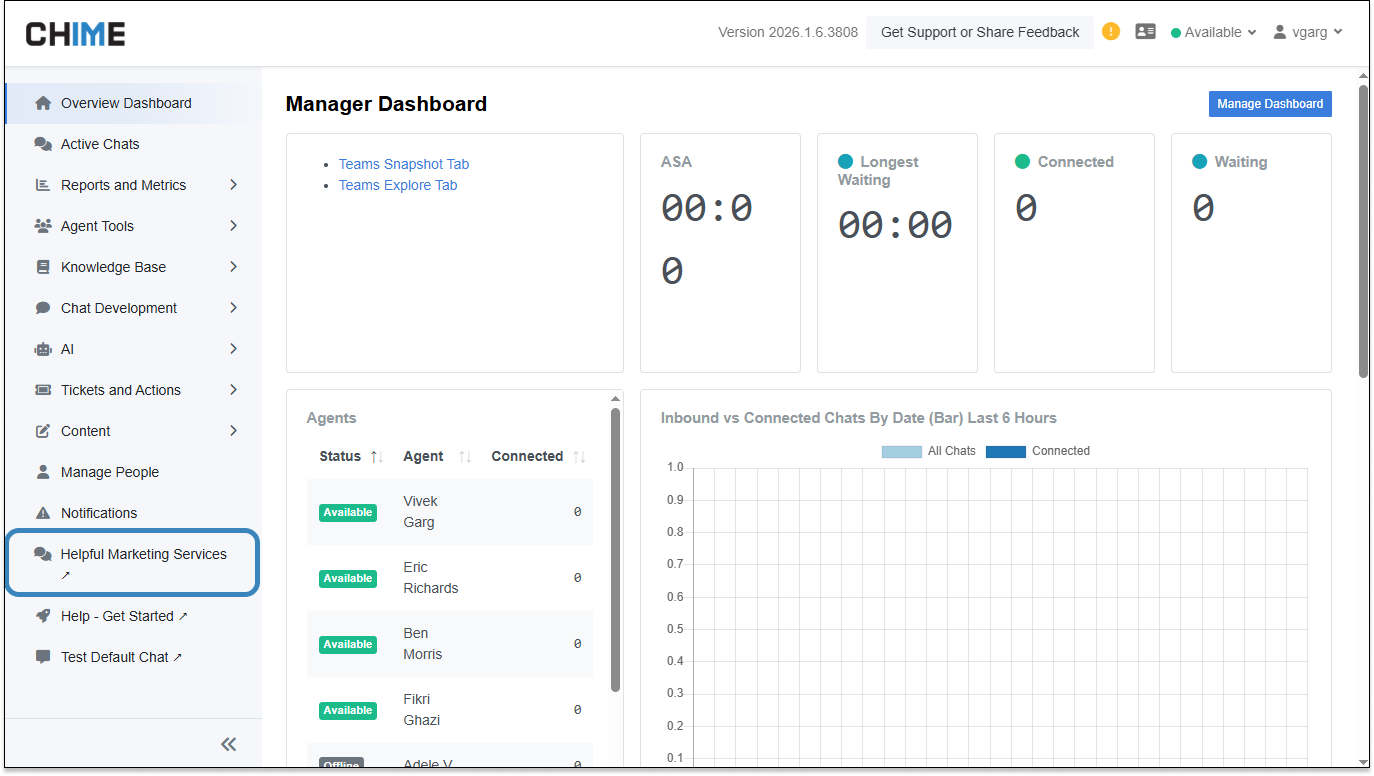
QuickChat – Agent and Manager Dashboard Links – QuickChat content items can now be surfaced directly in the Agent and Manager dashboards by prefixing their names with “(Agent)” or “(Manager)”, enabling role-specific shortcuts in the sidebar.
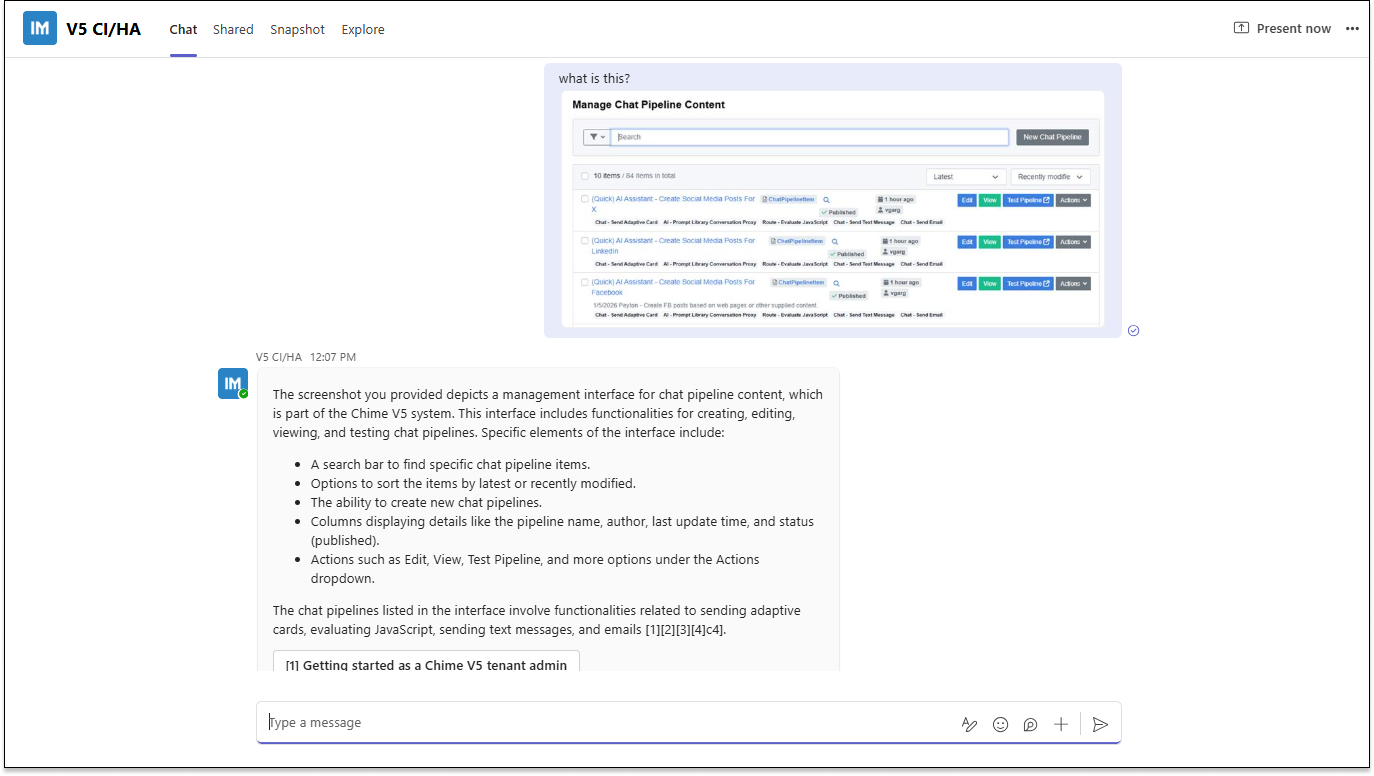
AI Chat – Image and Text Handling – AI chats now preserve full message context when users send both images and text, improving reliability when FAQ and Knowledge Base lookups are involved.
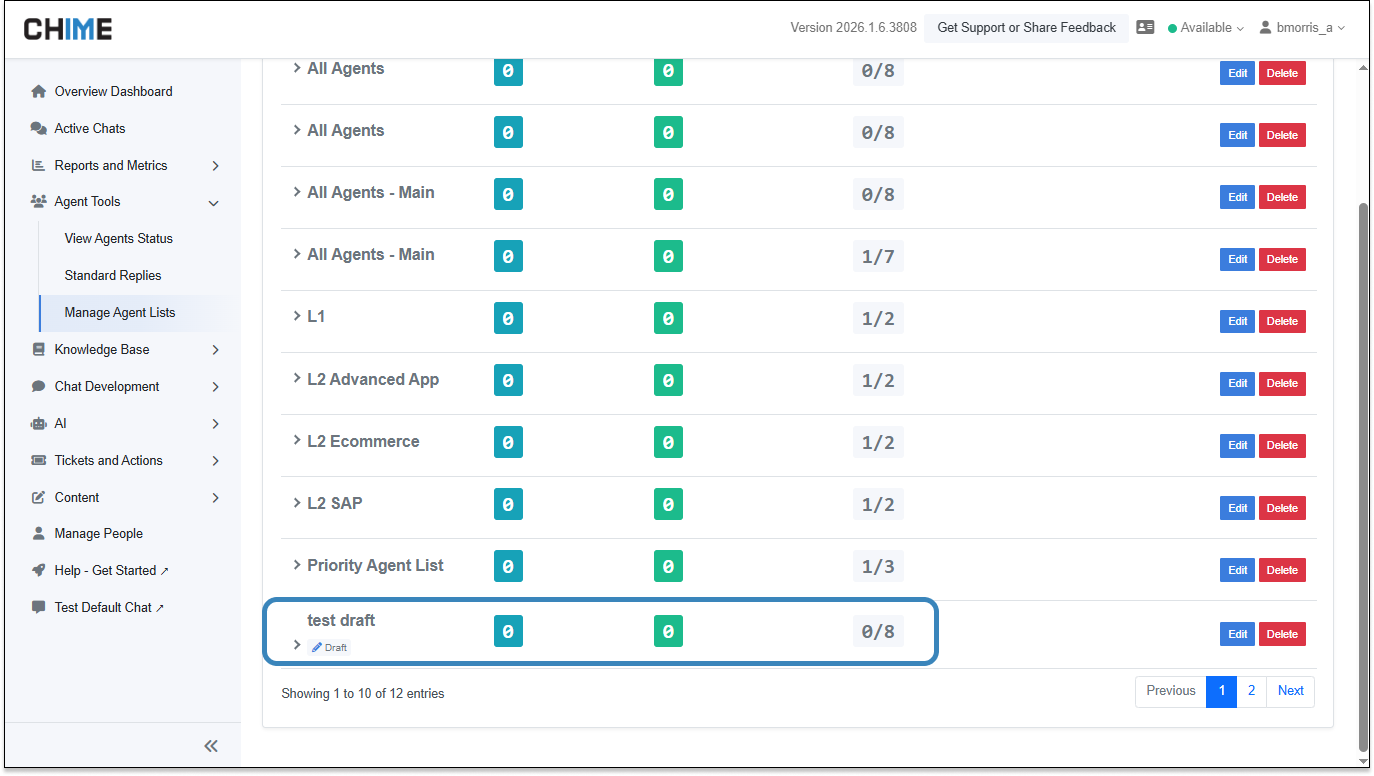
Agent Lists – Draft Support – Managers can save agent lists as drafts before publishing, with clear visual indicators to distinguish drafts from published lists.
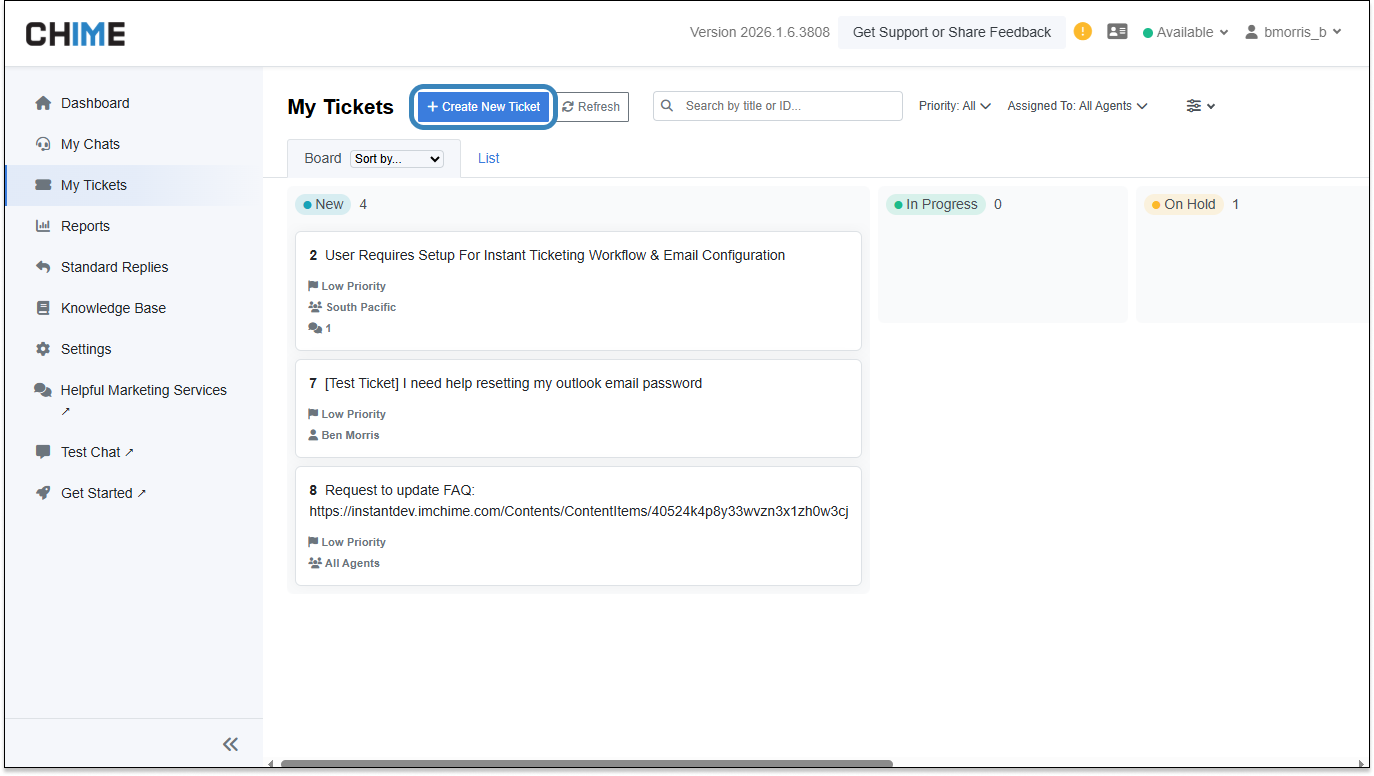
Instant Ticketing – Agent Dashboard Ticket Creation – Agents can now create Instant tickets directly from the Agent Dashboard, streamlining ticket creation and reducing context switching.
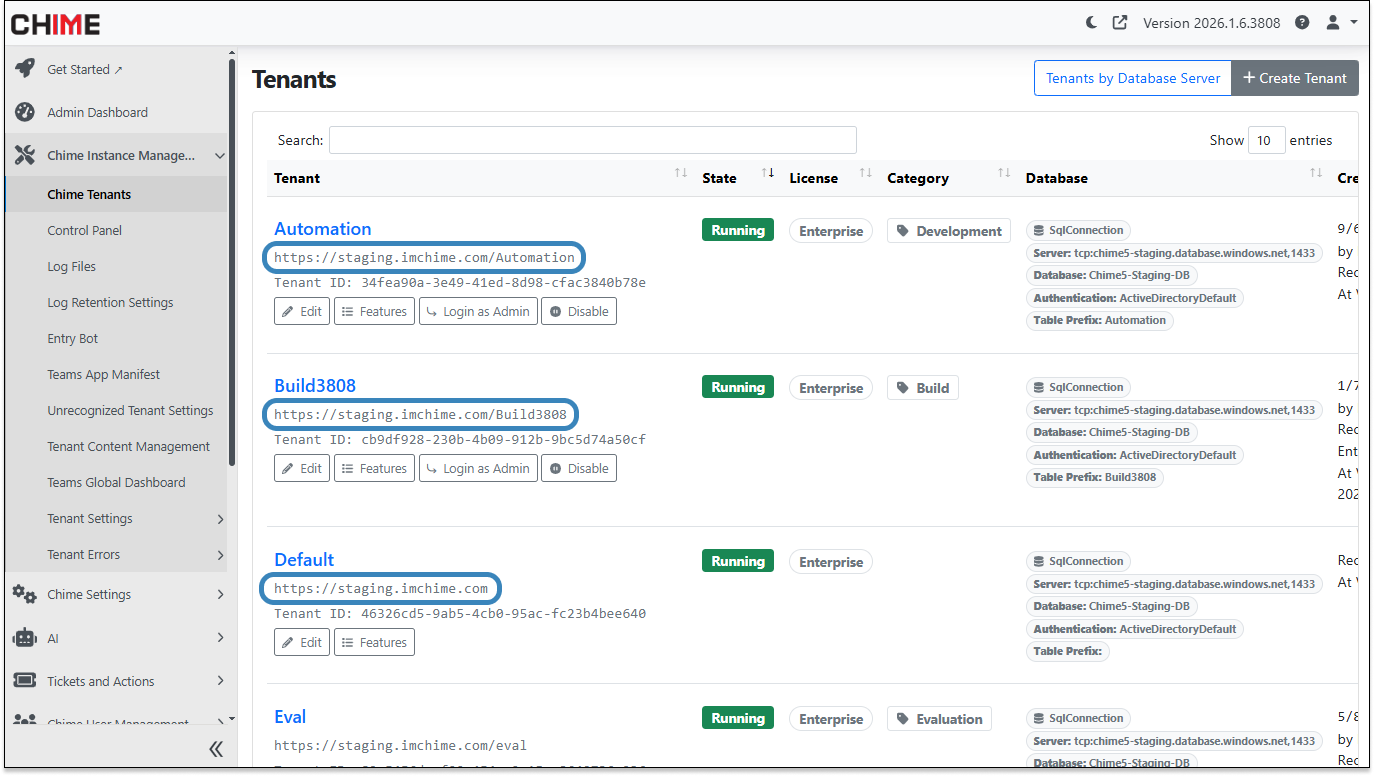
Tenant Management – Tenant URL Visibility – Tenant URLs are now visible in the Tenants view, making it easier to identify environments when using custom hostnames.
Knowledge Base – Agent Read-Only Access – Agents now have a dedicated, read-only view of FAQ and Knowledge Base content to support faster, more accurate responses.
QuickChat UI – Pipeline Browsing Improvements
The QuickChat experience has been refreshed with a tile-based design that simplifies how pipelines are discovered and selected. Users can now browse pipelines directly from the main grid or from a sidebar, eliminating unnecessary navigation steps.
Why it’s useful: Faster access to pipelines reduces friction during live interactions and helps agents quickly select the right workflow without breaking focus.
QuickChat – Agent and Manager Dashboard Links
QuickChat content items can now be surfaced directly in the Agent and Manager dashboards by prefixing their names with “(Agent)” or “(Manager)”. When applied, the corresponding QuickChat pages automatically appear in the appropriate sidebar for that role.
Why it’s useful: This allows teams to pin role-specific QuickChat experiences directly into agent and manager workflows, making frequently used tools easier to find without additional navigation or configuration.
AI Chat – Image and Text Handling
When users send messages that include both images and text, the full context is now preserved when generating AI responses. This ensures that FAQ and Knowledge Base lookups take into account everything the user provides, rather than relying on partial input.
Why it’s useful: More complete context leads to more accurate AI responses, especially in scenarios where screenshots or photos are accompanied by clarifying text.
Agent Lists – Draft Support
Managers can now save agent lists as drafts before publishing them. Draft lists are clearly labeled in the Manager UI, while only published lists appear in selection pickers used during day-to-day operations.
Why it’s useful: Draft support allows managers to build and review agent lists incrementally without affecting live configurations.
Instant Ticketing – Agent Dashboard Creation
Agents can now create Instant tickets directly from the Agent Dashboard. During ticket creation, comments and change history remain hidden until the ticket is fully saved, keeping the experience focused and straightforward.
Why it’s useful: Reducing navigation between dashboards helps agents log issues faster and stay engaged with active conversations.
Tenant Management – Tenant URL Visibility
The Tenants view now displays each tenant’s URL, providing clearer context when managing environments that use custom hostnames or when switching between multiple tenants.
Why it’s useful: Improved visibility reduces confusion and helps ensure actions are taken in the correct tenant environment.
Knowledge Base – Agent Read-Only Access
Agents now have read-only access to FAQ and Knowledge Base content through a dedicated menu. This ensures approved information is always accessible during customer interactions.
Why it’s useful: Easy access to curated knowledge helps agents provide faster, more consistent answers without risking unintended content changes.