We’ve improved how images are handled in AI-powered chats, expanded Agent Chat Assist with prompt-based AI capabilities, and introduced new conference room and ticketing enhancements to support faster, more reliable agent workflows.
Share our latest updates with our Build PowerPoint PresentationOverview
-
AI Chat – Image Reliability Improvements– Image sharing in AI-powered conversations is now more reliable, preventing failed sends when screenshots or large images are included in chats.
-
AI Agent Chat Assist – Prompt Library & MCP Support– Agent Chat Assist now supports centrally managed prompts and MCP tools, making AI responses more consistent, powerful, and customizable.
-
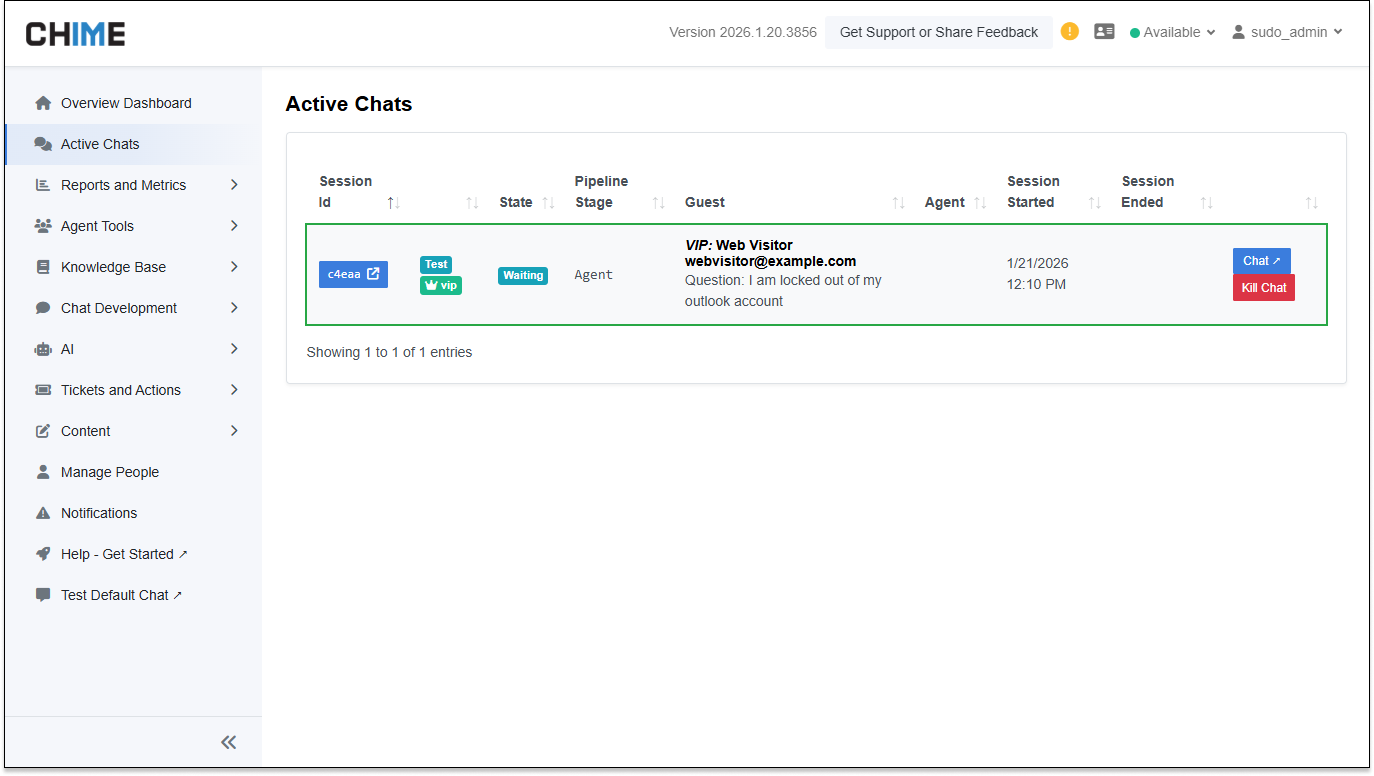
Manager Dashboard – Active Chats Clarity– Active Chat indicators now display clearer, more meaningful labels, improving at-a-glance visibility for managers.
-
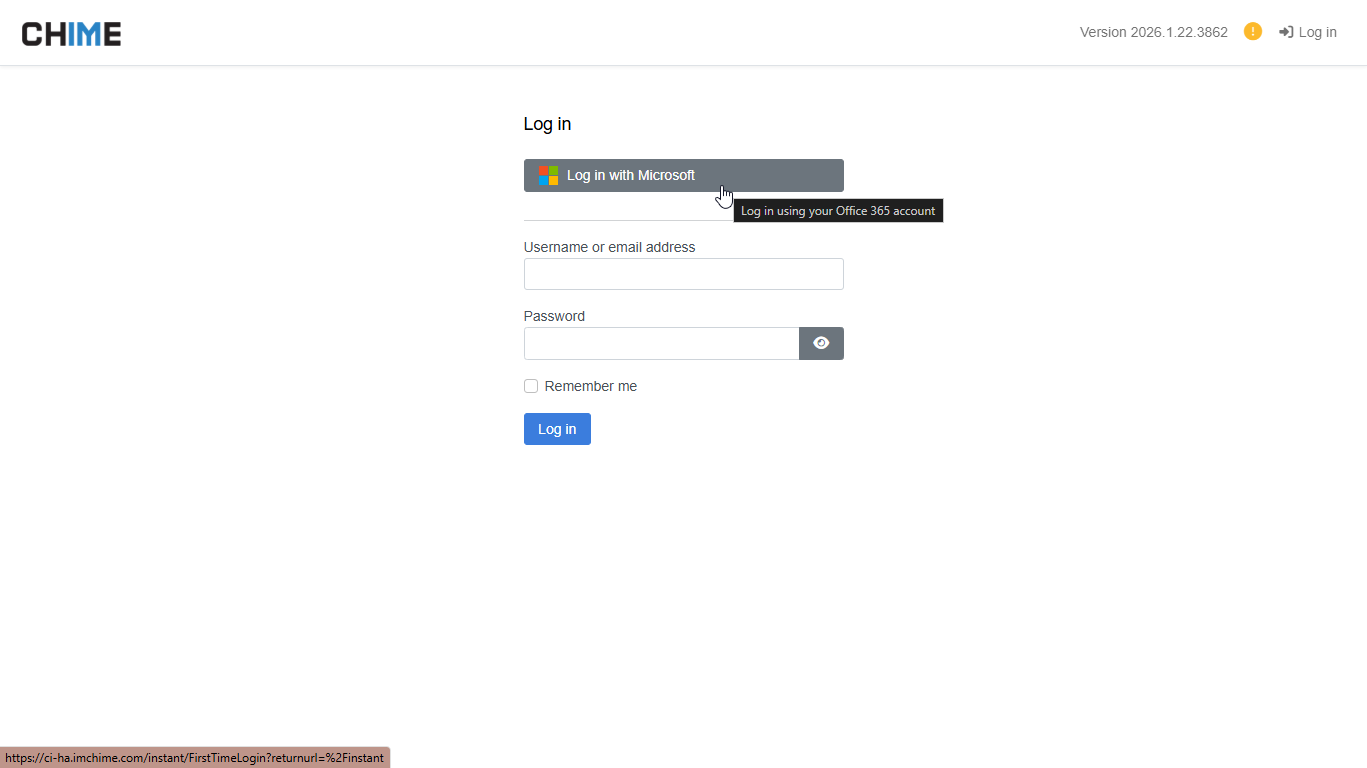
Login Experience – Improved O365 Account Linking– Microsoft O365 and Azure AD login flows have been refined to ensure users are consistently linked to the correct account.
-
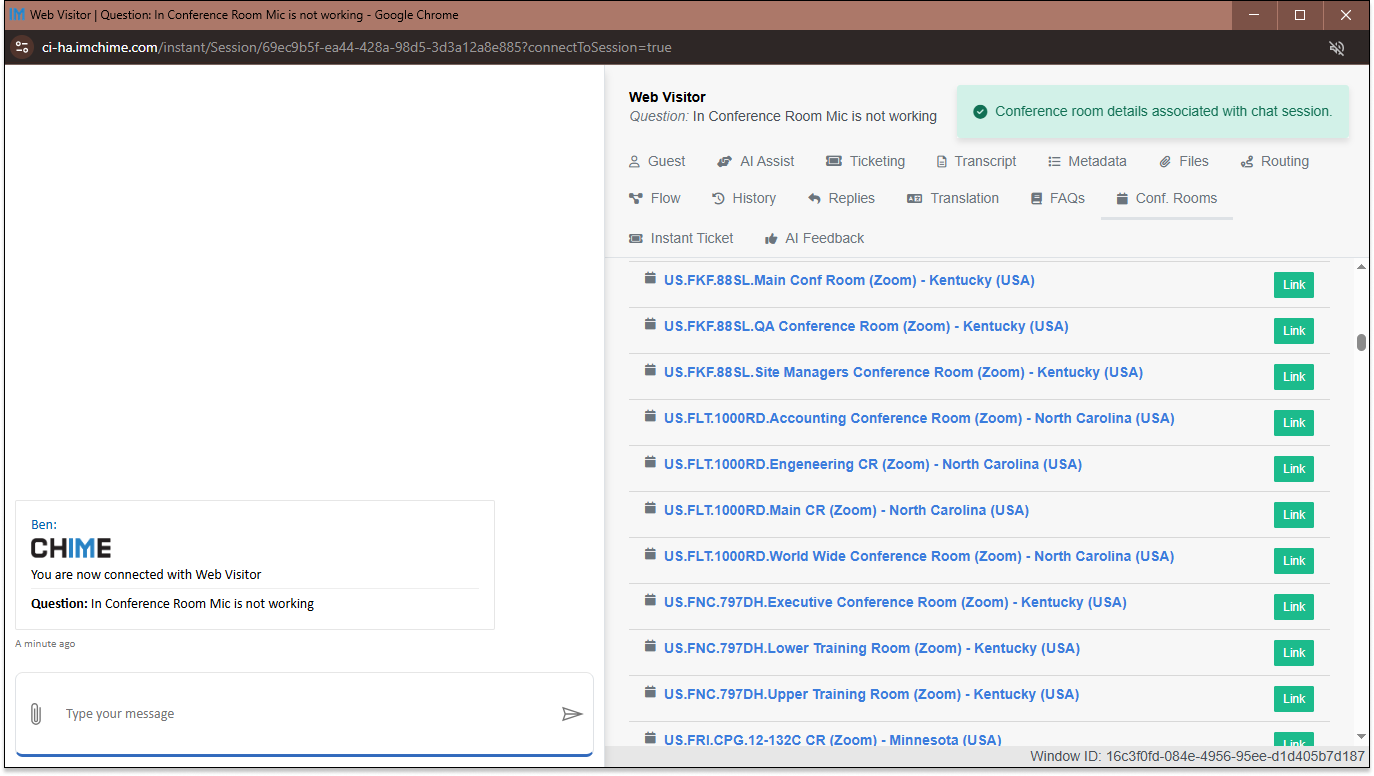
Conference Room Search – Agent Notifications– Agents are now notified when conference room details are associated with a chat session, improving context during live conversations.
-
Conference Room App – New Integration APIs– New APIs enable conference room details to be searched and retrieved programmatically for deeper chat and workflow integrations.
-
Cummins Ticketing – Expanded ServiceNow Controls– The Cummins integration now offers greater flexibility when creating and reopening tickets.
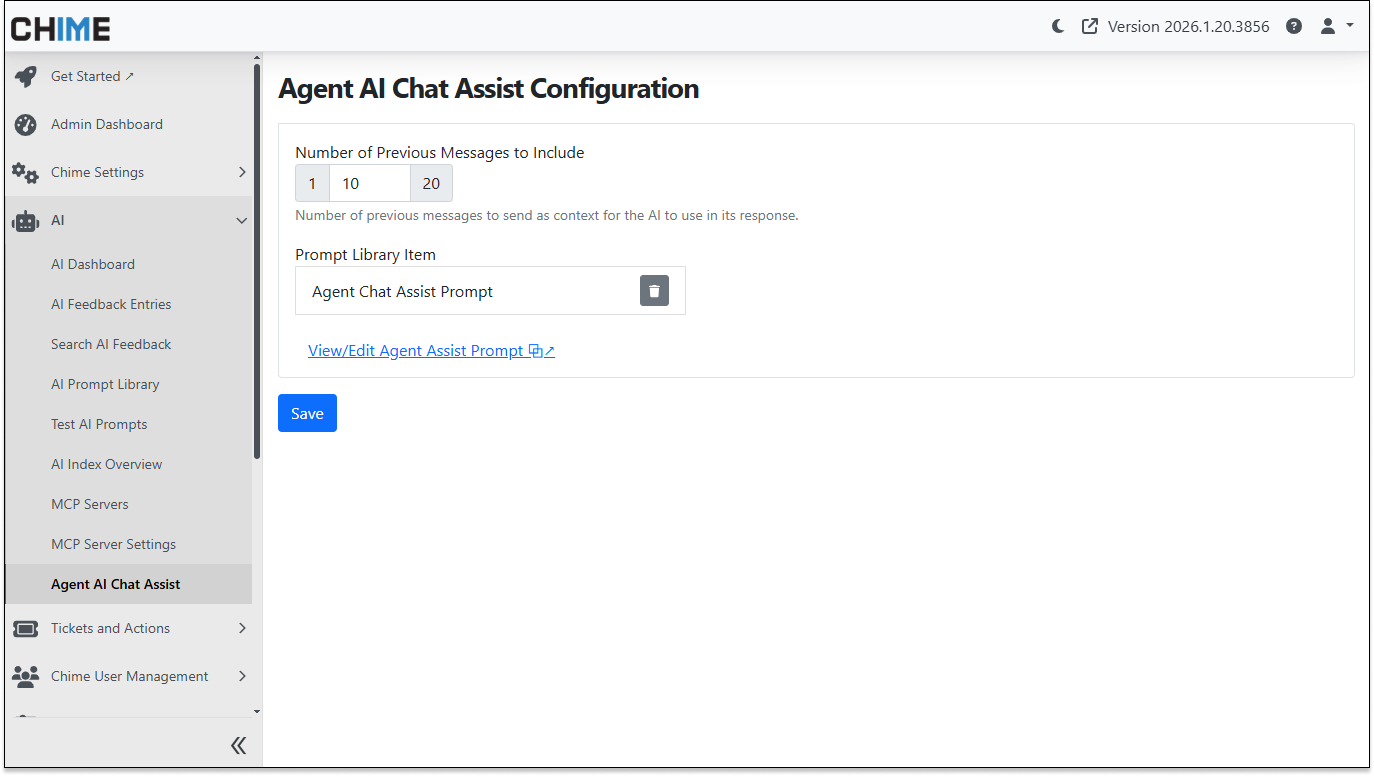
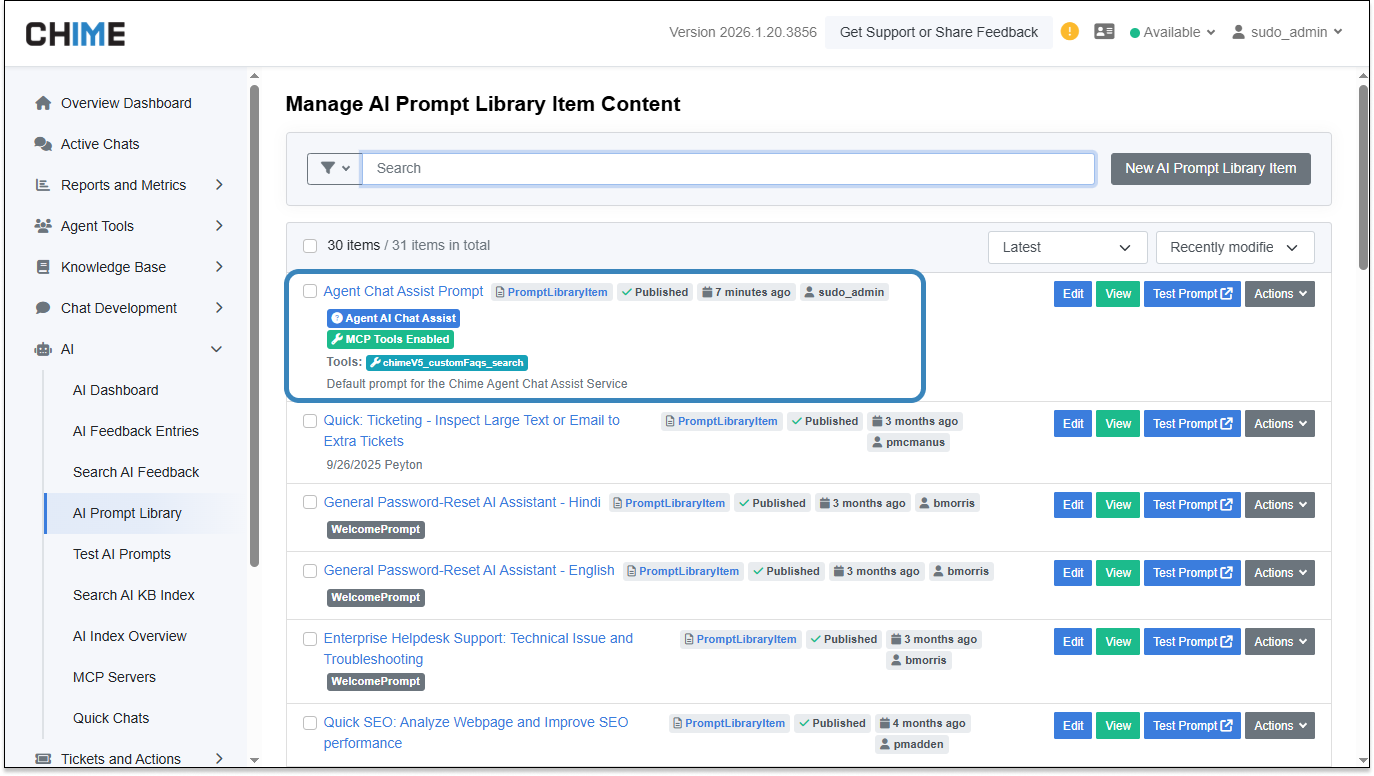
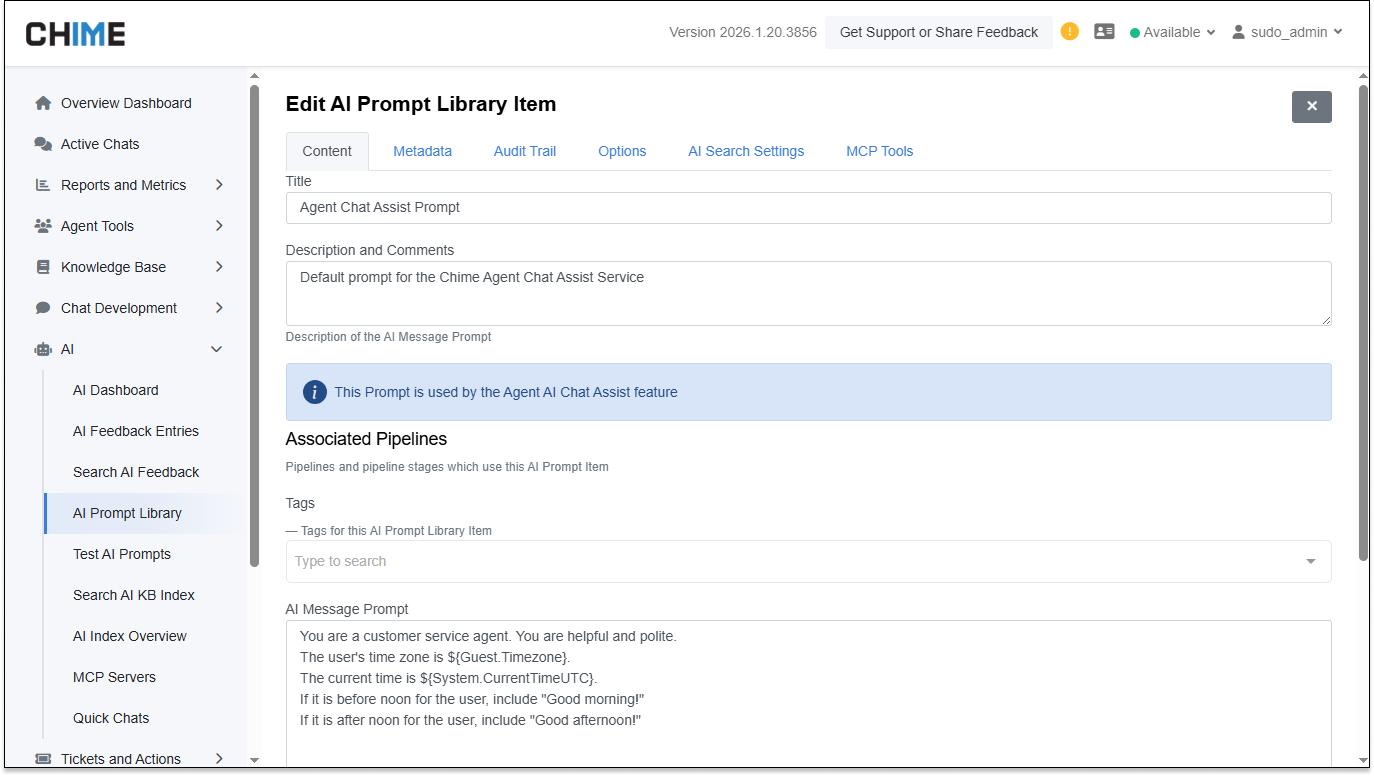
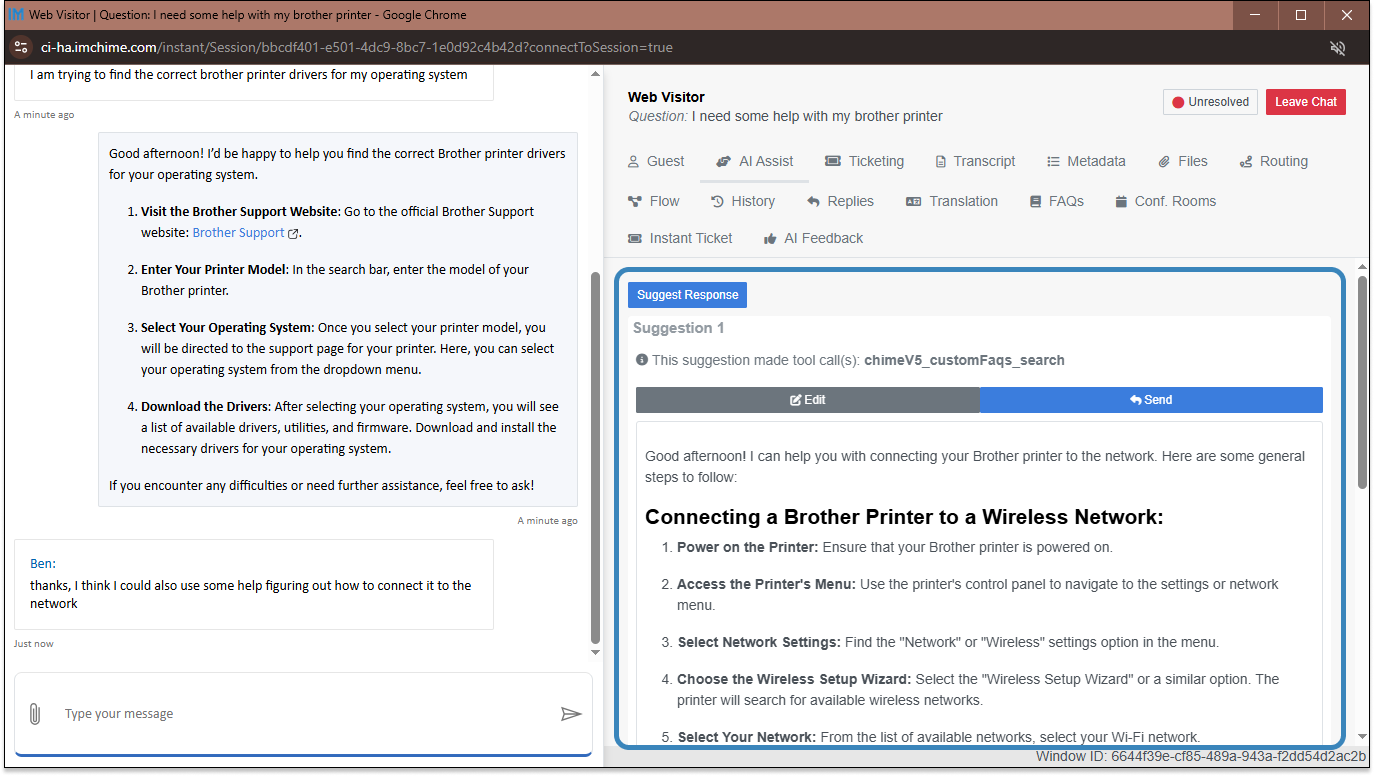
AI Agent Chat Assist – Prompt Library & MCP Support
Agent Chat Assist has been upgraded to support Prompt Library–based prompts, allowing organizations to centrally manage, reuse, and refine AI prompts across teams. MCP tools are now supported, enabling more advanced AI-assisted workflows.
The Agent Chat Assist interface has also been refreshed with improved formatting, clearer actions, and live preview updates as prompts are edited.
Why it’s useful:Centralized prompt management ensures more consistent AI responses, while MCP support enables richer, more contextual assistance for agents during live chats.
Manager Dashboard – Active Chats Clarity
The Active Chats view in the Manager Dashboard has been improved to display custom, meaningful labels instead of internal system names. Session dashboard text is now consistently visible within active chats.
Why it’s useful:Managers can quickly understand chat status and context at a glance, making it easier to monitor conversations and prioritize attention.
Conference Room Search – Agent Notifications
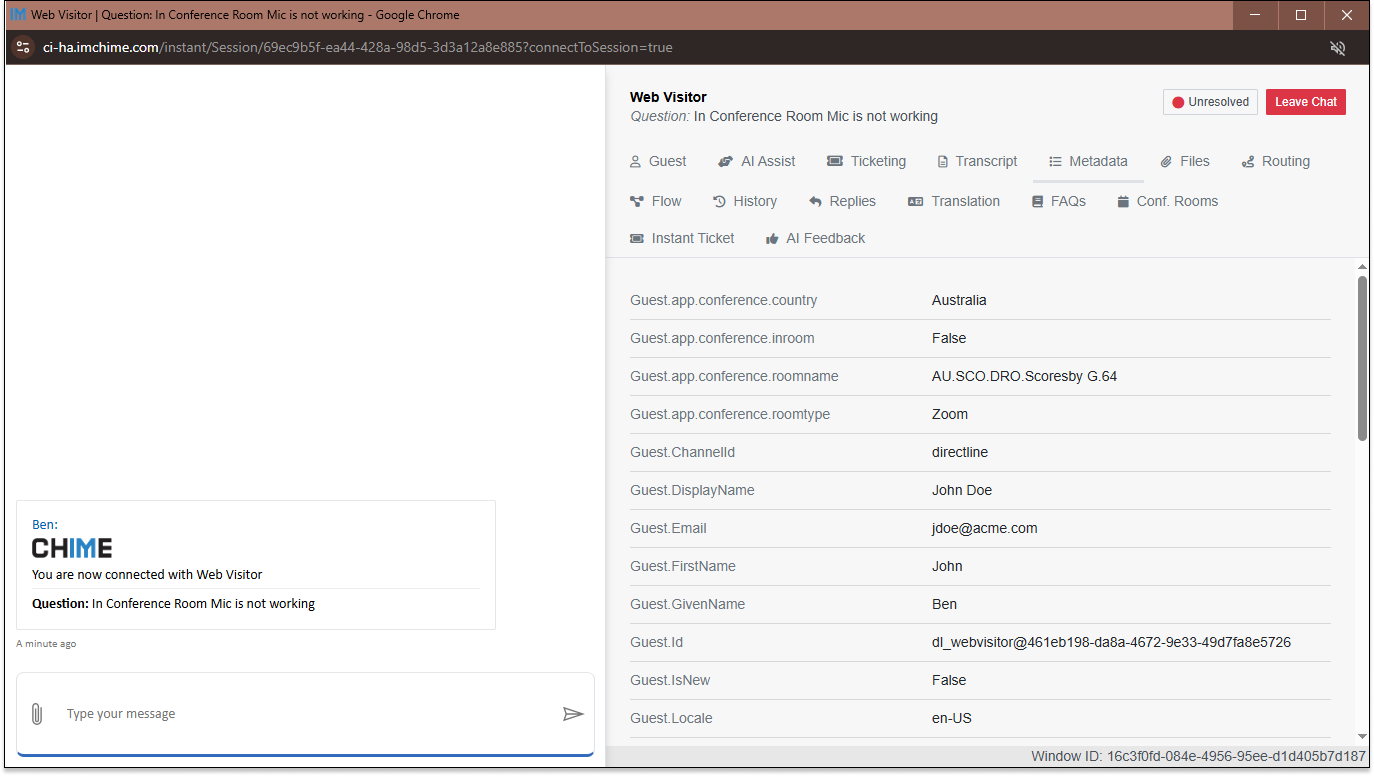
Conference room search functionality has been enhanced, and agents are now notified when room details are associated with an active chat session.
Why it’s useful:Agents gain immediate awareness of meeting locations without leaving the conversation, reducing delays and follow-up questions.
Conference Room App – New Integration APIs
The Conference Room App introduces new APIs that allow conference room details to be searched and retrieved programmatically, enabling future room-aware chat experiences and workflow automation.
Available script methods:
-
getConferenceRoom(roomName)– Retrieves details for a specific conference room when the exact room name is known. -
searchConferenceRooms(roomName)– Searches for conference rooms using a partial name or keyword and returns matching results.
Why it’s useful:Provides a foundation for deeper integrations between chat conversations and physical meeting spaces.
Cummins Ticketing – Expanded ServiceNow Controls
The Cummins ServiceNow integration now supports reopening tickets and allows more control over ticket creation fields such as assignment group, impact, urgency, and configuration items.
Updated script methods:
-
reopenCumminsTicket(ticketNumber, reason)– Reopens an existing ServiceNow ticket and records a reason for the reopen action, supporting follow-up workflows and exception handling. -
createCumminsTicket()– Updated to allow custom values to be specified during ticket creation, including configuration item, assignment group, sub-category, impact, and urgency.
Why it’s useful:Teams can better align tickets with internal processes and reduce manual follow-up adjustments.
Login Experience – Improved O365 Account Linking
The login experience has been refined to ensure Microsoft O365 and Azure AD credentials are reliably linked to the correct user profile. This improves consistency across environments, particularly for tenants using external authentication only.
Why it’s useful:Users experience fewer login issues, and administrators benefit from more predictable authentication behavior across tenants.
AI Chat – Image Reliability Improvements
Image sharing has been enhanced to prevent message failures when large screenshots or pasted images are sent during conversations. Instead of embedding oversized image data directly into messages, images are now delivered using secure media URLs.
Why it’s useful:Agents and guests can share screenshots and images without interruptions, reducing failed messages and ensuring conversations continue smoothly even when visuals are involved.