Contents
- Overview – MarkdownDocument
- Default Agent Translation Setting – New tenant-level setting allows administrators to enable automat…
- Automatic Translation for Incoming Messages – Incoming guest messages are automatically translated i…
- Rich Text Paste Support – Rich text content containing formatted text and hyperlinks can be copied f…
- Rich Text Message Rendering – Pasted rich text messages retain hyperlink functionality when sent fro…
- Hyperlink Display for Guest Users – Rich text messages sent by agents display clickable hyperlinks i…
- Enhanced Chat Prompt Notifications – Incoming chat notifications now include language indicators, ro…
- Round Robin Chat Visibility – Chats currently being offered to another agent remain visible on the A…
- Expanded Active Chat Details – The Manager Dashboard Active Chats view now includes round robin rout…
- Automatic URL Hyperlinks – URLs entered directly into chat messages are automatically converted into…
Step 1 – Overview
-
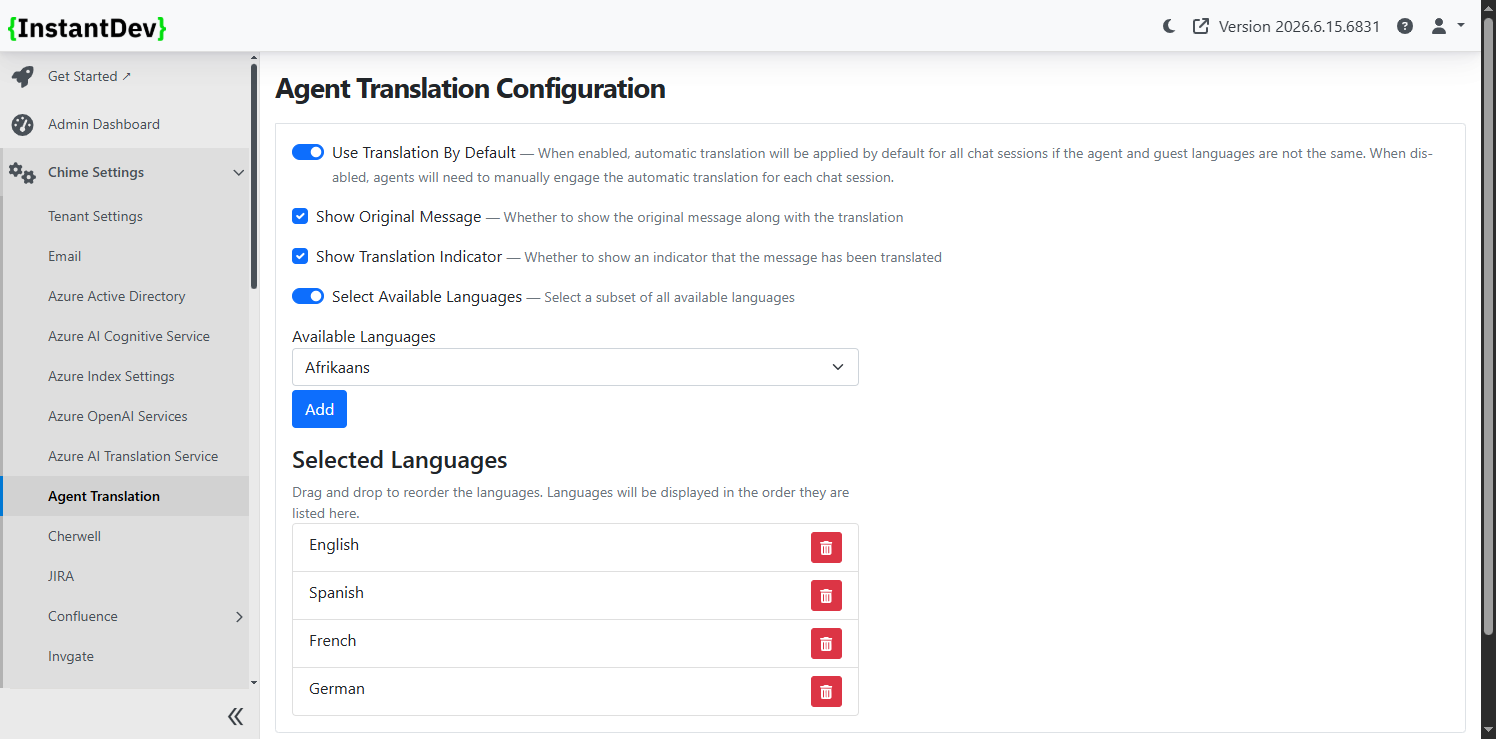
Agent Auto-Translation Default Setting – Added a tenant-level configuration option to control whether agent auto-translation is enabled by default.
-
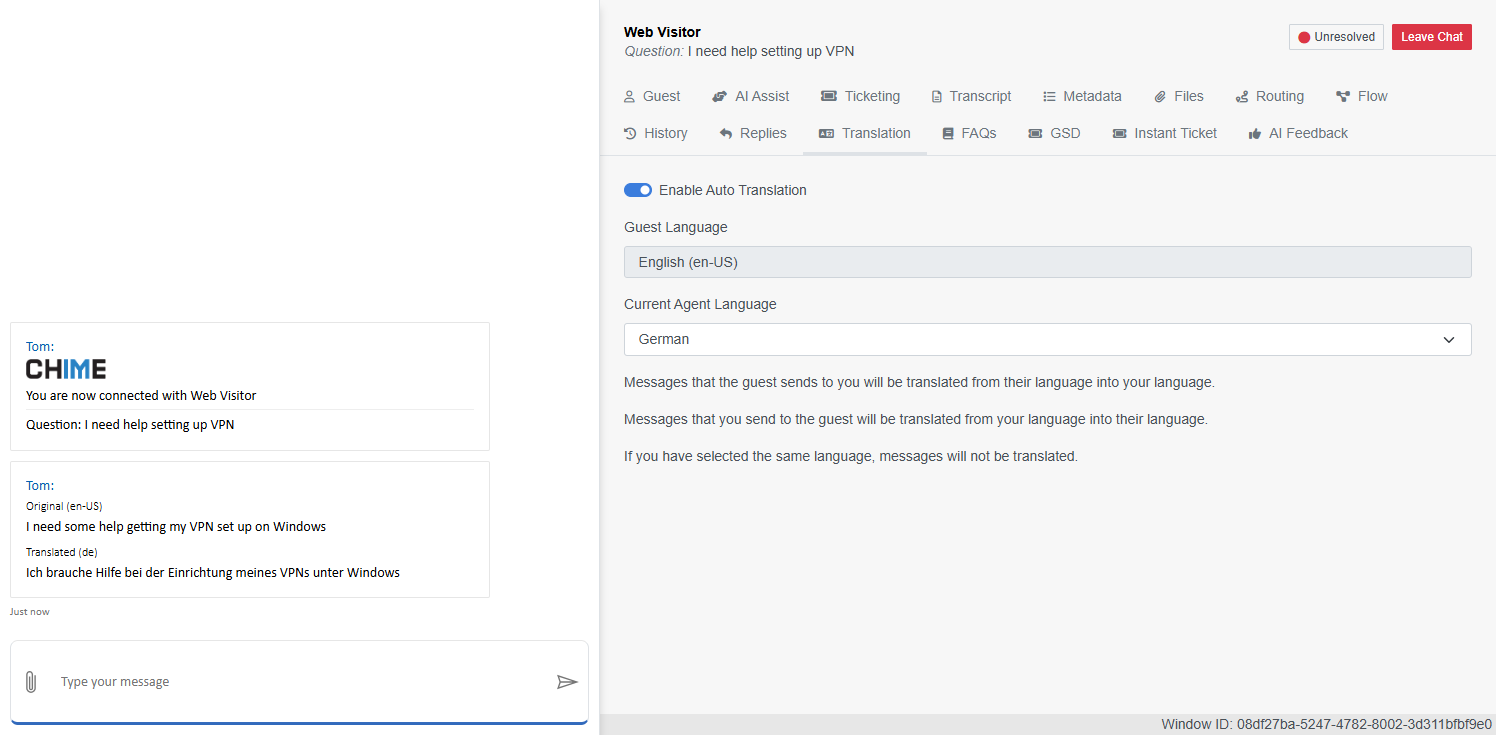
Automatic Translation for Incoming Messages – Agents with auto-translation enabled by default will automatically receive translated incoming guest messages in their selected language.
-
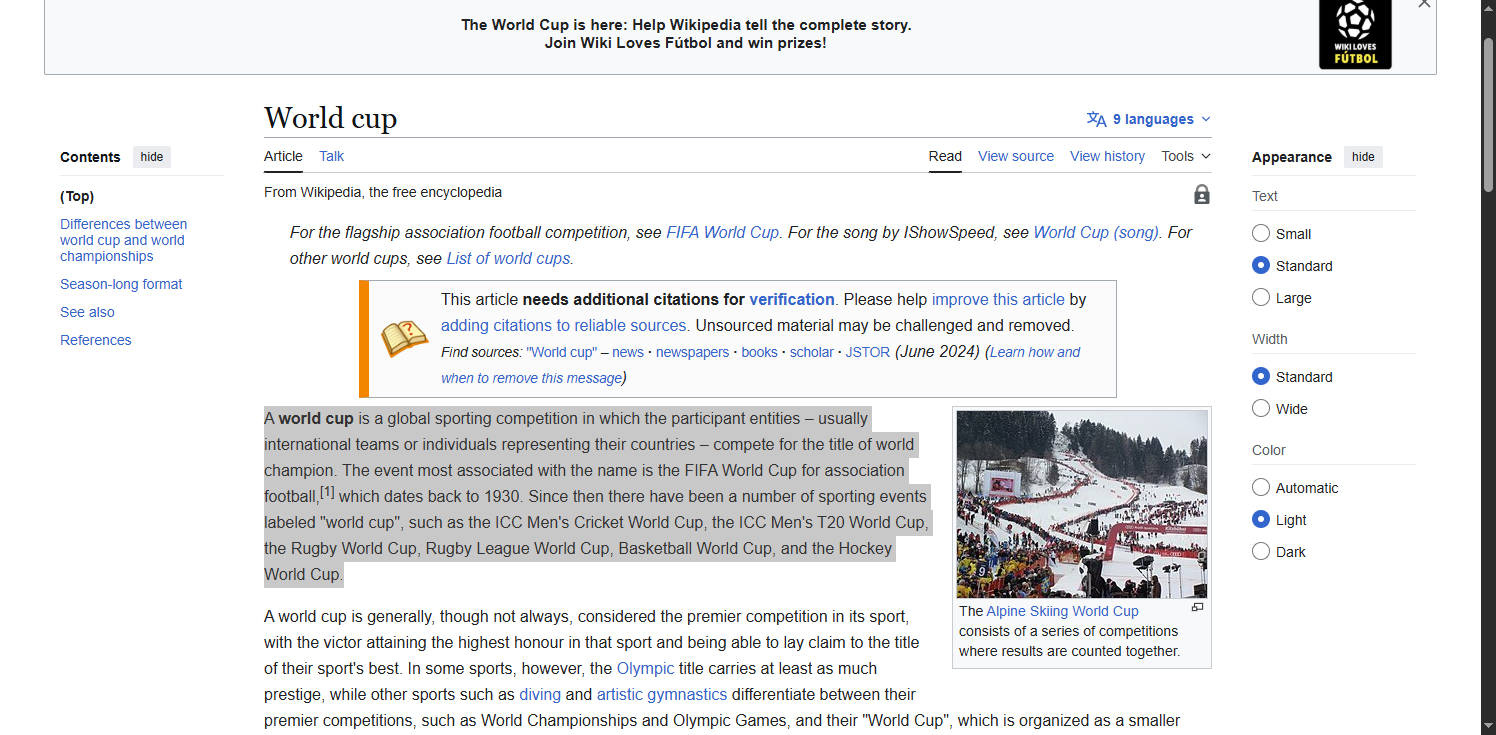
Agent Web Client Rich Text Paste Support – Added support for pasting rich text content into the Agent Web Client. Rich text is converted to markdown before sending, improving compatibility when copying content from websites, documentation, and other rich text sources.
-
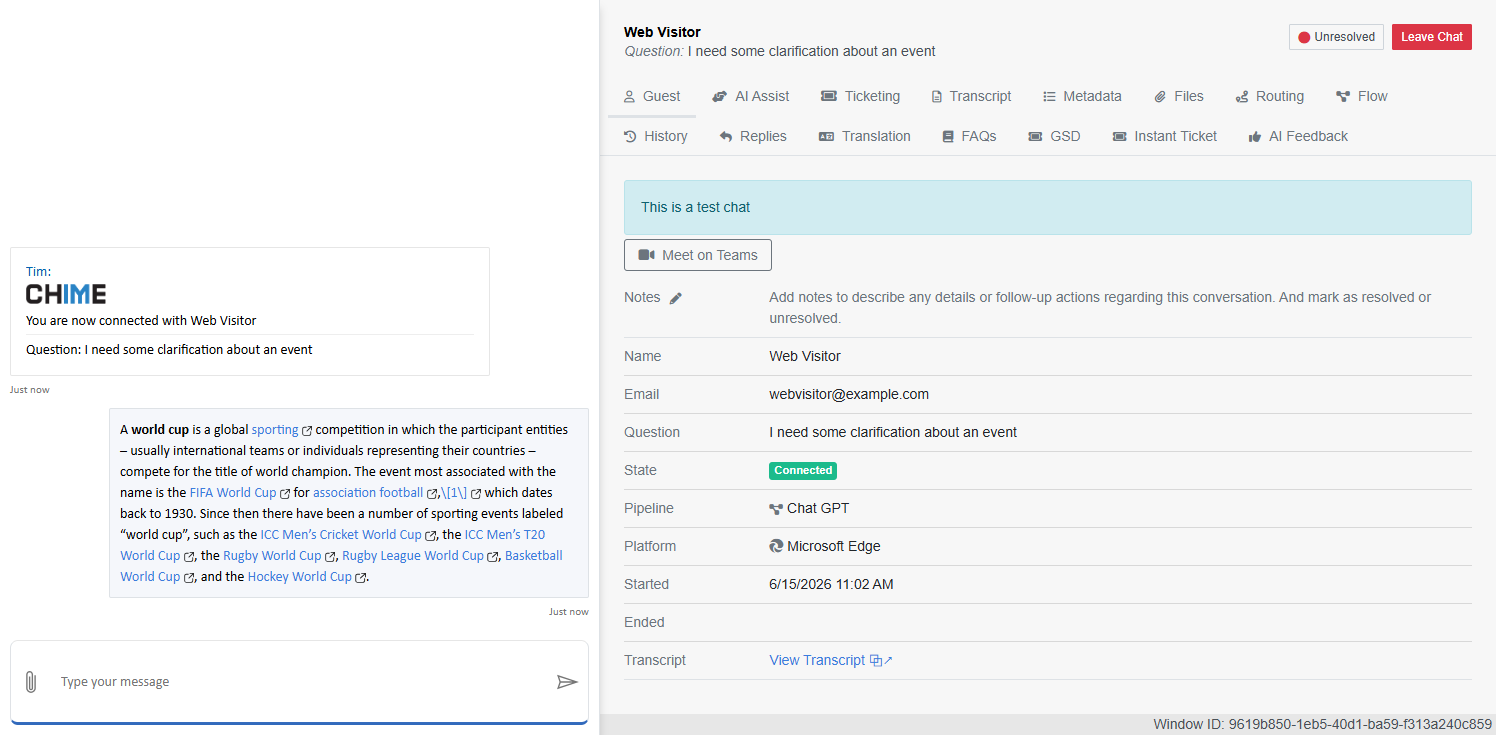
Automatic URL Detection in Rich Text Messages – URLs included in pasted rich text messages are preserved and displayed as clickable hyperlinks when sent and received in chat.
-
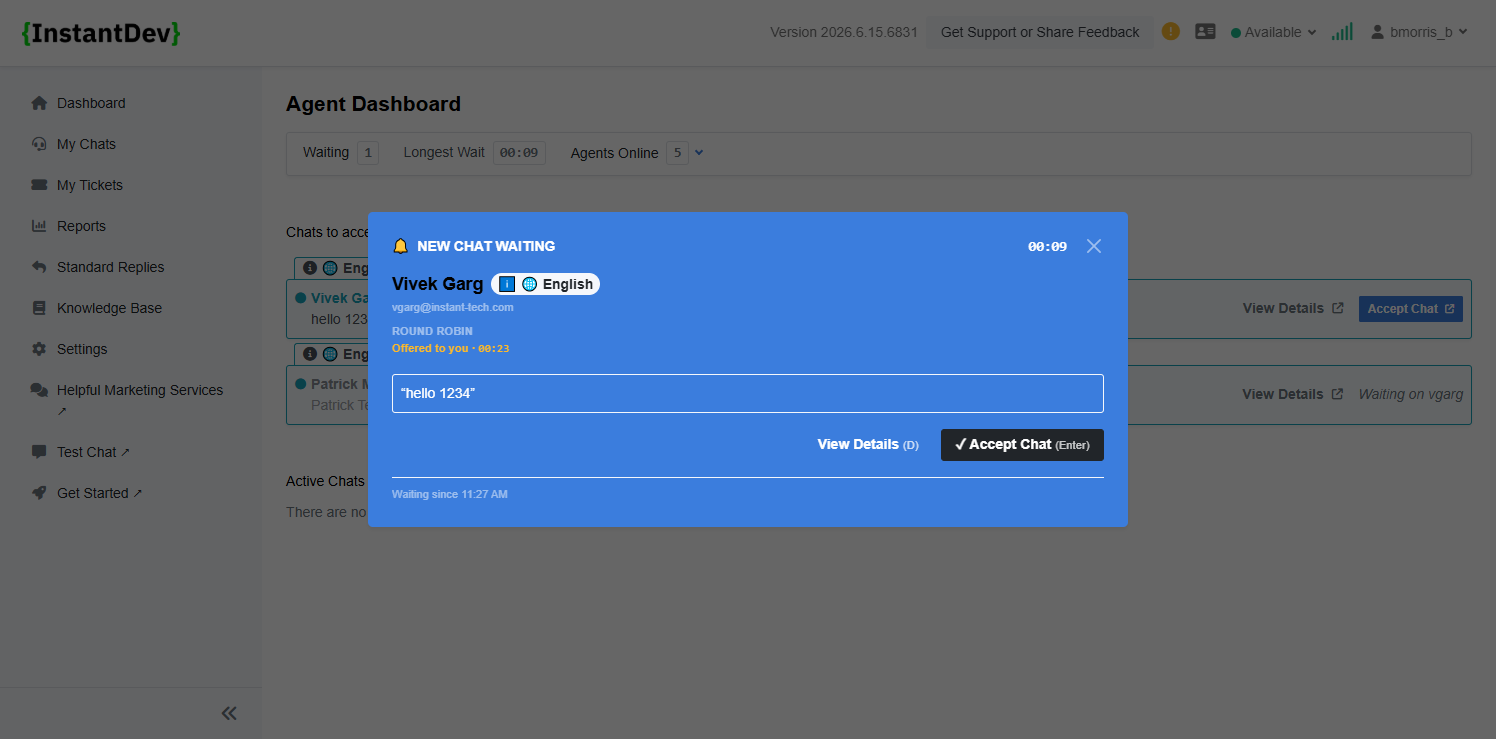
Enhanced Chat Prompt Notifications – Expanded browser system notifications and ChatNotificationToast prompts with additional routing details, language indicators, and round robin countdown information.
-
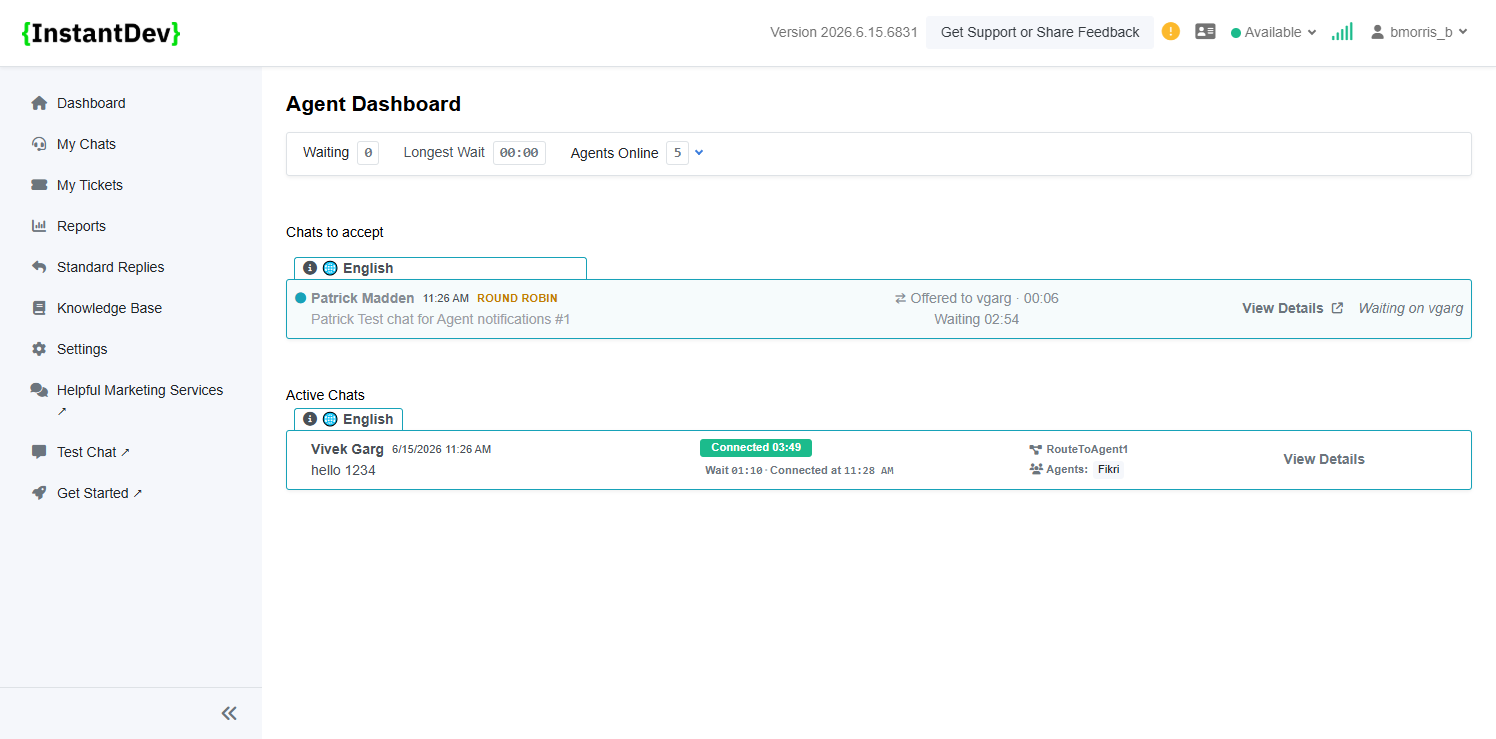
Round Robin Routing Visibility Updates – Improved round robin routing visibility so agents can see chats being offered to other agents, similar to the V4 experience. Additional routing details, wait times, and connected times are now displayed to improve awareness and pickup opportunities.
-
Agent Dashboard Active Chat Enhancements – Added Connected Timer, Wait Timer, and Connected Time visibility to the Active Chats interface, providing agents with additional chat duration metrics.
-
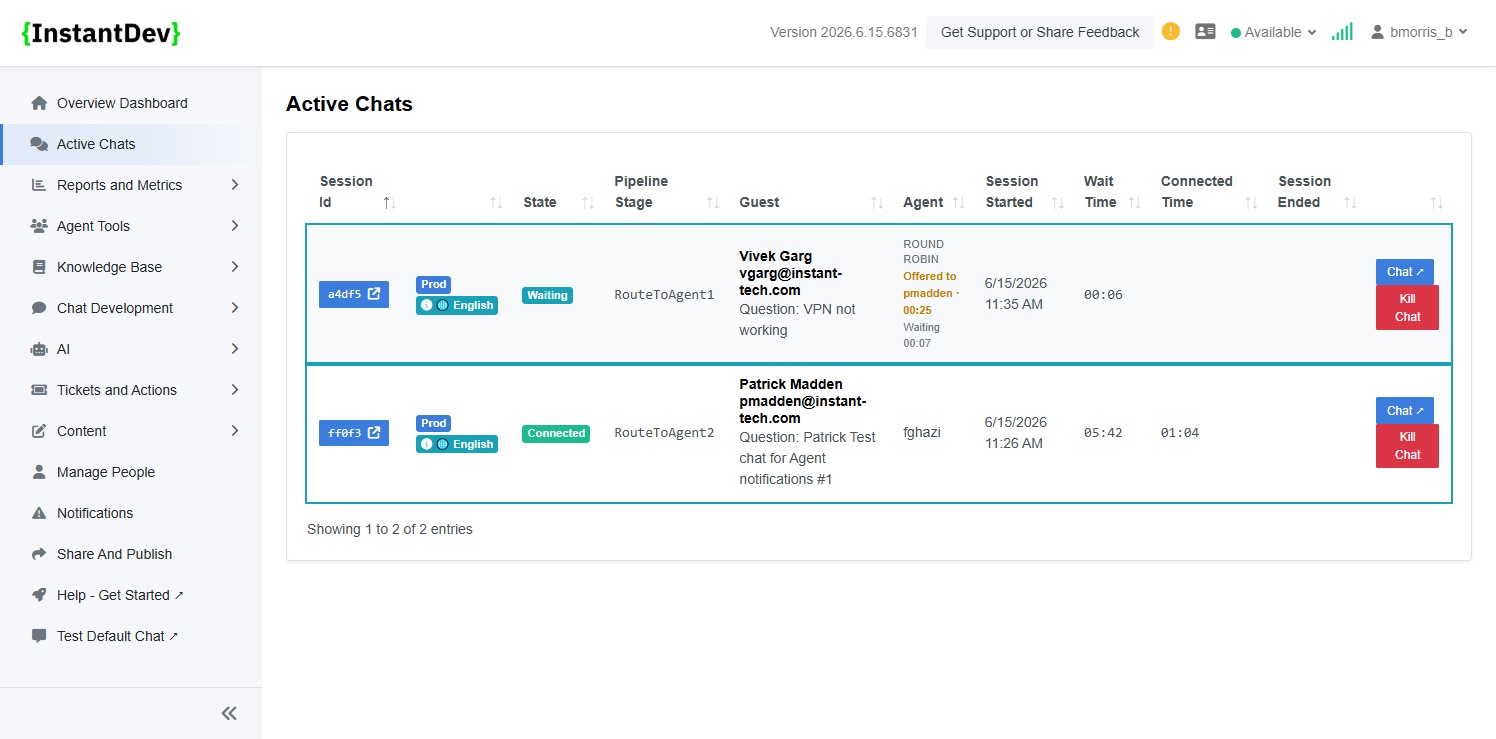
Manager Dashboard Active Chat Enhancements – Added round robin routing details, wait time, and connected time visibility to the Active Chats view, providing managers with additional chat monitoring information.
-
Automatic URL Hyperlinks – URLs typed directly into Agent Web Chat messages are automatically converted into clickable hyperlinks for improved usability and navigation.
Step 2 – Default Agent Translation Setting
-
New tenant-level setting allows administrators to enable automatic translation by default for all agents.
Step 3 – Automatic Translation for Incoming Messages
-
Incoming guest messages are automatically translated into the agent's selected language when auto-translation is enabled by default.
Step 4 – Rich Text Paste Support
-
Rich text content containing formatted text and hyperlinks can be copied from external sources and pasted directly into the Agent Web Client.
Step 5 – Rich Text Message Rendering
-
Pasted rich text messages retain hyperlink functionality when sent from the Agent Web Client.
Step 6 – Hyperlink Display for Guest Users
-
Rich text messages sent by agents display clickable hyperlinks in the Guest Web Client.
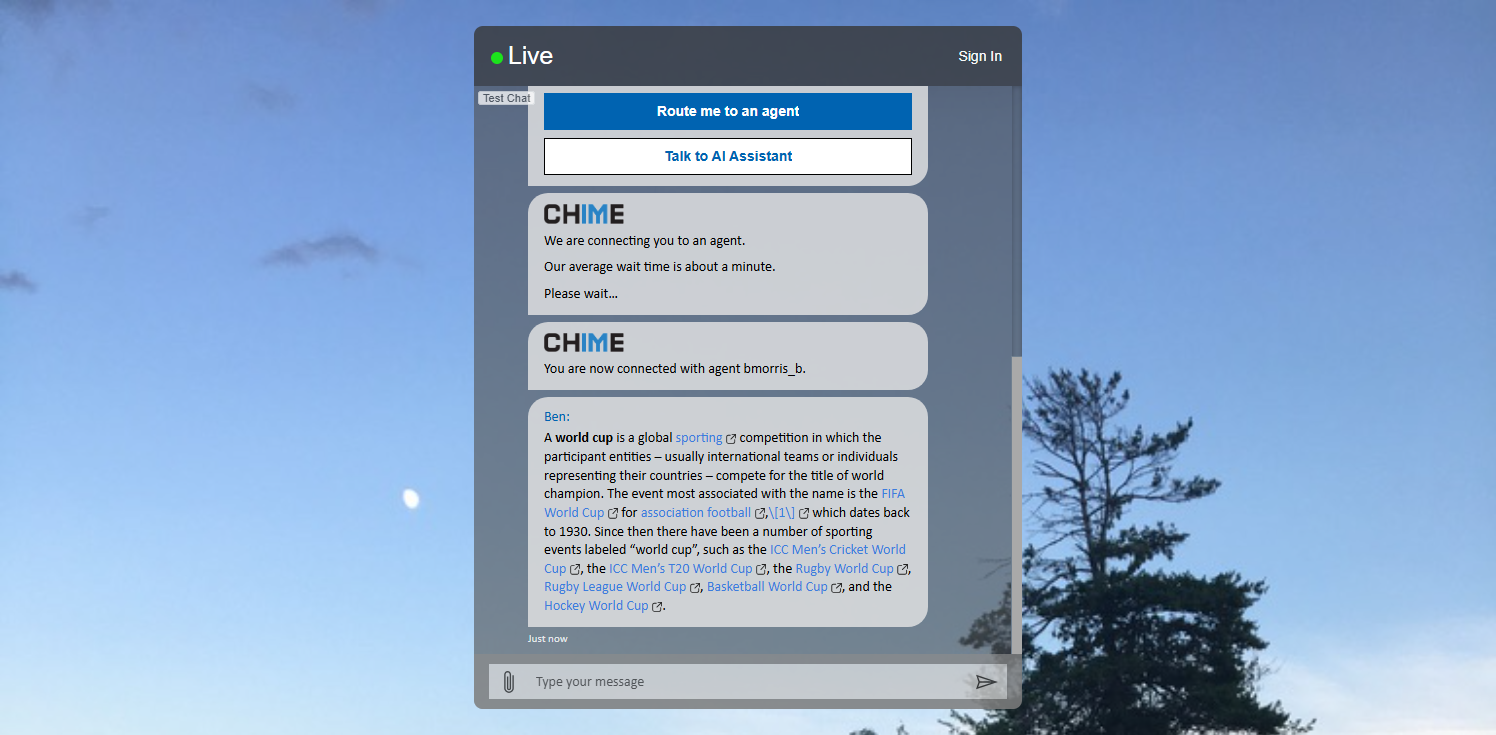
Step 7 – Enhanced Chat Prompt Notifications
-
Incoming chat notifications now include language indicators, routing details, and round robin countdown information.
Step 8 – Round Robin Chat Visibility
-
Chats currently being offered to another agent remain visible on the Agent Dashboard with routing, wait time, and session duration details.
Step 9 – Expanded Active Chat Details
-
The Manager Dashboard Active Chats view now includes round robin routing information, wait time, and connected time metrics.
Step 10 – Automatic URL Hyperlinks
-
URLs entered directly into chat messages are automatically converted into clickable hyperlinks when sent.
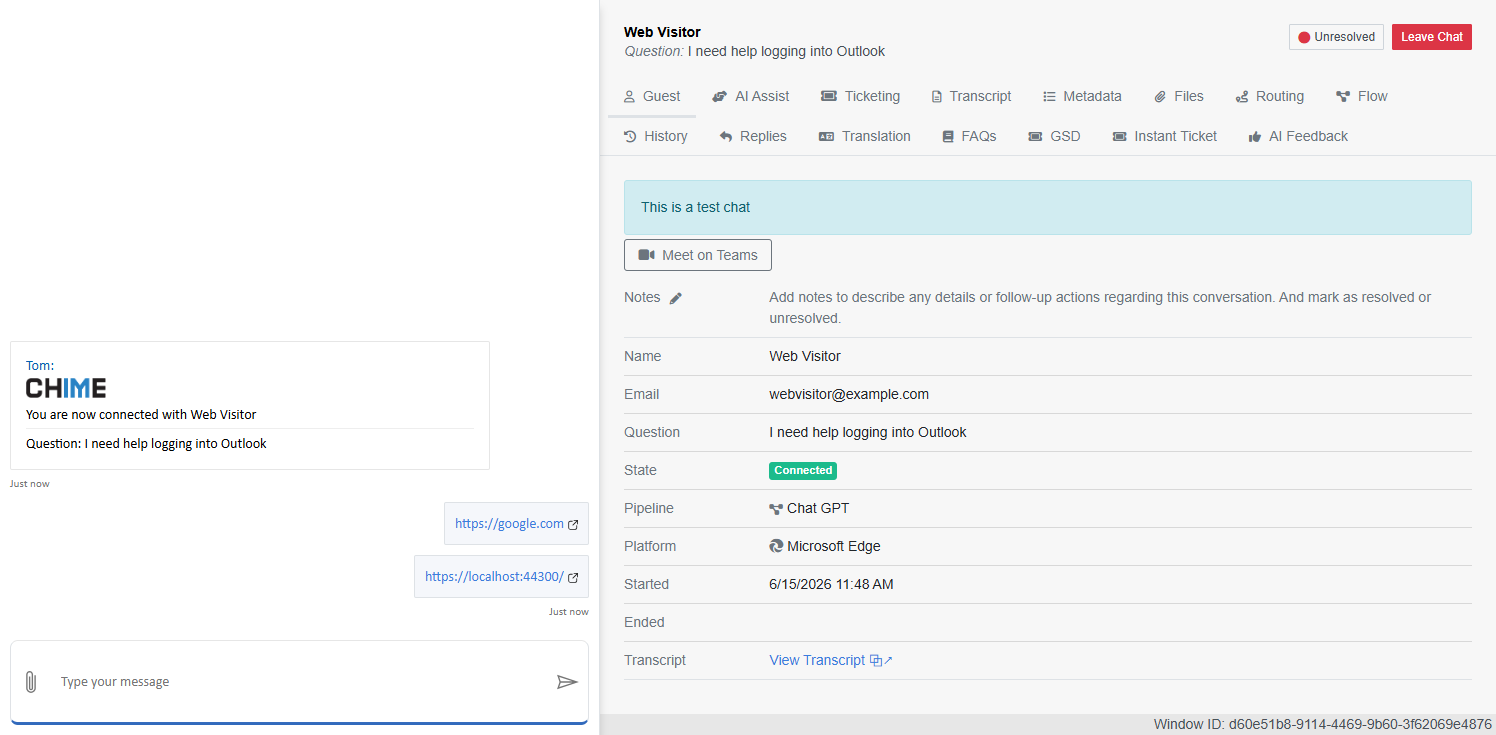
Image Gallery
- Overview – MarkdownDocument
- Default Agent Translation Setting – New tenant-level setting allows administrators to enable automat…
- Automatic Translation for Incoming Messages – Incoming guest messages are automatically translated i…
- Rich Text Paste Support – Rich text content containing formatted text and hyperlinks can be copied f…
- Rich Text Message Rendering – Pasted rich text messages retain hyperlink functionality when sent fro…
- Hyperlink Display for Guest Users – Rich text messages sent by agents display clickable hyperlinks i…
- Enhanced Chat Prompt Notifications – Incoming chat notifications now include language indicators, ro…
- Round Robin Chat Visibility – Chats currently being offered to another agent remain visible on the A…
- Expanded Active Chat Details – The Manager Dashboard Active Chats view now includes round robin rout…
- Automatic URL Hyperlinks – URLs entered directly into chat messages are automatically converted into…