Overview
-
UI Hike Import - Metadata Tracking & Smart Updates: UI Hike imports now support metadata tracking via project.json (when included in the export). Imported FAQs are tied to a unique project ID, allowing repeat imports of the same project to automatically update the existing FAQ instead of creating duplicates
-
Page ITSM (GSD) Tab - Data Handling Improvements: The Page ITSM (GSD) tab has been updated to load configuration data directly from CSV sources and removed field validation as part of internal workflow refinements.
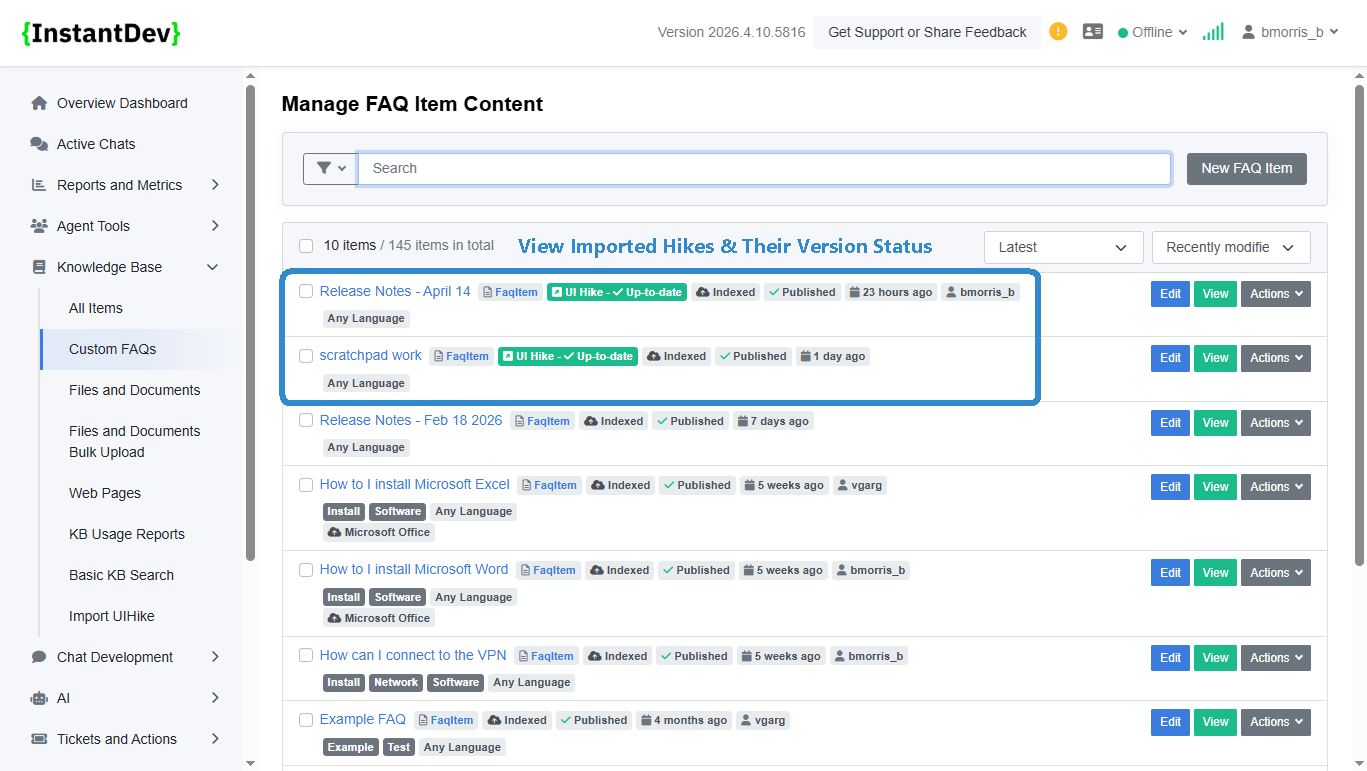
Step 1 – Knowledge Base - View Imported Hikes & Their Up To Date Version Status
Imported UI Hikes are now clearly labeled within the Knowledge Base UI, with status indicators showing whether each document is up to date or requires an update.
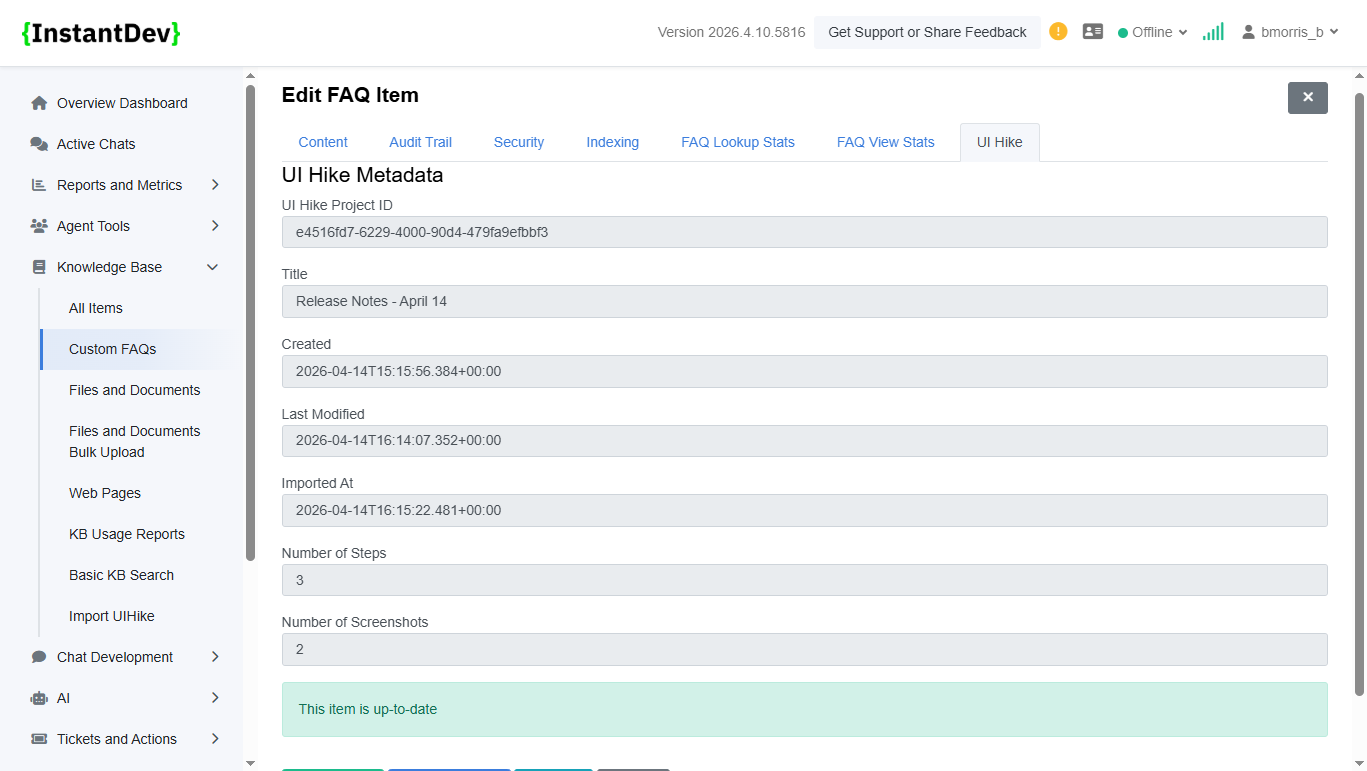
Step 2 – Imported UI Hike Metadata
View unique metadata for imported UI Hikes, including clear indicators showing whether each document is up to date or requires updating.
Step 3 – Page ITSM (GSD) Tab - Data Handling Improvements
Removed field validation requirements from the Page ITSM (GSD) tab, so dropdown selections can be left unfilled when attaching page ticketing metadata to a chat session. Only the options you choose are applied to the session’s metadata.
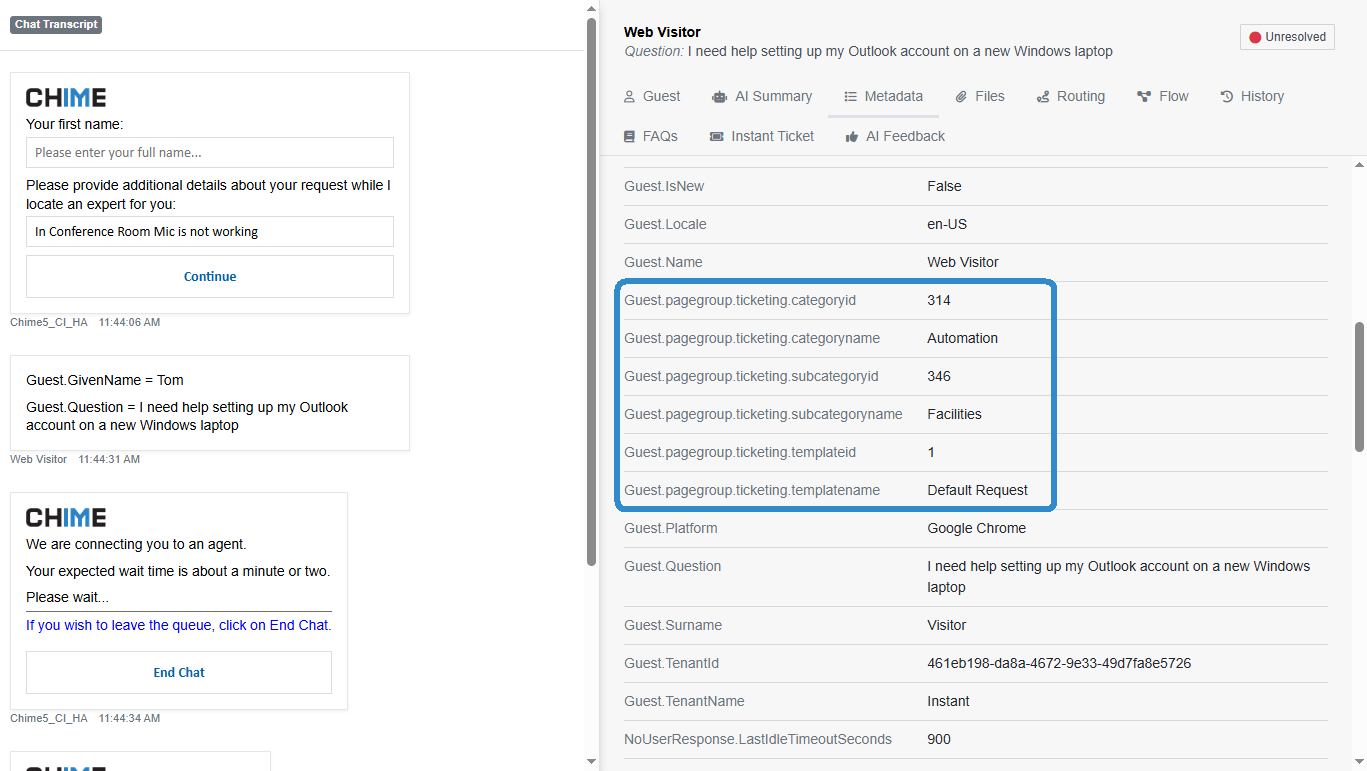
Image Gallery
- Overview
- **Knowledge Base - View Imported Hikes & Their Up To Date Version Status**: Impo…
- View unique metadata for imported UI Hikes, including clear indicators showing w…
- **Page ITSM (GSD) Tab - Data Handling Improvements**: Removed field validation r…