We’ve rolled out improvements that make email communications more flexible, tickets easier to work with, and agent workflows smoother inside the chat experience.
Share our latest updates with our buildPowerPoint Presentation ↗
Overview
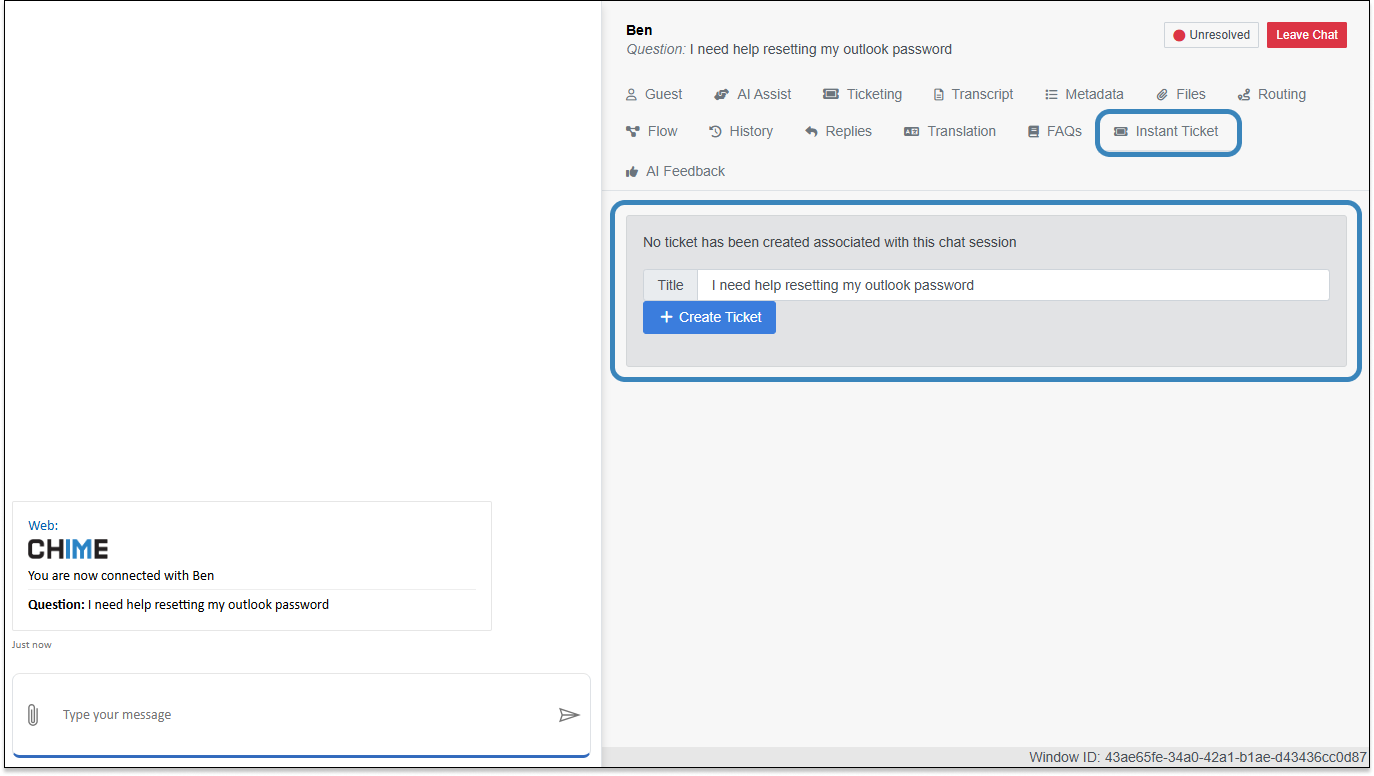
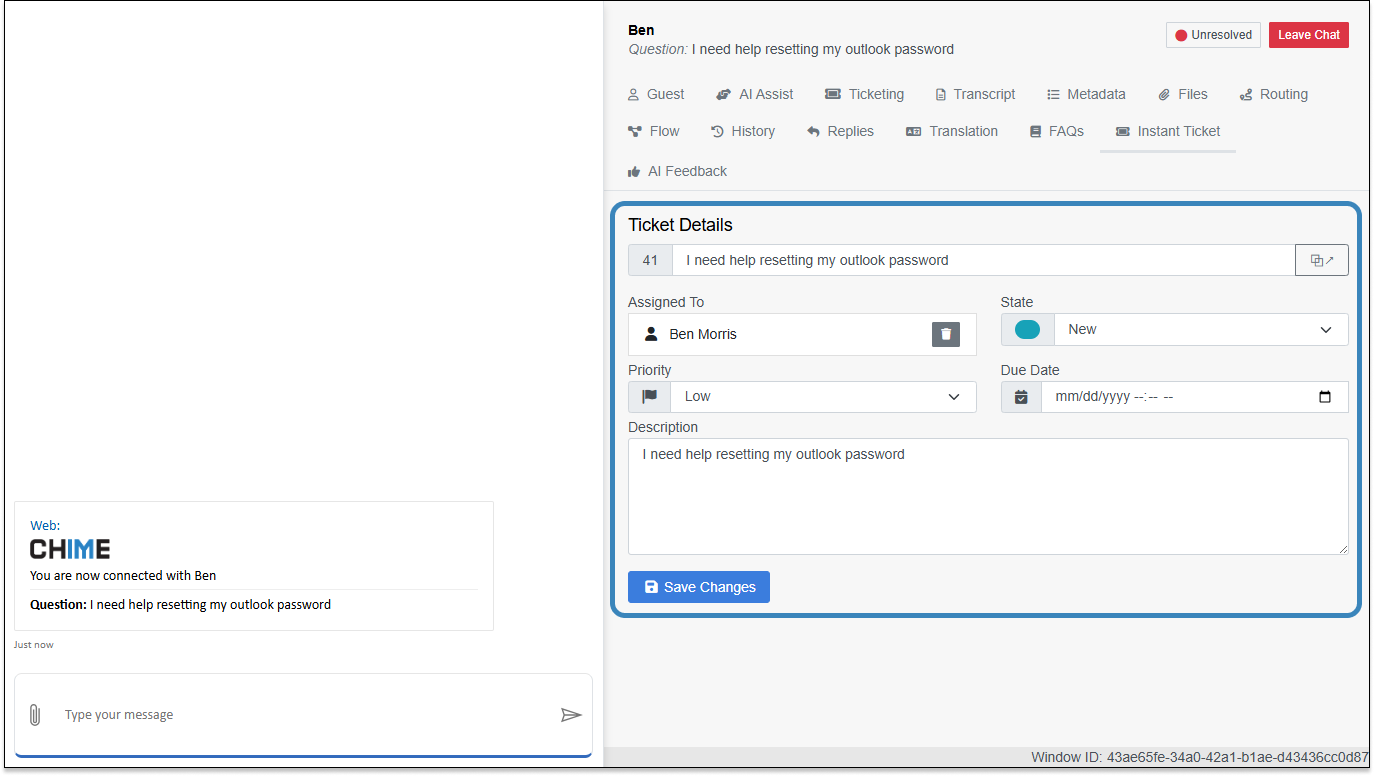
- Agent Web Client ↔ Ticketing– Create and view tickets directly from a live chat.
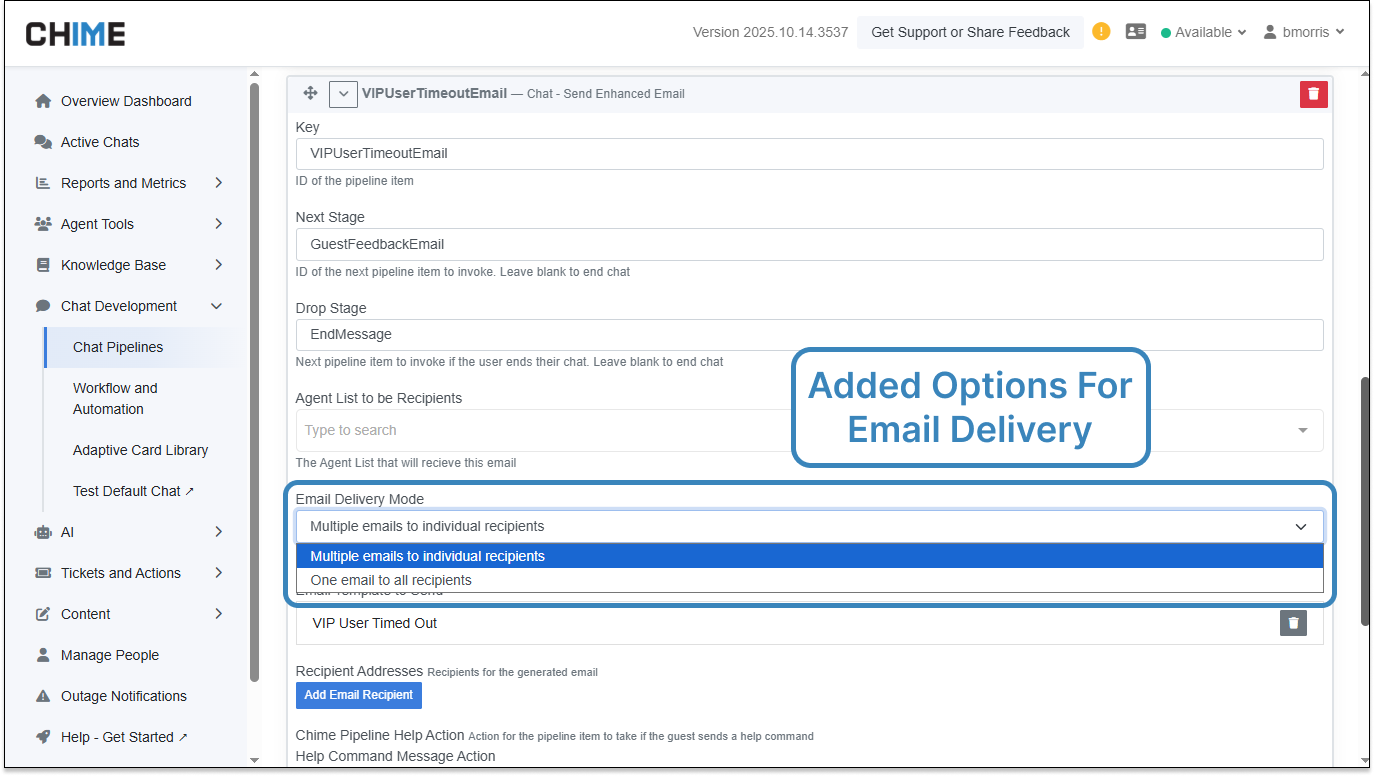
- Email & Enhanced Email Delivery Options– Choose between one email to all recipients or individual emails per recipient.
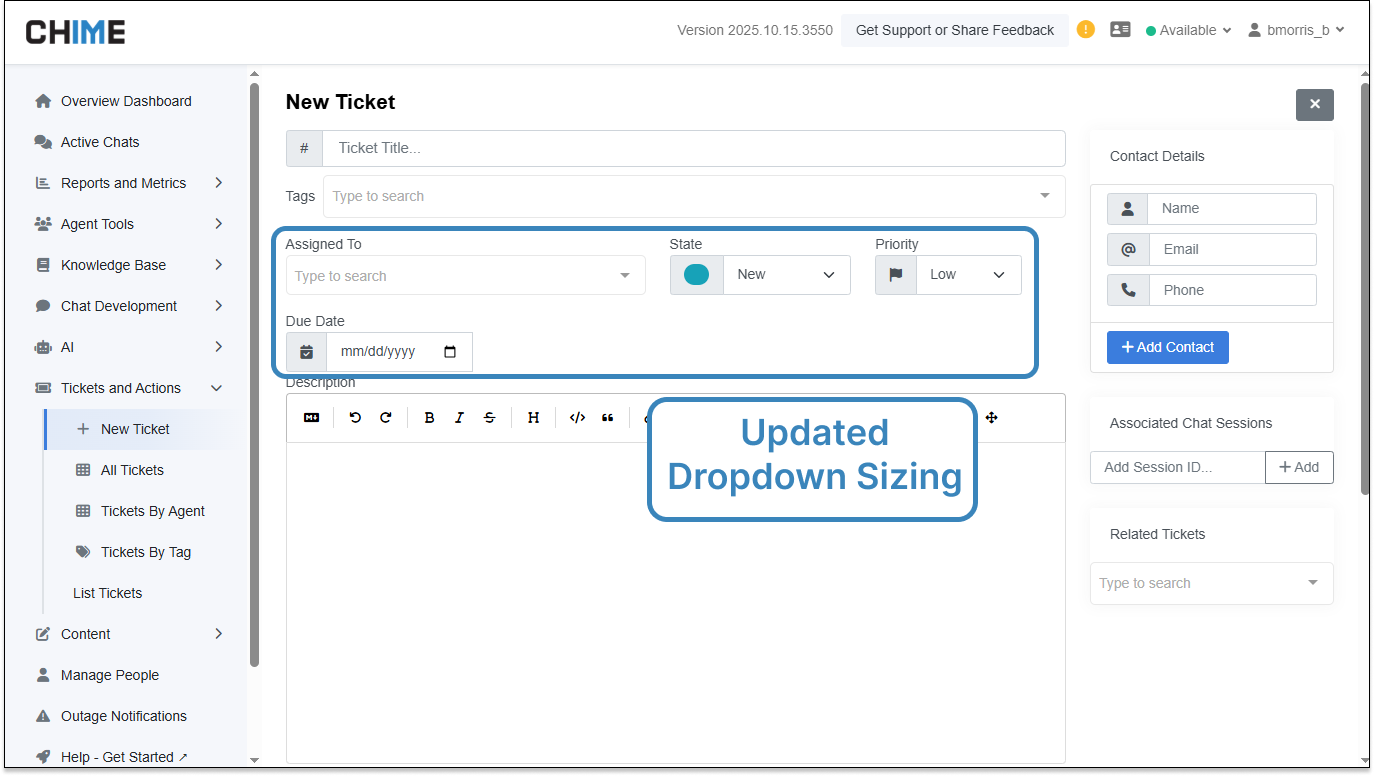
- Ticketing UI Consistency– Even, easy-to-scan field sizing for key ticket fields.
- Email Template Task Reliability– More resilient email sends when using agent lists.
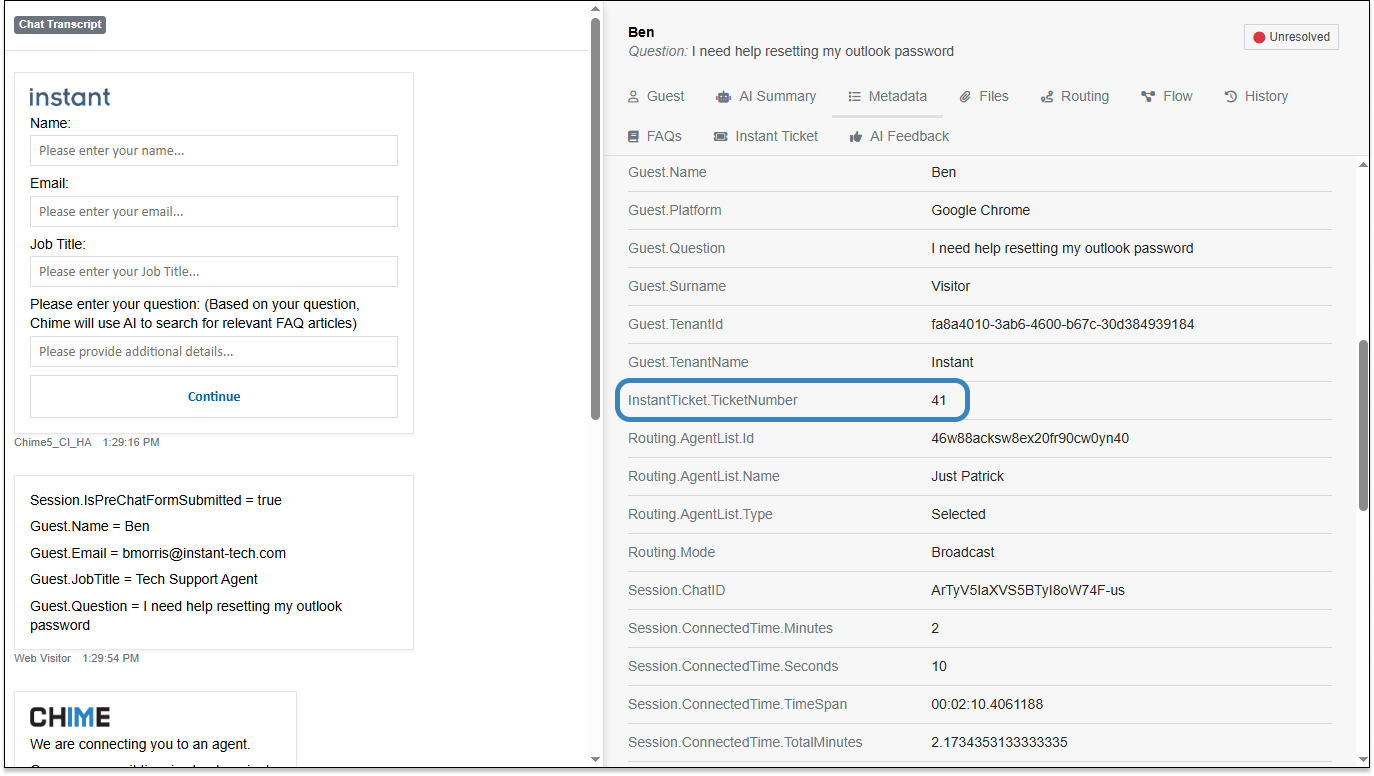
- Ticket Creation & Lookup Reliability– Consistent ticket creation and visibility even when some guest details are missing.
Agent Web Client Ticketing
Agents can create a ticket from an active chat and see a simplified ticket view right in the chat tab, with the option to open the full editor when needed.
Why it’s useful:Less context switching and faster follow-through during live conversations.
Email & Enhanced Email Delivery Options
Choose how your workflow emails go out: send asingle group emailto all recipients orindividual emailsto each person.
Why it’s useful:Teams can match delivery style to the moment—group announcements vs. personalized outreach—without changing their process.
Ticketing UI Consistency
Key ticket fields—State,Priority,Assigned-To, andDue Date—now have even, consistent sizing for a cleaner, more readable layout.
Why it’s useful:Quicker scanning and fewer clicks when reviewing or updating tickets.
Email Template Task Reliability
The Email Template task now handles agent-list recipient setups more smoothly, supporting dependable email sends without extra configuration.
Why it’s useful:Automated messages keep moving reliably, so your notifications reach the right people at the right time.
Ticket Creation & Lookup Reliability
Ticket creation from chat sessions remains consistent even when some guest details (like name or email) aren’t available, and tickets remain easy to locate afterward.
Why it’s useful:Smooth handoffs from chat to ticketing and dependable visibility for agents and managers.