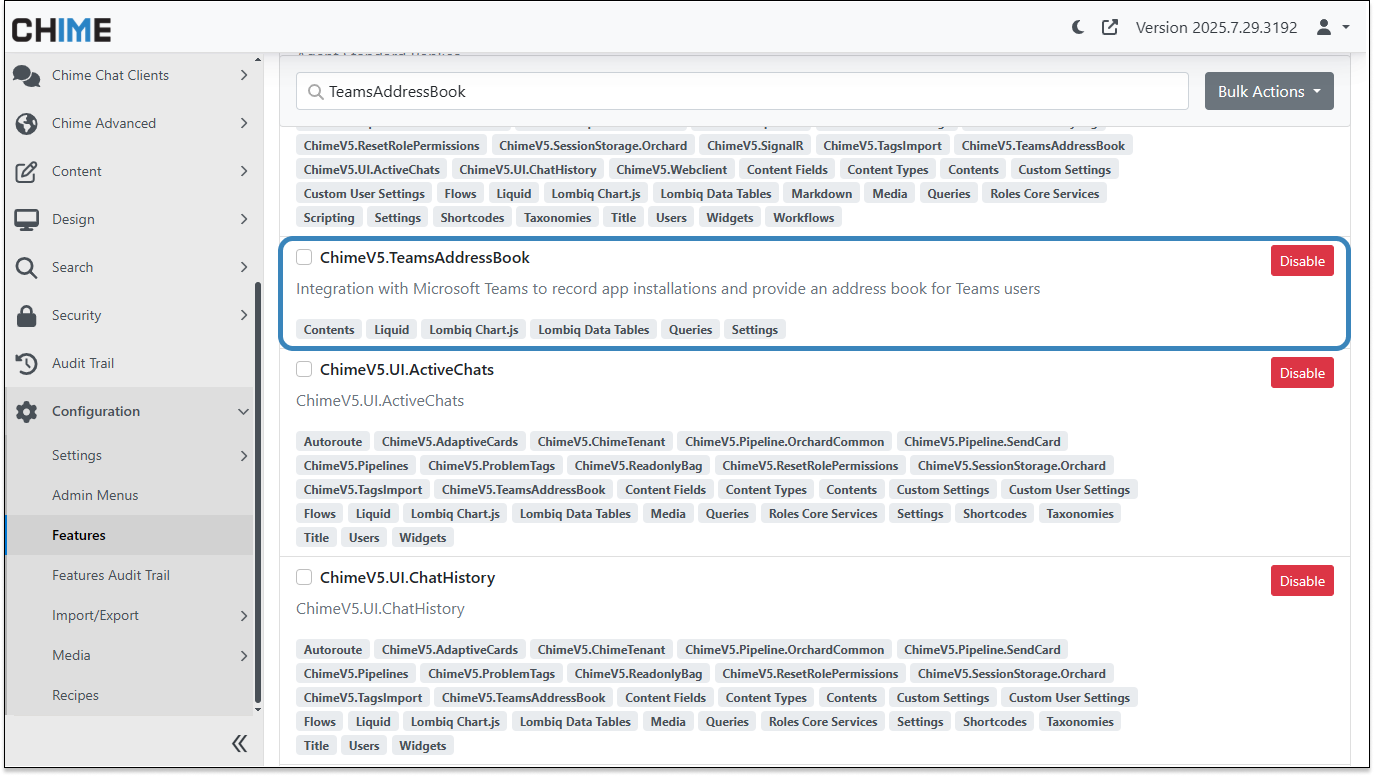
The new Teams Install Tracking Dashboard introduces enhanced visibility into Teams app adoption, powered by the ChimeV5.TeamsAddressBook feature. This integration allows administrators to quickly access user-level installation and activity data directly from the dashboard, creating a complete view of tenant-wide Teams engagement.
Key Features
-
Comprehensive Installation Tracking:
-
Every Teams app install is now captured with user and tenant details, including:
-
User name and email
-
Install date and status
-
Last active date in Teams chat with the bot
-
-
-
Tenant-Level Dashboard:
-
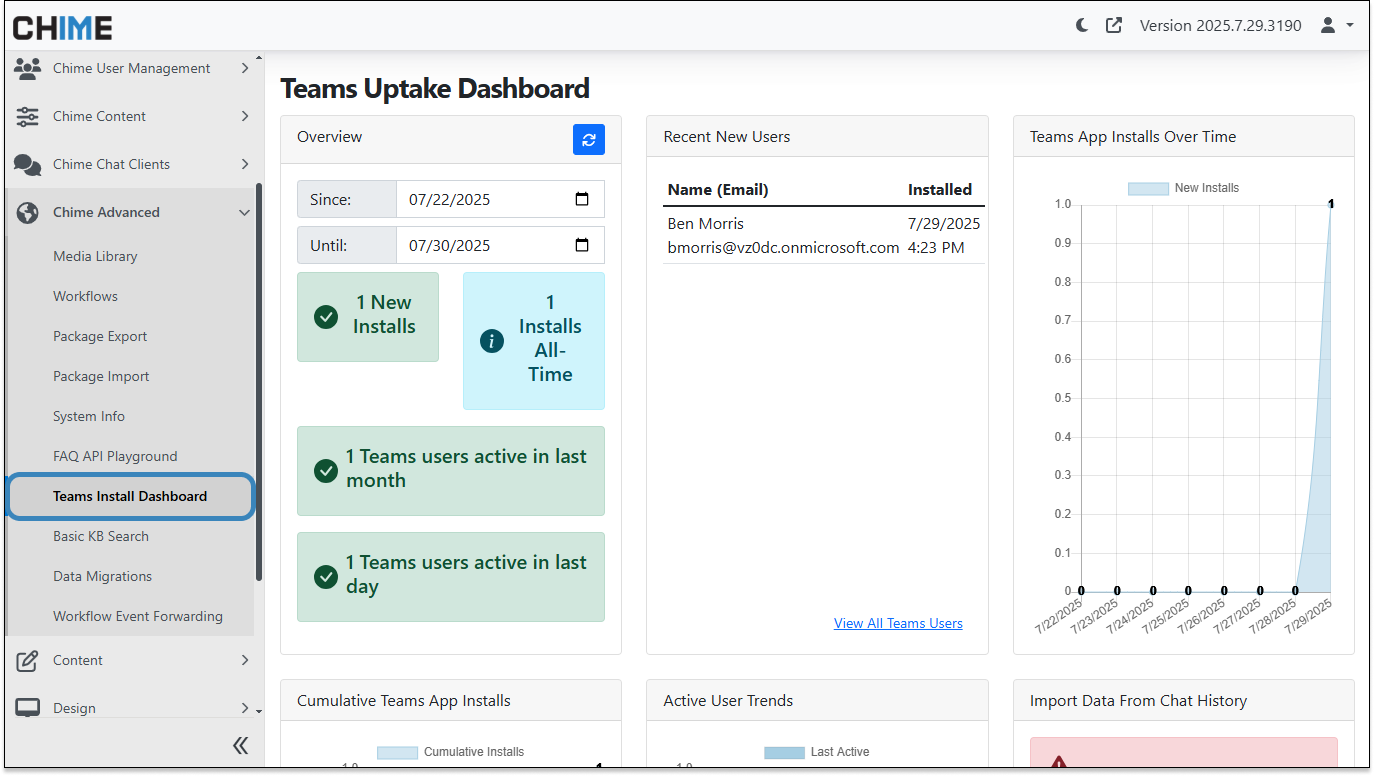
Located in Admin → Chime Advanced → Teams Install Dashboard, this view shows:
-
New installs and all-time installs
-
Users active in the last day and last month
-
Recent new users with name, email, and Teams install date
-
A link to the Teams Address Book for a full user list with last active dates and date range filters
-
-
-
Historical Data Reconstruction:
-
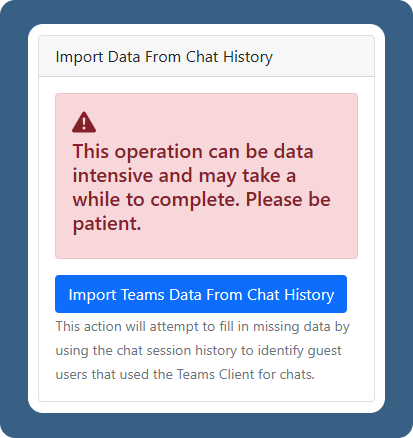
Use existing chat session logs to retroactively identify installs and activity. This also attempts to fill in missing data by recognizing guest users who previously used Teams for chats.
-
-
Adoption Trends and Reporting:
-
Track installation and engagement trends to support adoption initiatives and better understand user activity within your tenant.
-
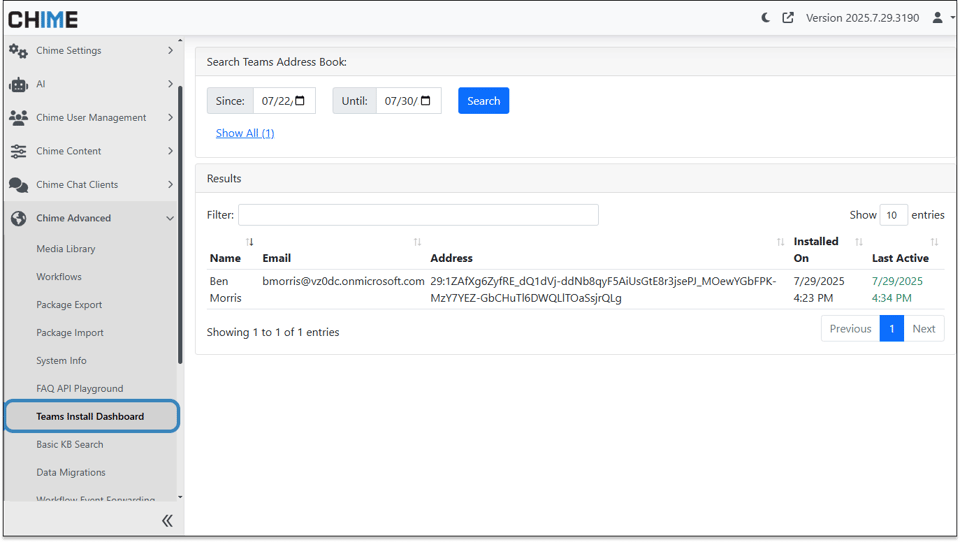
- Teams Address Book:
- View all Teams users with their name, email, address, install date/time, and last active date/time. Includes advanced options like date range selection, searching, column sorting, and a “show all” view for complete tenant visibility.
Why It’s Useful
The Teams Install Tracking Dashboard makes it easier to:
-
Measure how widely the Teams app is deployed in your tenant
-
Identify active and inactive users for adoption campaigns
-
Reconstruct and maintain accurate installation history
-
Make data-driven decisions to improve Teams engagement
With these insights, organizations can optimize Teams app usage and drive adoption using clear, actionable data.